Your first day
The people and their documents: who needs attention, a record's screening dates, a document waiting to be verified, a new staff member, a reminder, a message. The screens are from a demonstration centre; everyone in them is fictional.
-
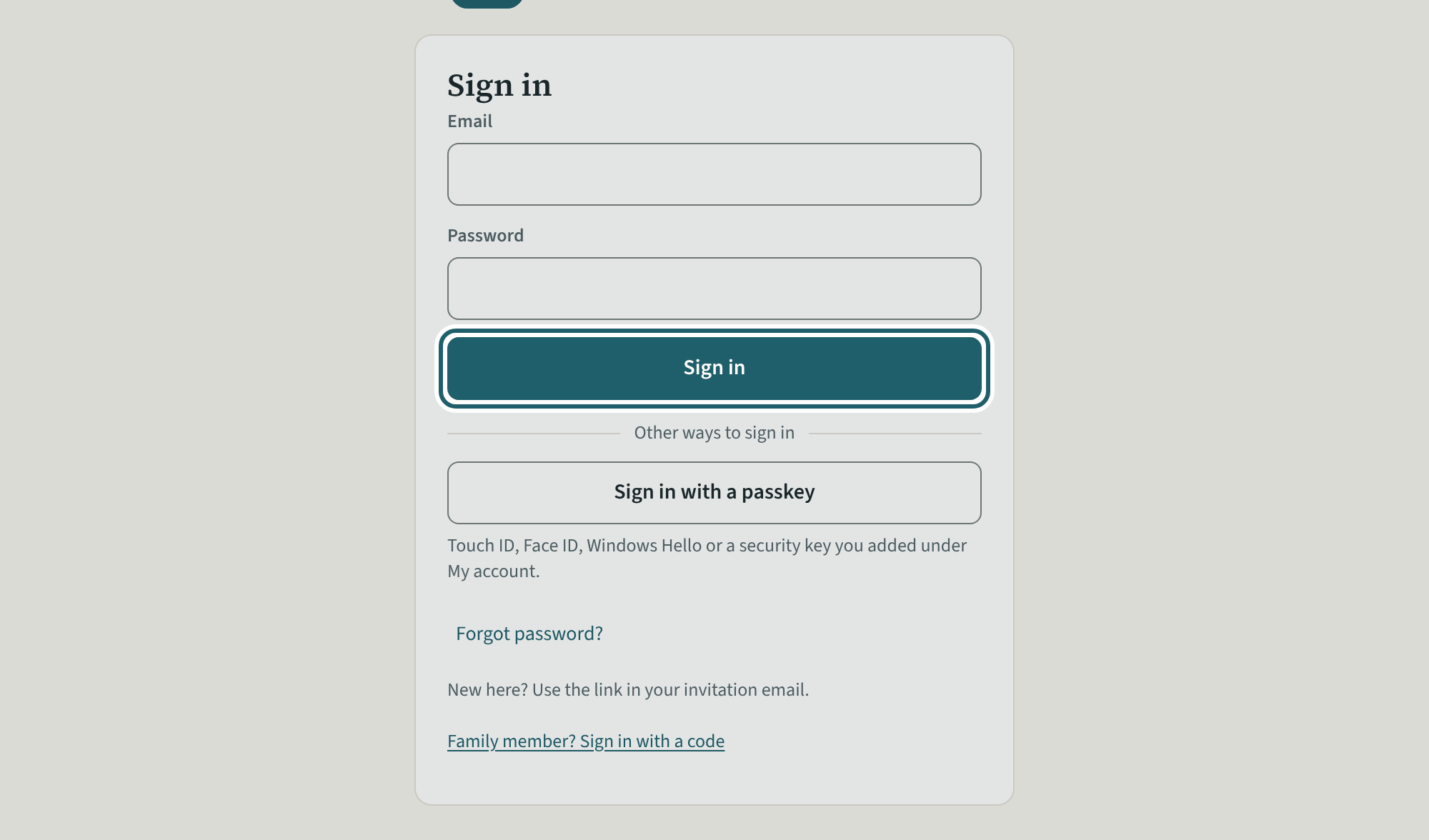
Sign in
Open the link in your invitation email and choose a password. After that, sign in with your email and that password.
Watch out: Your menu is short on purpose. Office staff never record in the rooms, in children's files, incidents or the binder, and never see children's health information.
-
The dashboard
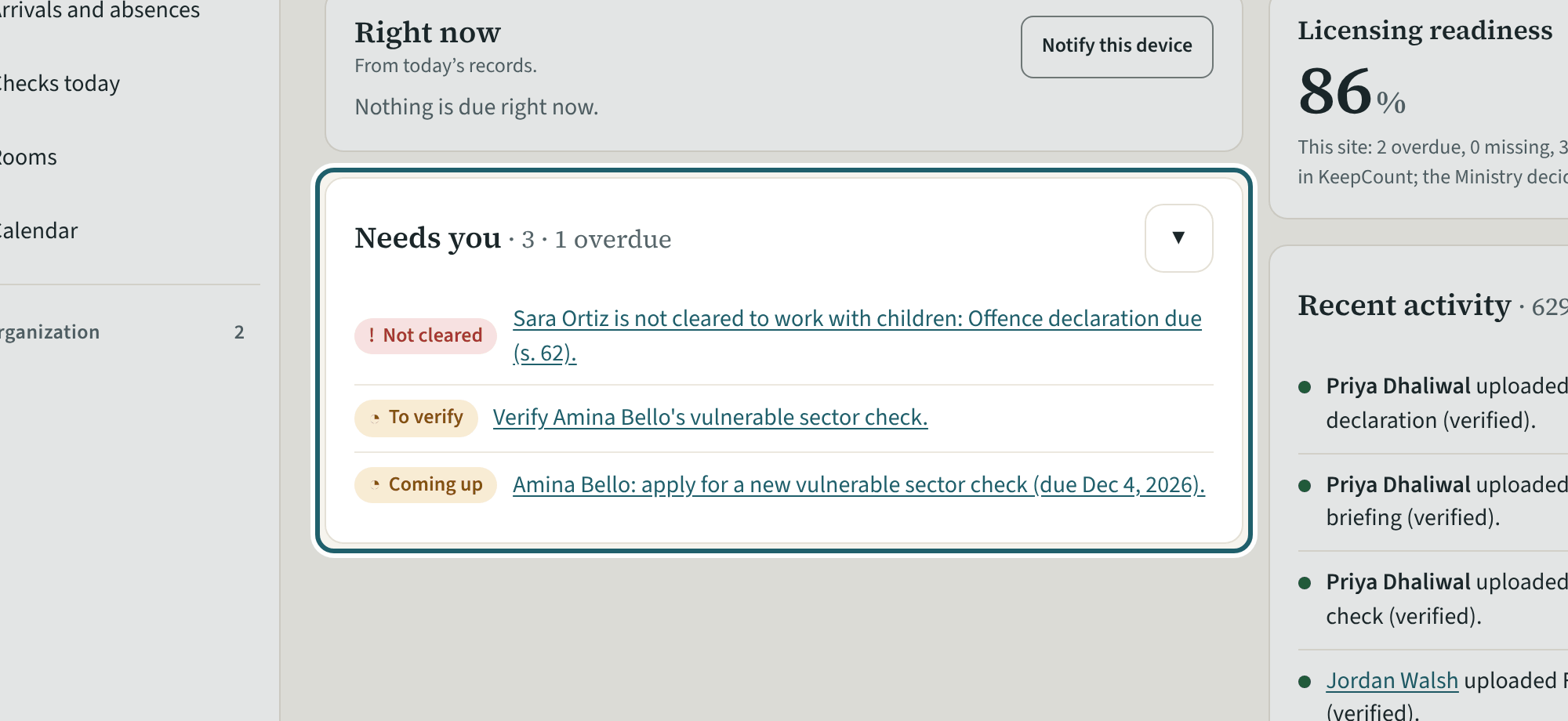
The dashboard for your site: the figures, Needs you with the screening that waits on you, the readiness score, recent activity and the staff in progress.
Watch out: "Remind everyone overdue (n)" emails each person once, and not again within 20 hours.
-
Staff
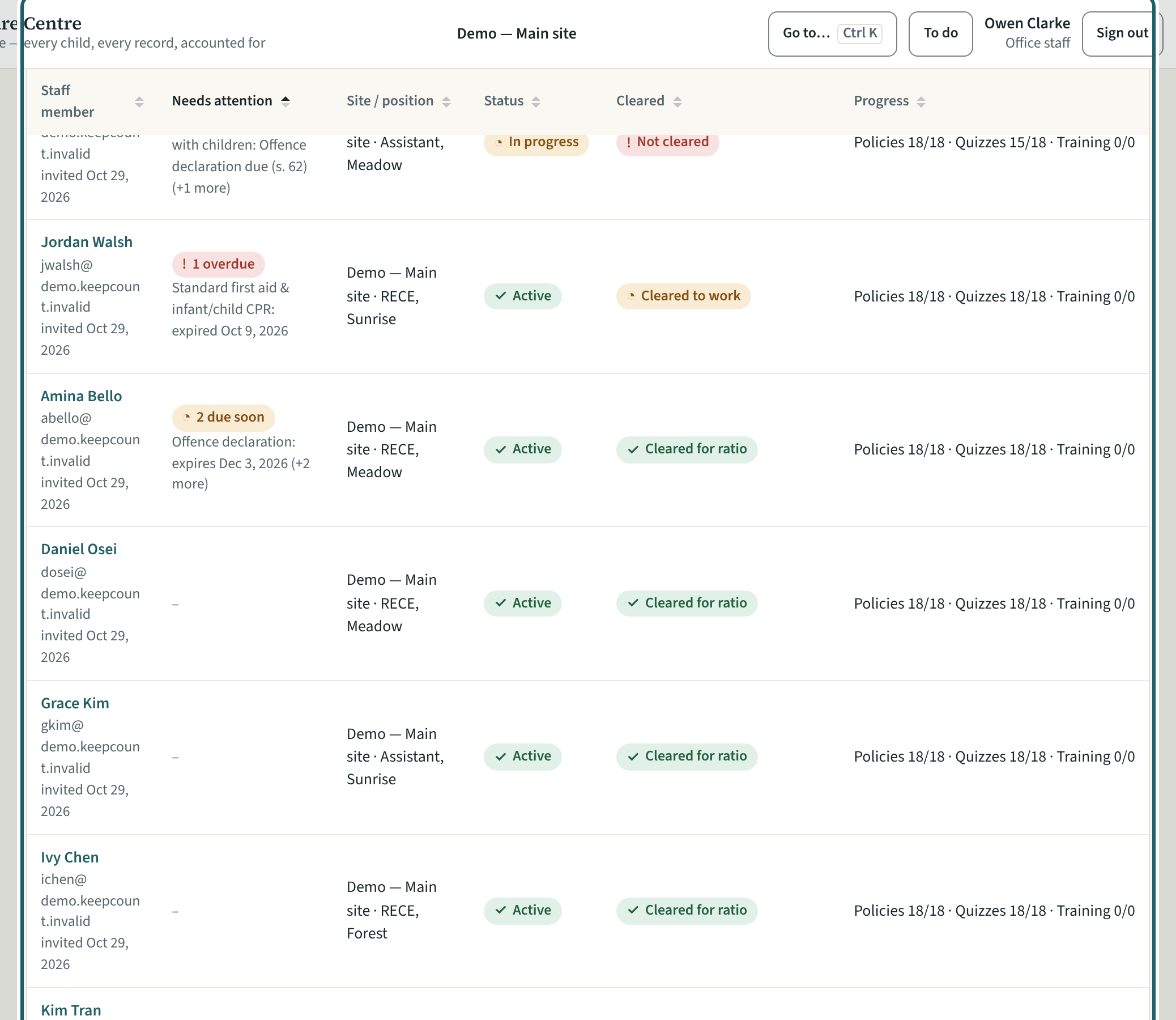
Staff lists each person at the site with what needs attention, their position, their status, whether they are cleared, and their progress.
-
A person who needs attention
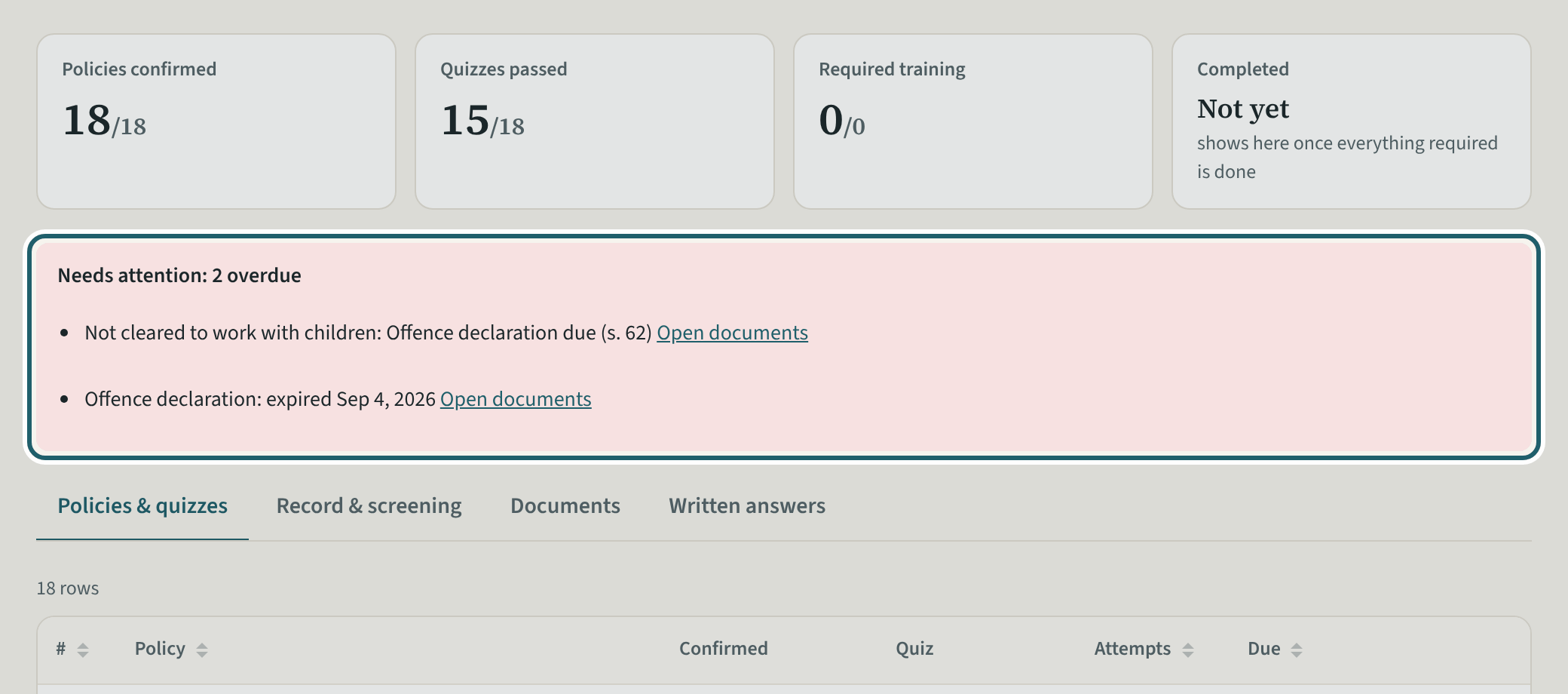
Open the person: the callout says what is missing or due, with a link to the documents; the pills say In progress and Not cleared to work with children.
Watch out: An owner's or an administrator's record is not yours to change; a person whose main site is another site is managed there.
-
The screening dates
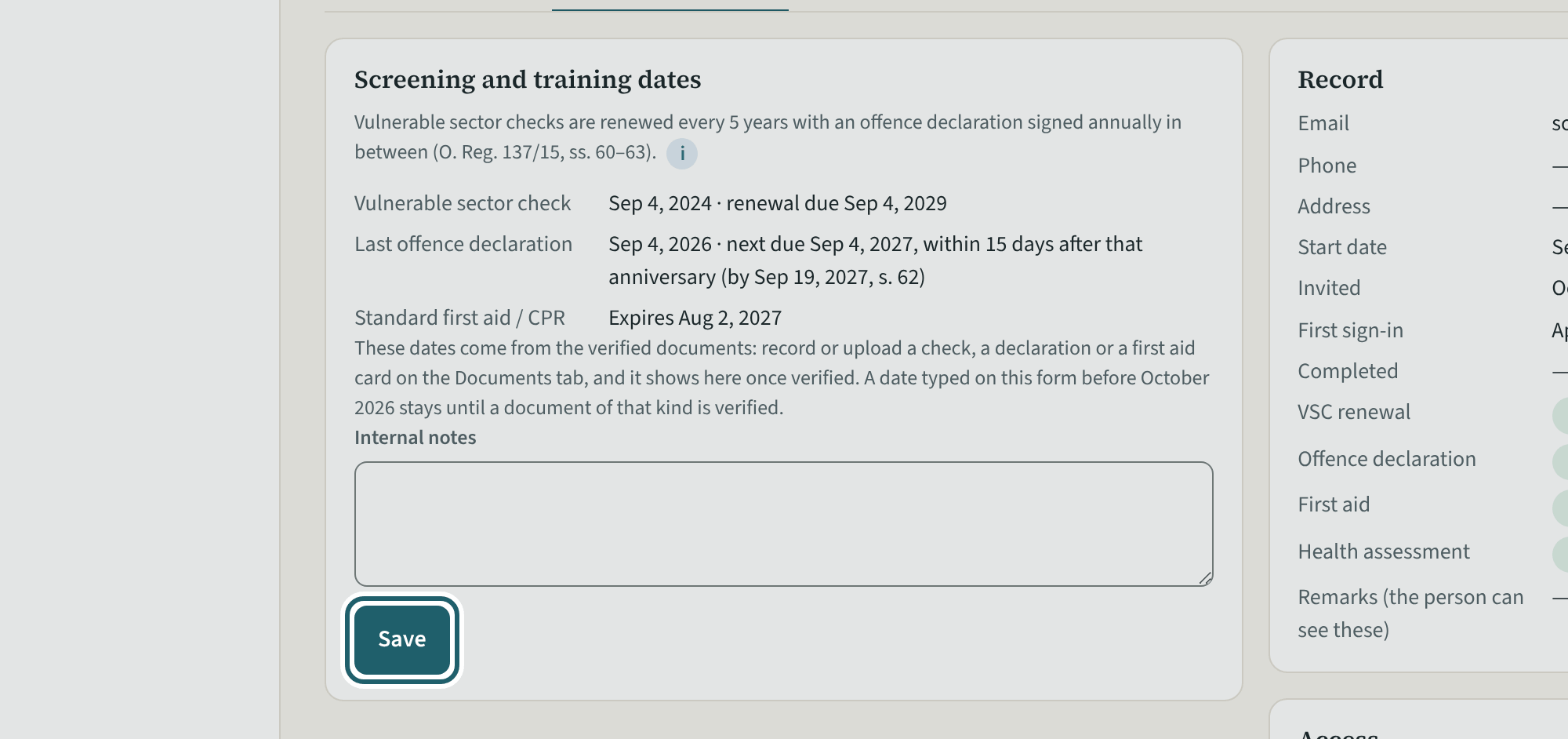
Record & screening: the vulnerable sector check, the last offence declaration, the first aid expiry and notes; "Record a newer date" for a paper document.
Watch out: Verifying a document fills these dates from it; type a date only for a document kept on paper. Internal notes are never read by the person.
-
A document awaiting verification
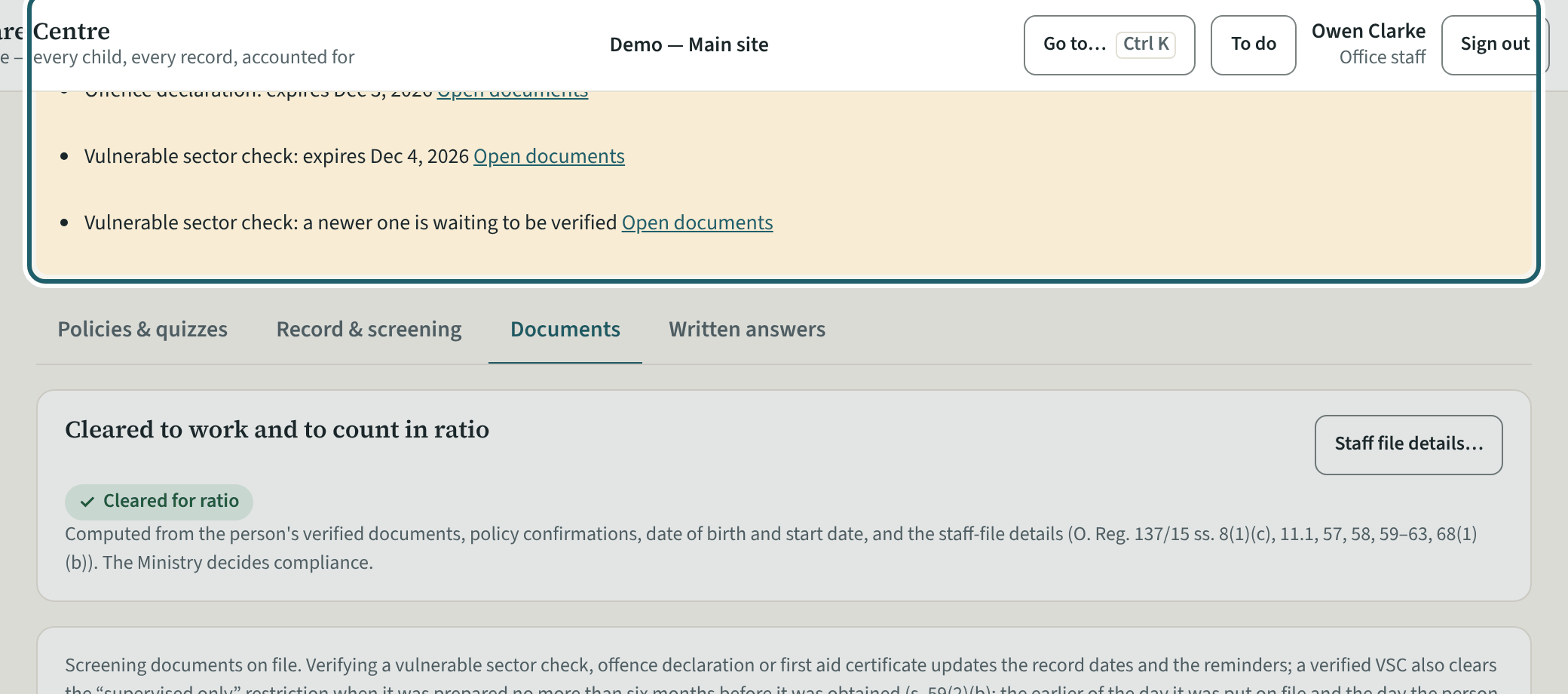
A document someone uploaded waits for verification: "Waiting to be verified", with Open and Verify. The one on file counts until then.
Watch out: "Open" shows the file through a link that lasts ten minutes, and every opening is logged. A document you uploaded is verified by someone else.
-
Verify it
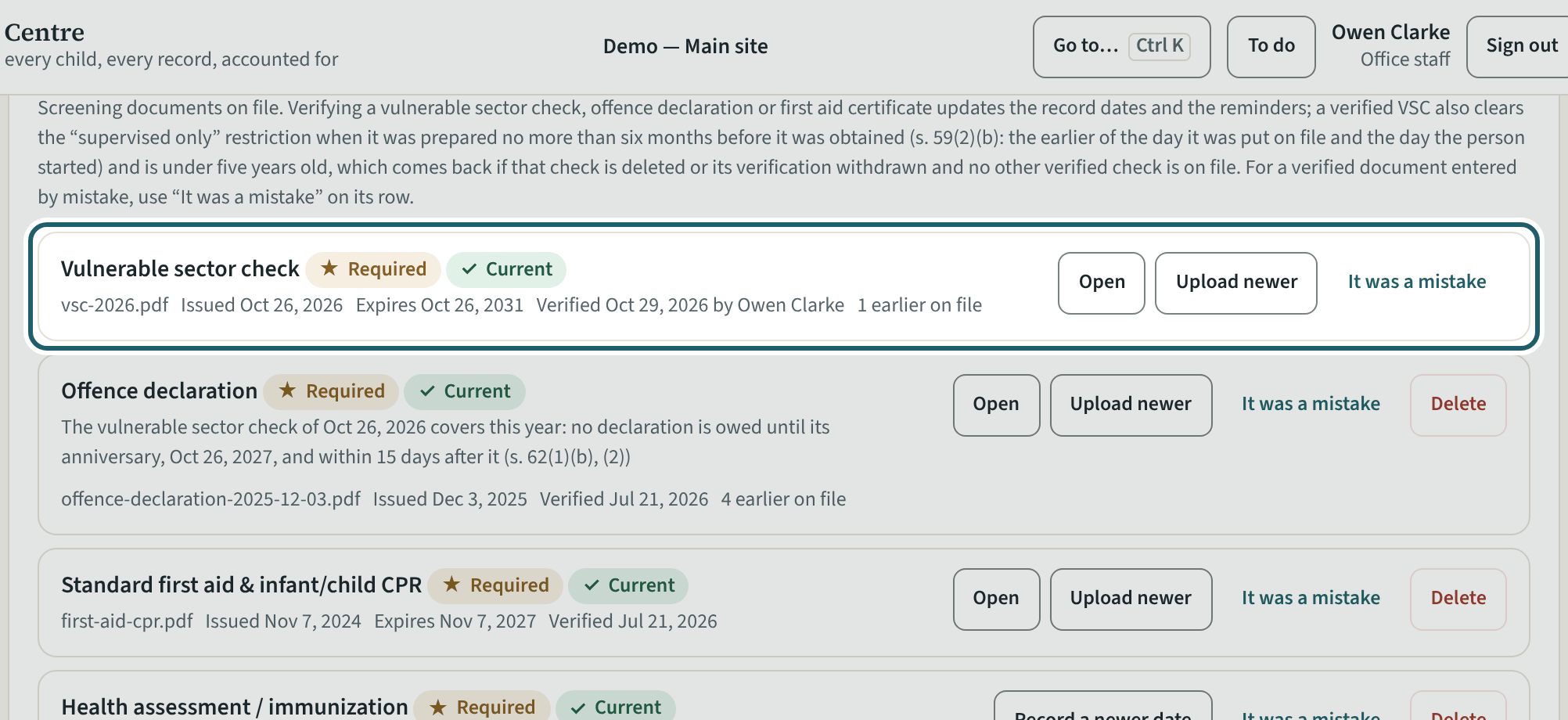
"Verify": the dates and reminders update, and a vulnerable sector check within its six-month limit clears "supervised only" (s. 59(2)(b)).
Watch out: Verifying is your signature that the document was seen against the original: Needs you, Licensing readiness and the "Cleared" column change on their own.
-
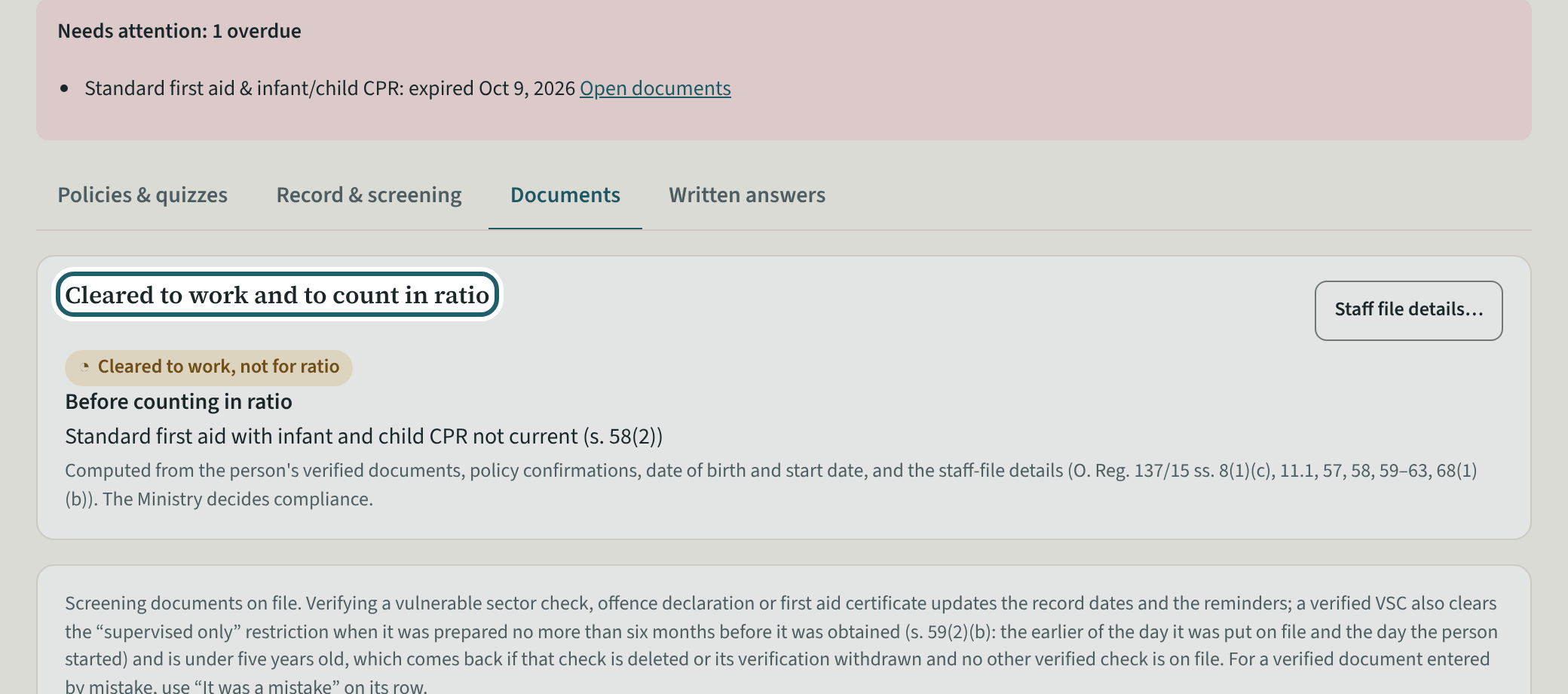
Cleared to work, and to count
"Cleared to work and to count in ratio" says what is still needed before working with children and before counting, computed from the verified documents.
Watch out: The Ministry decides compliance; the panel shows the state of the documents on file.
-
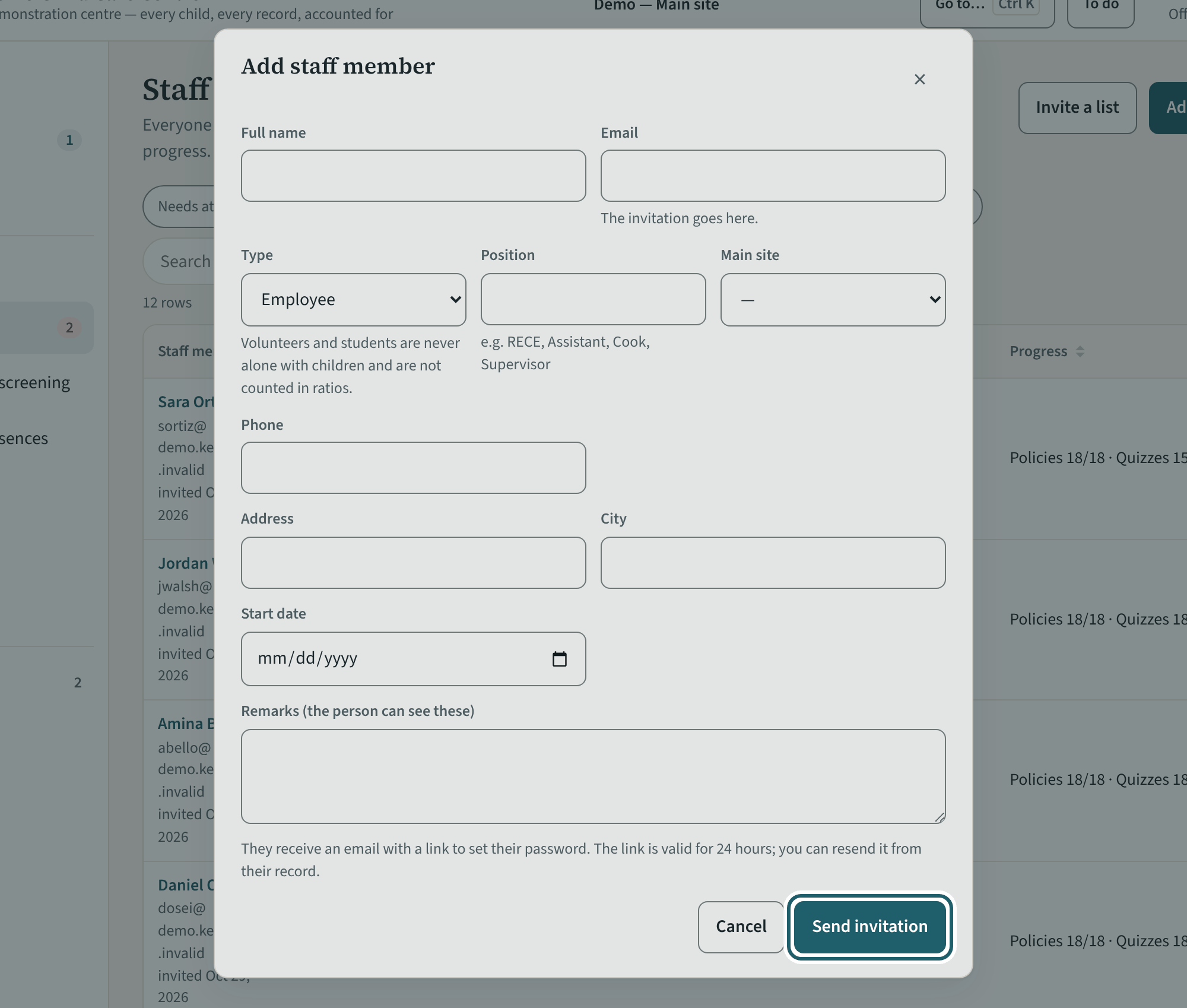
Add a staff member
"Add staff member": a room staff member, a volunteer or a student at your site. Their invitation goes out when you save.
Watch out: Office staff invite staff, volunteers and students for their own site; supervisors, office staff and administrators are added by an administrator.
-
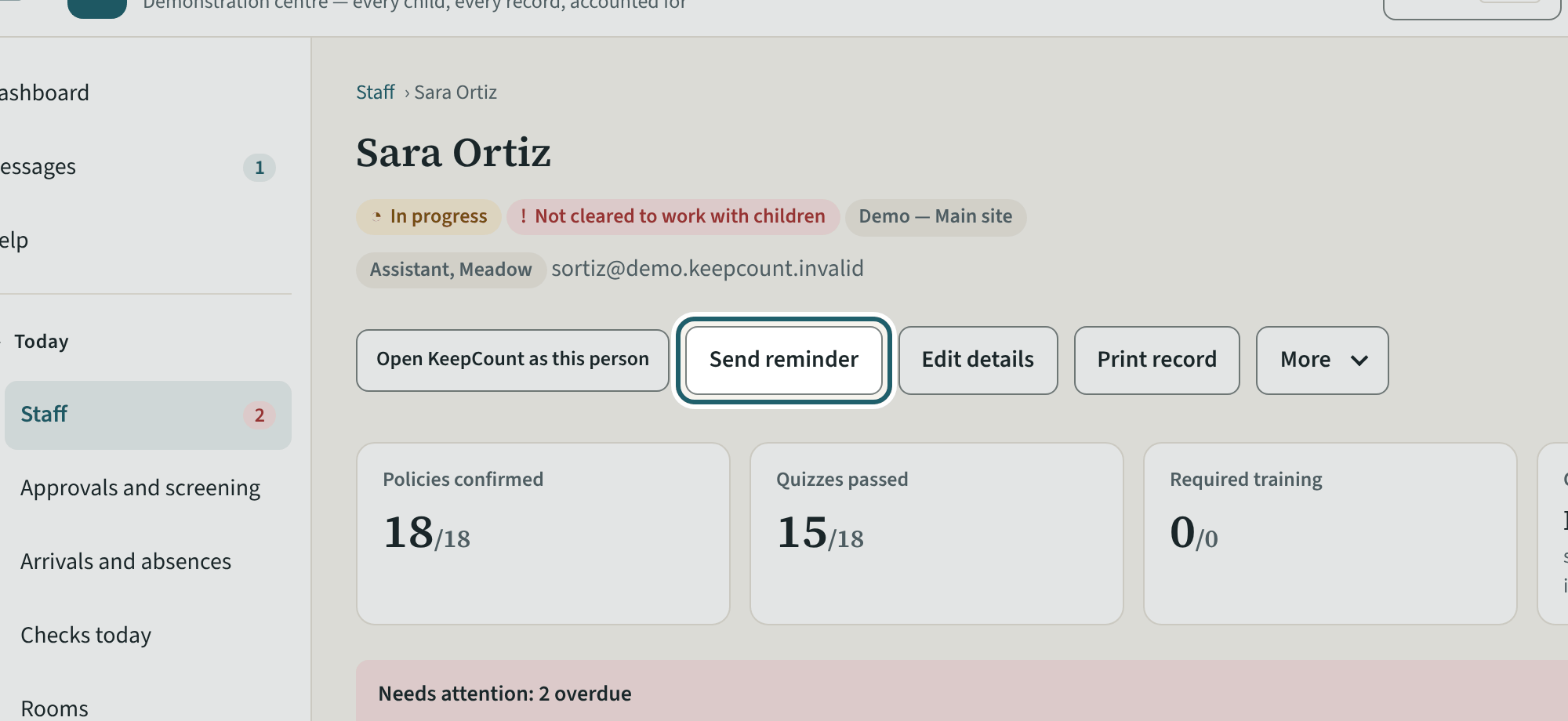
Reminders and the record
On a record: Send reminder, Print record, Edit details, Change sign-in email, Deactivate, Remove access.
Watch out: "Remove access" ends a leaver's access and keeps the records; "Deactivate" only pauses a sign-in. Locking a login or setting it up again is for a supervisor or an administrator. "Change sign-in email" is confirmed from both addresses.
-
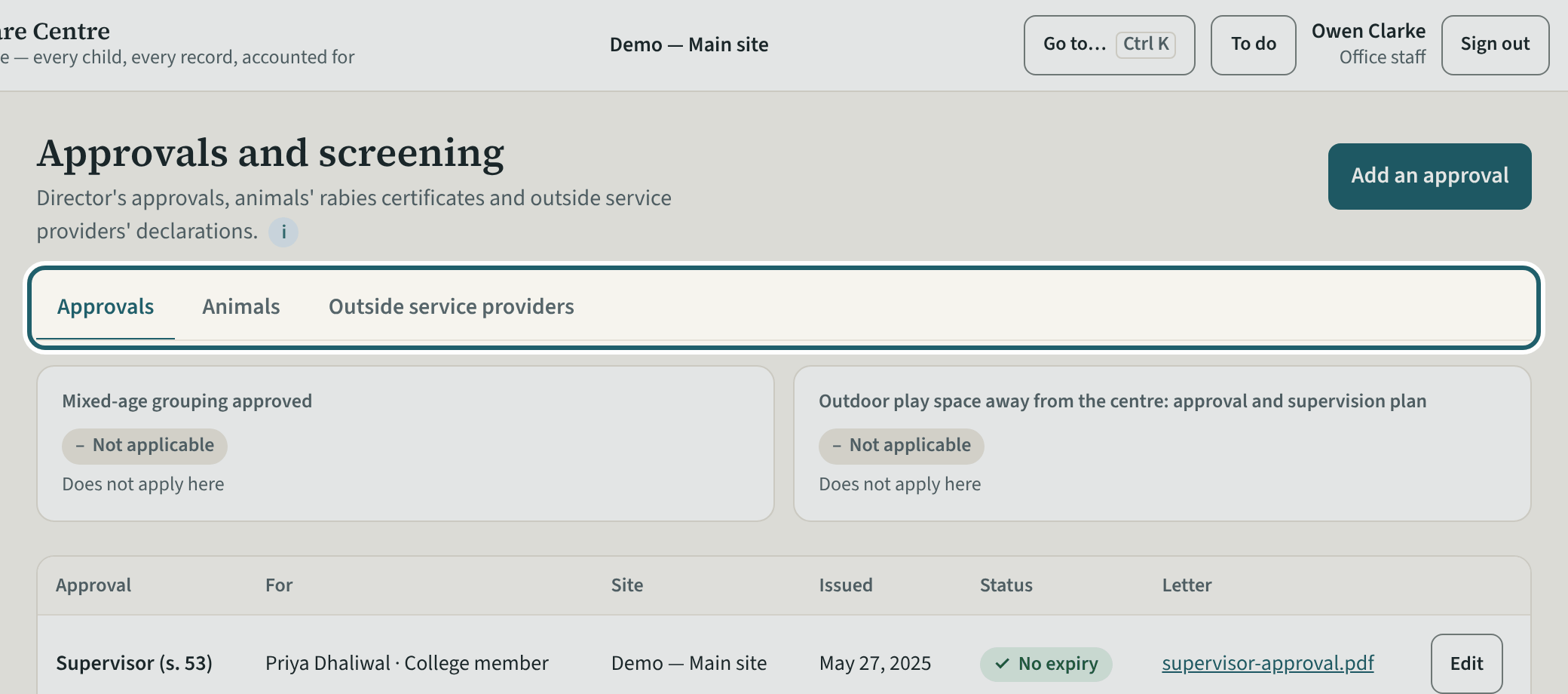
Approvals and screening
Approvals and screening: the director's approvals, the animals' rabies certificates and the outside service providers' declarations, as you read them.
Watch out: Office staff read this page; a supervisor or an administrator records on it.
-
Rooms, as you see them
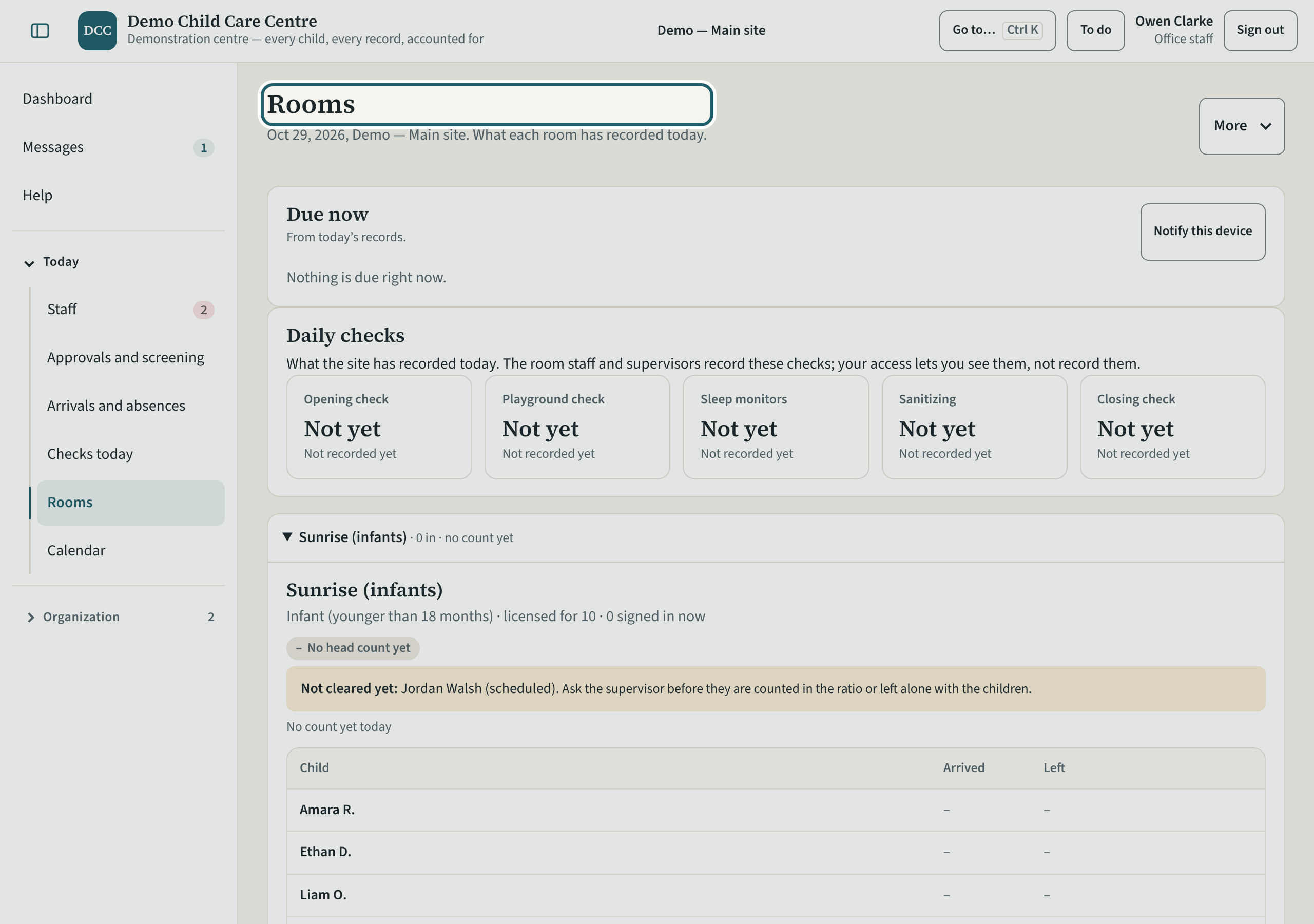
Rooms shows what each room has recorded today. Recording is for the room staff and supervisors.
Watch out: Children's allergies, plans and pick-up notes are never shown at your access level; the "Not cleared yet" reasons are on the people's records.
-
Checks today
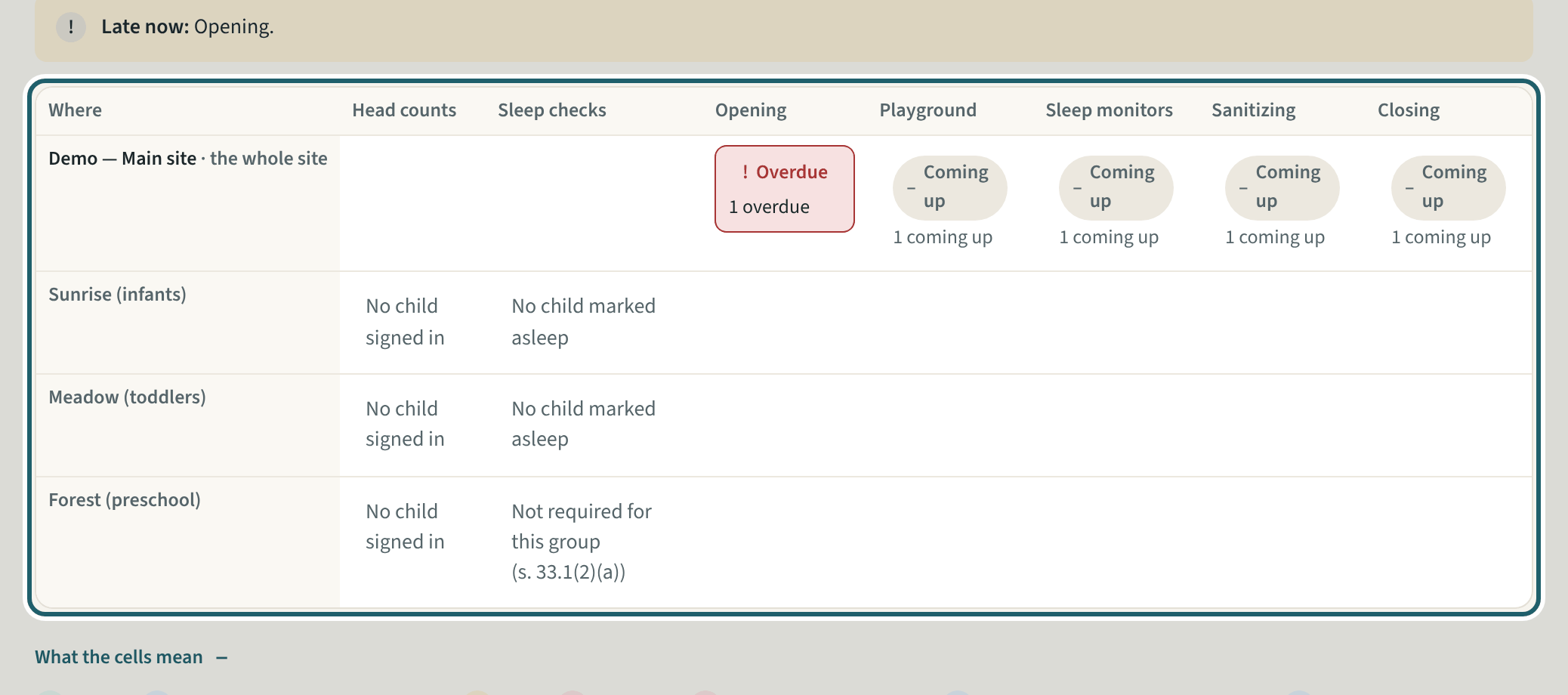
Checks today, read-only: every check due that day, from the records, so you can see what is late before it is asked about.
-
Write to the site
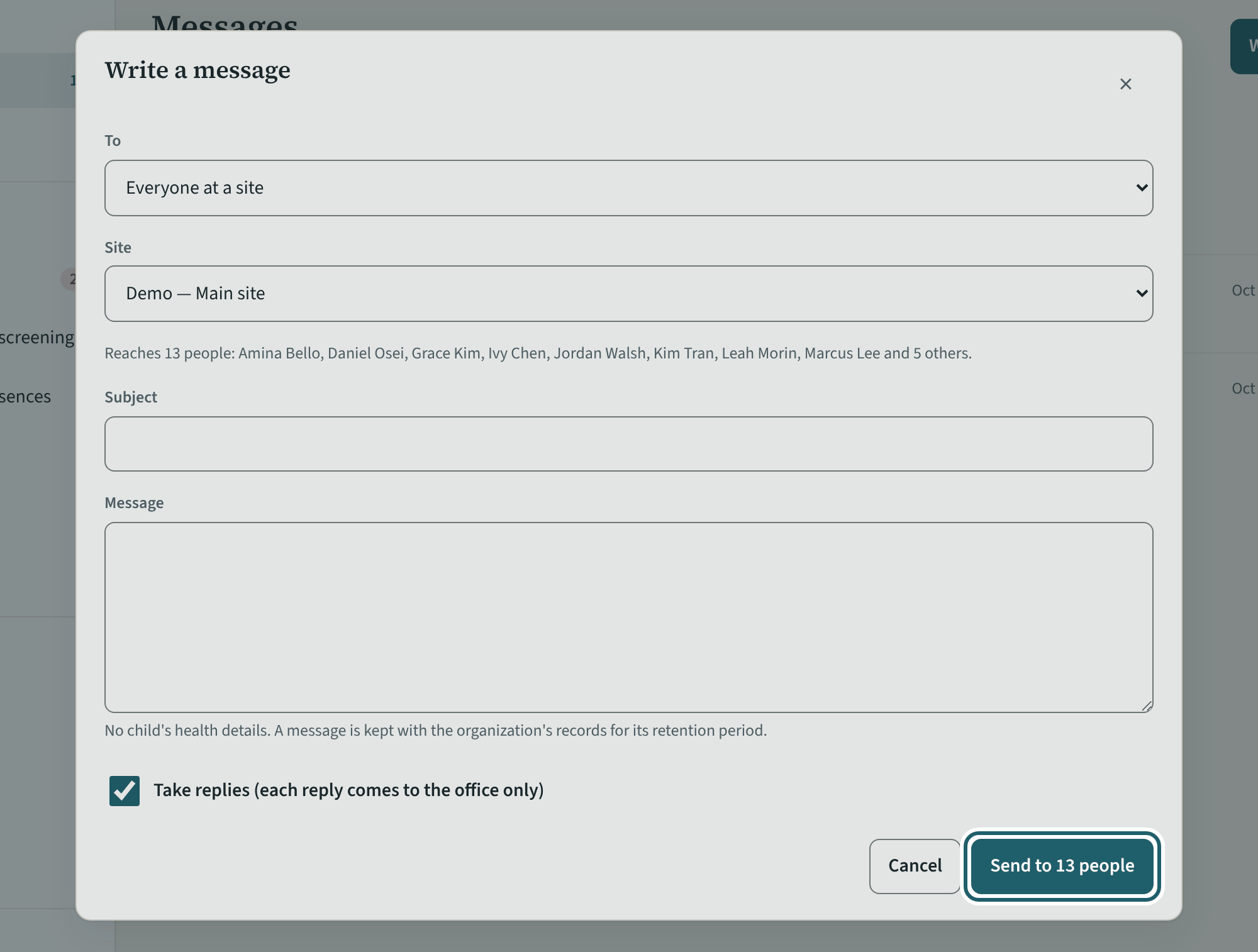
Messages: write to your site, one of its rooms or named people there; each sees it on their home screen, and replies come to the office.
Watch out: No child's health details in a message: it is kept with the organization's records for the retention period. Replies come to the office only.
Your first week
Your own training, the calendar, the pages that are the supervisors', your account, and Help.
-
The calendar
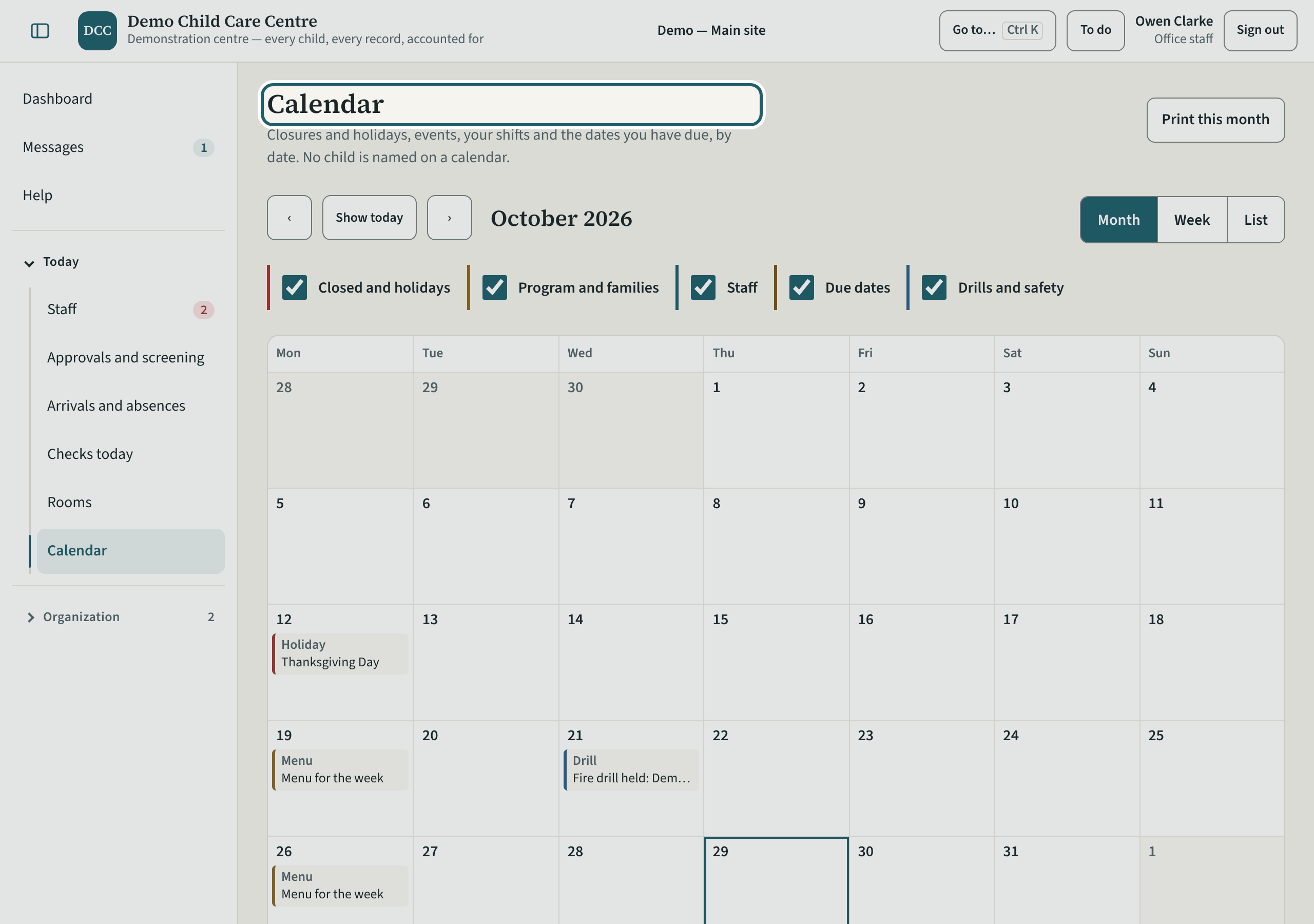
The calendar, read-only: closures and holidays, drills and tests, renewals and due dates, by month.
-
My training
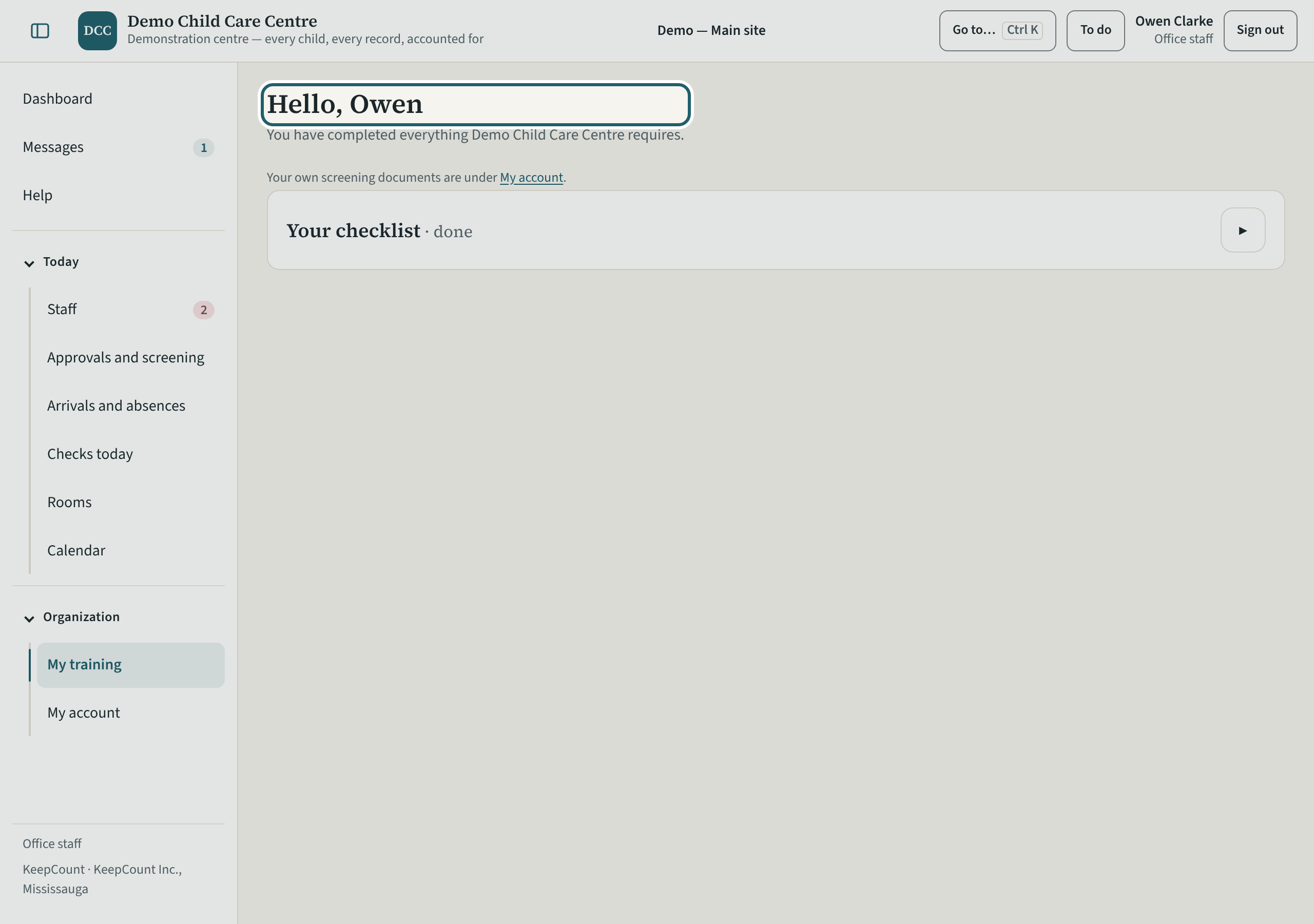
My training: your own policies to read and confirm, your quizzes and training, and your screening documents.
Watch out: Another administrator verifies your own documents; completion shows on your record when everything required is done.
-
The pages that keep the daily records
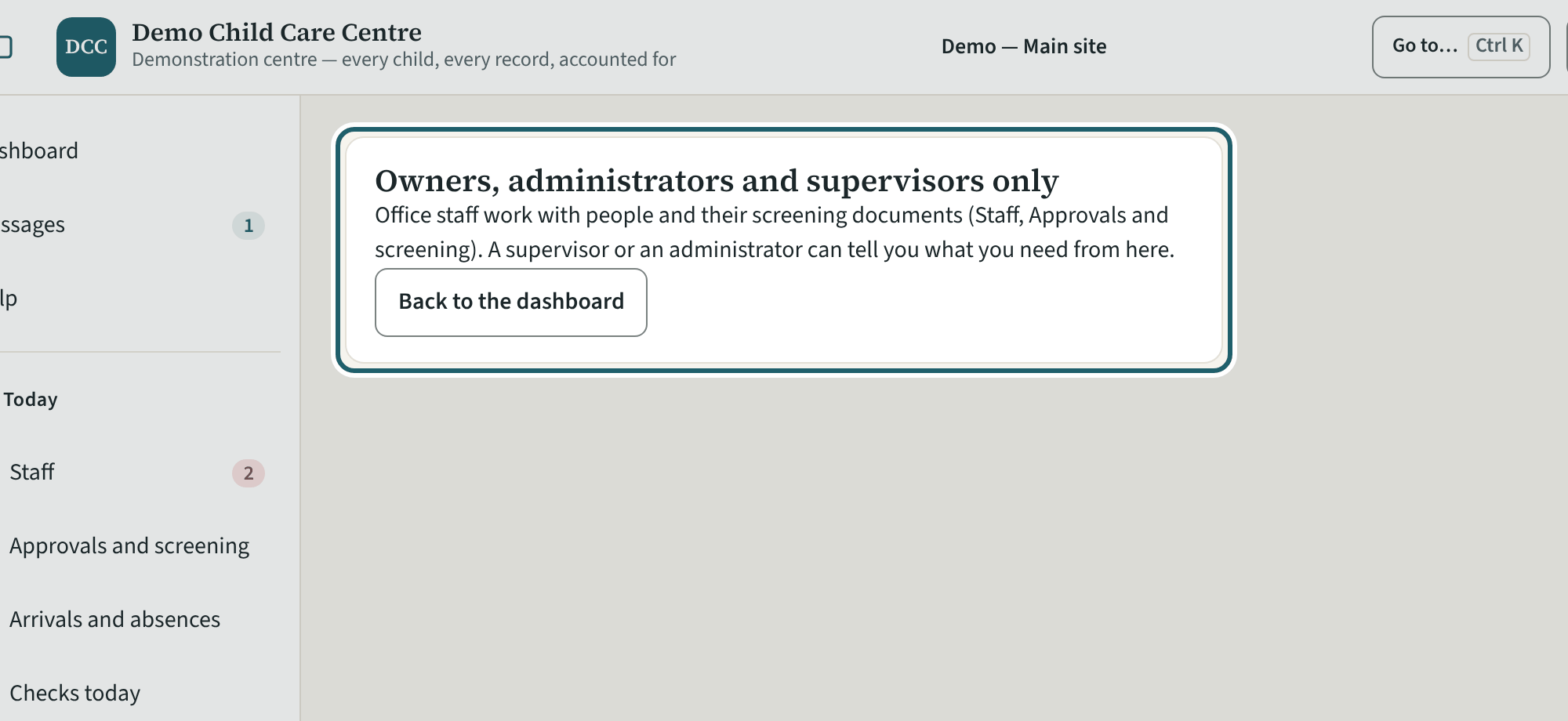
A page that keeps the daily records says it is for owners, administrators and supervisors: they record there and can tell you what you need.
-
My account
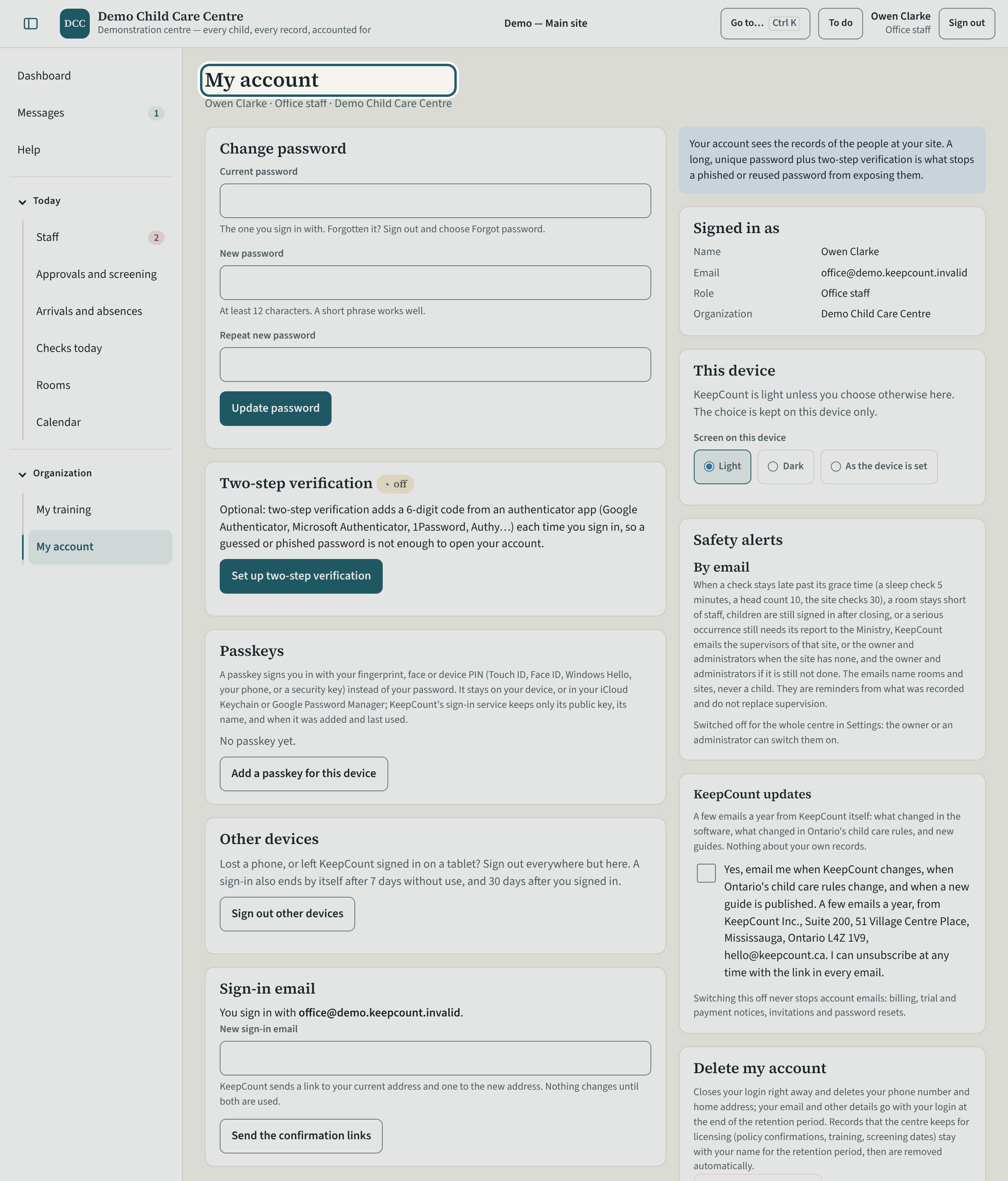
My account: your sign-in email, your password, two-step verification, a passkey for this device, your own documents, and the KeepCount updates switch.
-
Help
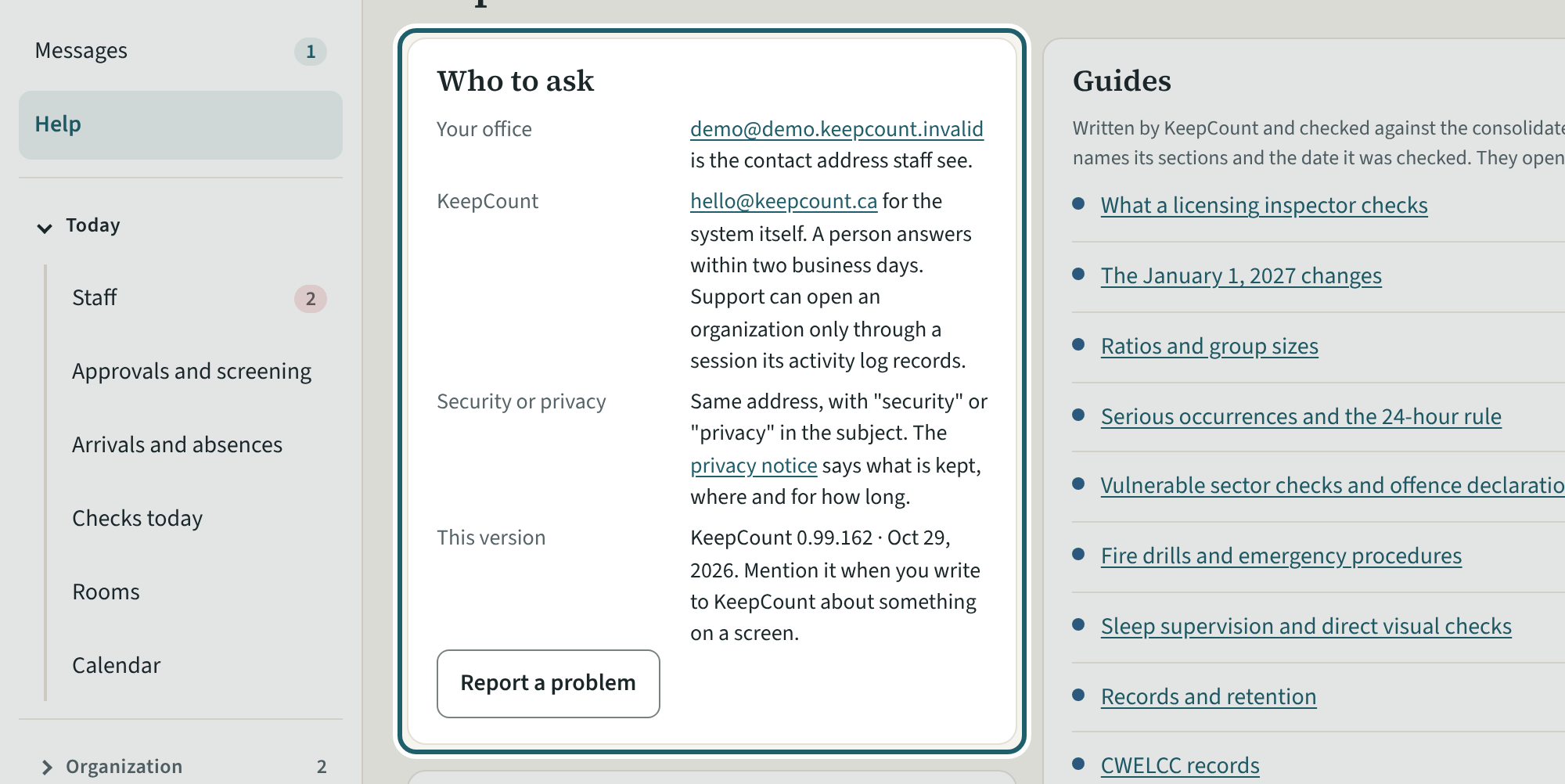
Help: the guides to the regulation, the glossary, who to ask, and Report a problem.
Watch out: "Report a problem" goes to KeepCount support only, never to your centre: say what you did and what you saw, without anyone's record.