Your invoices and payments
Billing shows when the centre records you as paying for a child. The centre chooses whether it bills families through KeepCount. The screens are from a demonstration centre: a fictional family and fictional amounts.
-
Find Billing
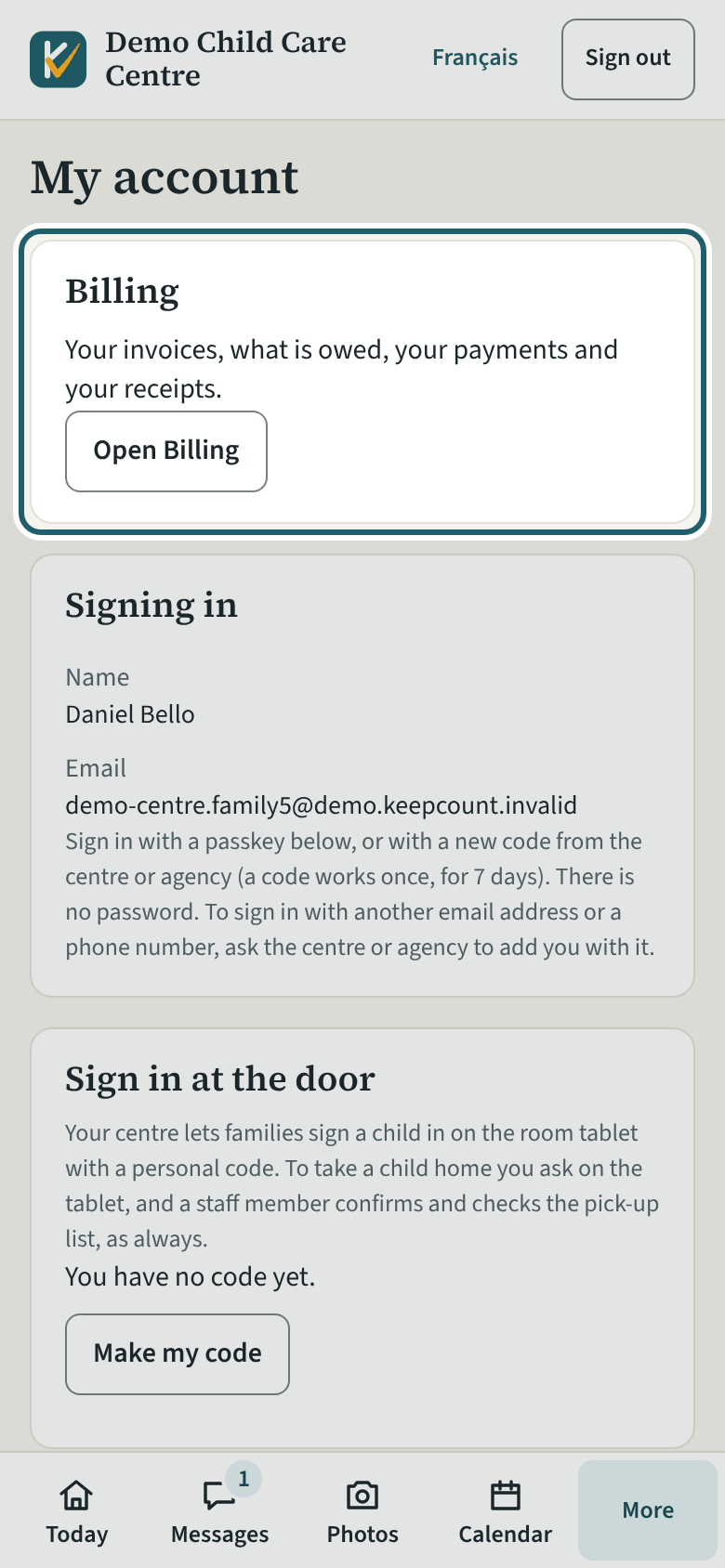
My account has a Billing card that opens your invoices, what is owed, your payments and your receipts. On a phone, Billing is also on the bar at the foot.
Watch out: Only the family members the centre records as paying for a child see Billing. Another parent who does not pay sees the child's day, not the invoices.
-
Billing
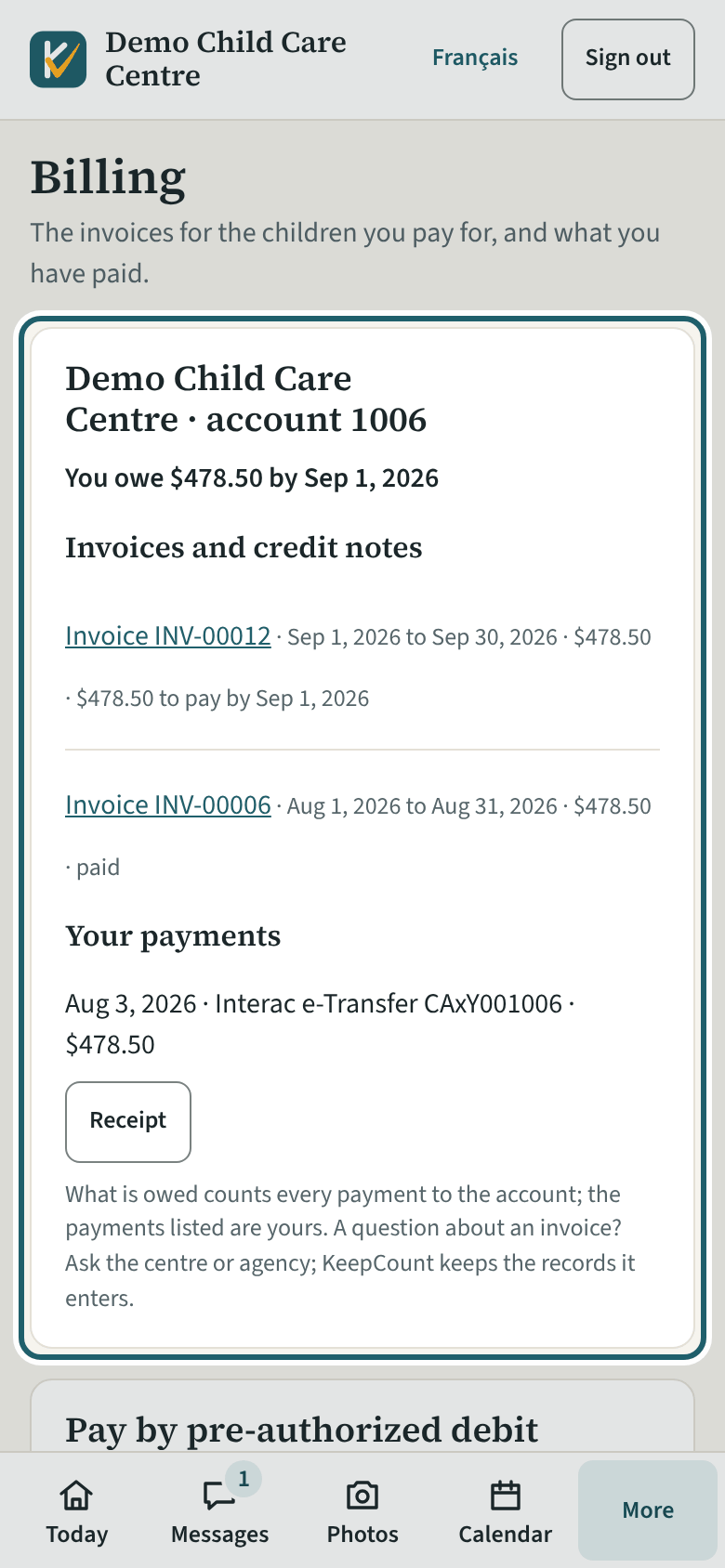
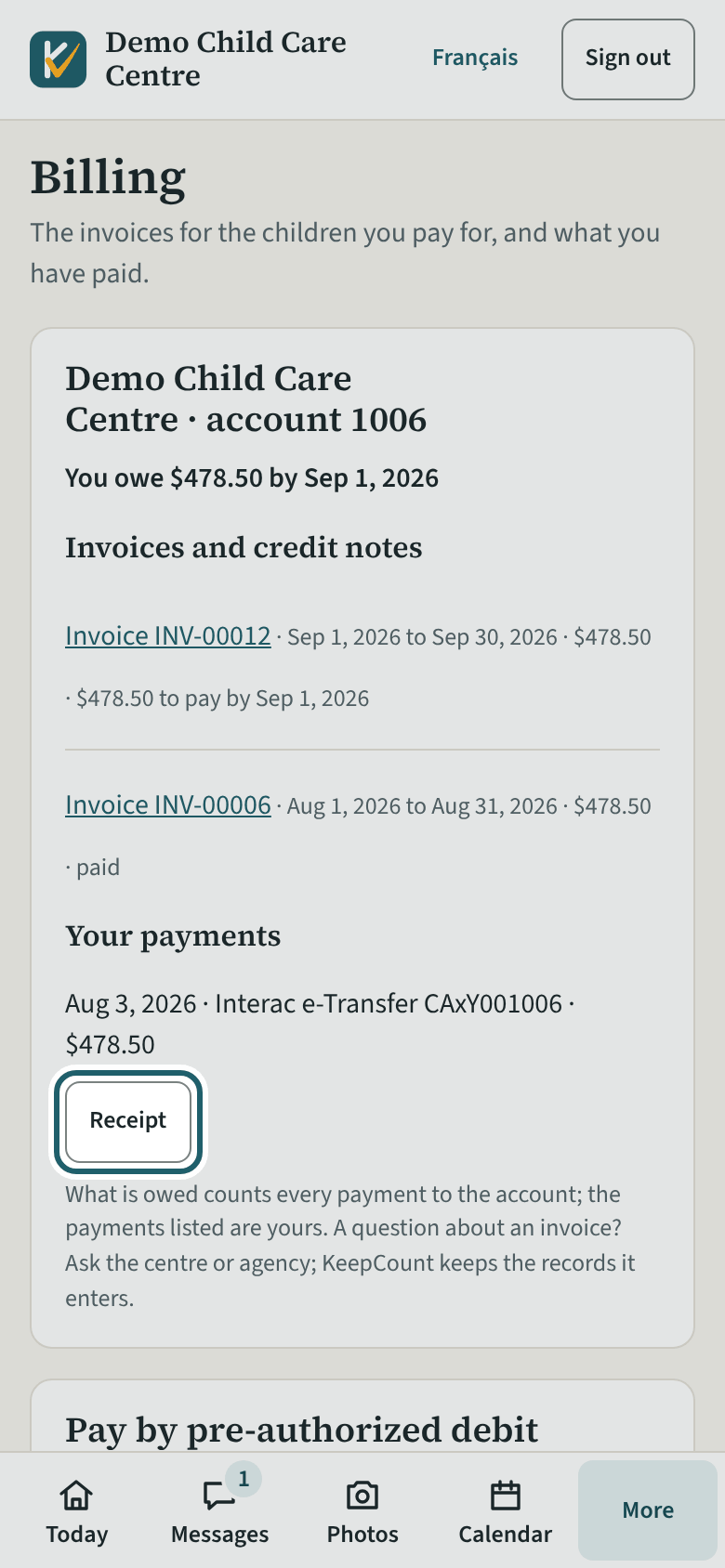
Billing: your account with the centre, what is owed or your credit, the invoices and credit notes, and your payments.
Watch out: What is owed counts every payment to the account, including another payer's; the payments listed are yours alone.
-
An invoice
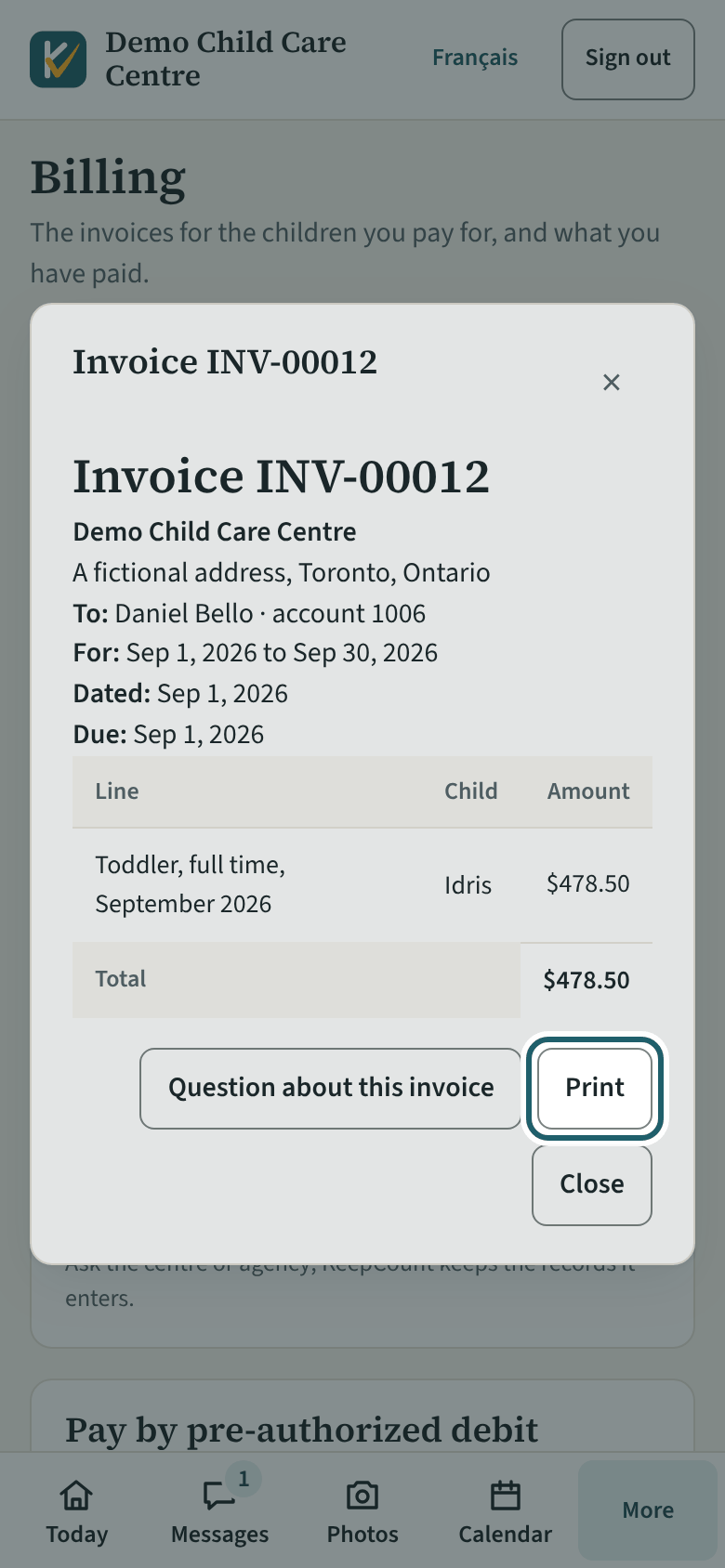
Tap an invoice: as issued, each line by child, the tax, the total and the due date. "Print" prints it; "Question about this invoice" writes to the office.
Watch out: An issued invoice is never changed: a mistake is corrected by a credit note from the centre, which shows in the list as its own line.
-
A receipt for a payment
Your payments: each one with its day, how it was paid and the amount. "Receipt" prints a receipt for that payment.
Watch out: A payment you made outside KeepCount shows here once the centre has recorded it.
-
Your receipt for the year
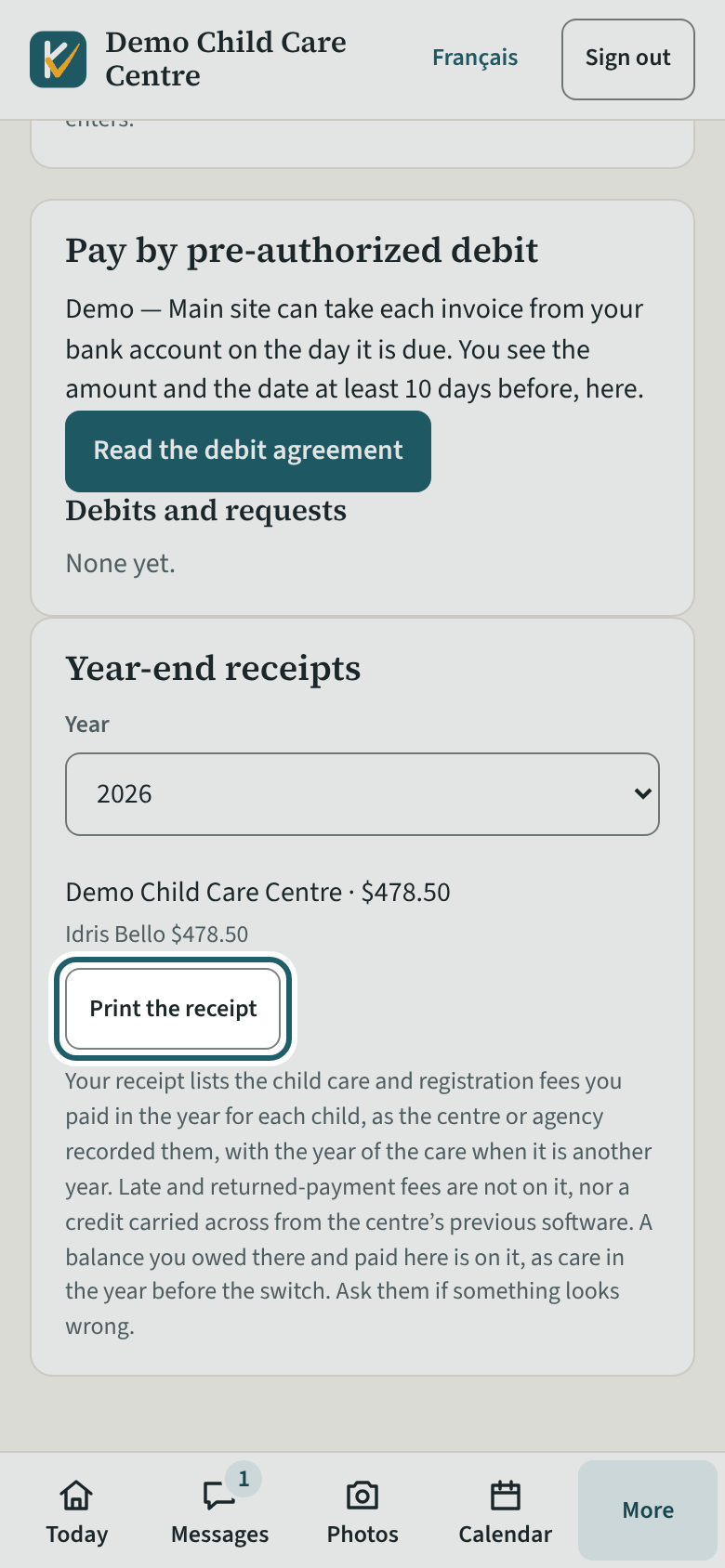
Year-end receipts: choose the year, then "Print the receipt": the child care fees you paid for each child, with the centre's name, address and business number.
Watch out: The centre issues the receipt; check it against your own records. KeepCount keeps no social insurance number.
Paying by pre-authorized debit
When the centre takes payments through KeepCount, it can take each invoice from your bank account on the first day of the month it bills, or on a later date shown with it. These payments run in Zūm Rails' test system for now: no centre takes them through KeepCount yet.
-
Pay by pre-authorized debit
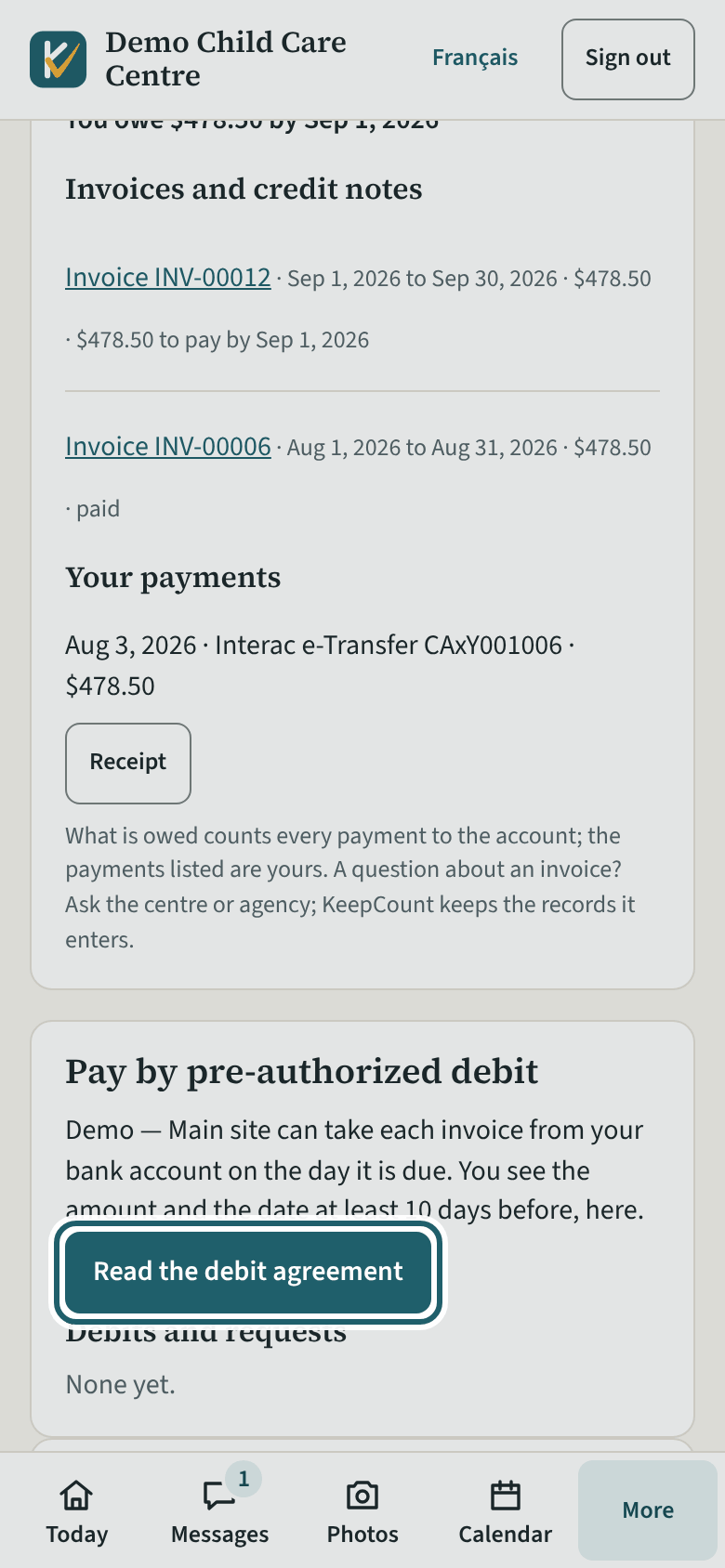
"Pay by pre-authorized debit": the centre takes each invoice from your bank, and you see the amount and the date here at least 10 days before.
Watch out: An account with more than one payer cannot pay by debit: ask the centre to send you an Interac request for each invoice instead.
-
The debit agreement
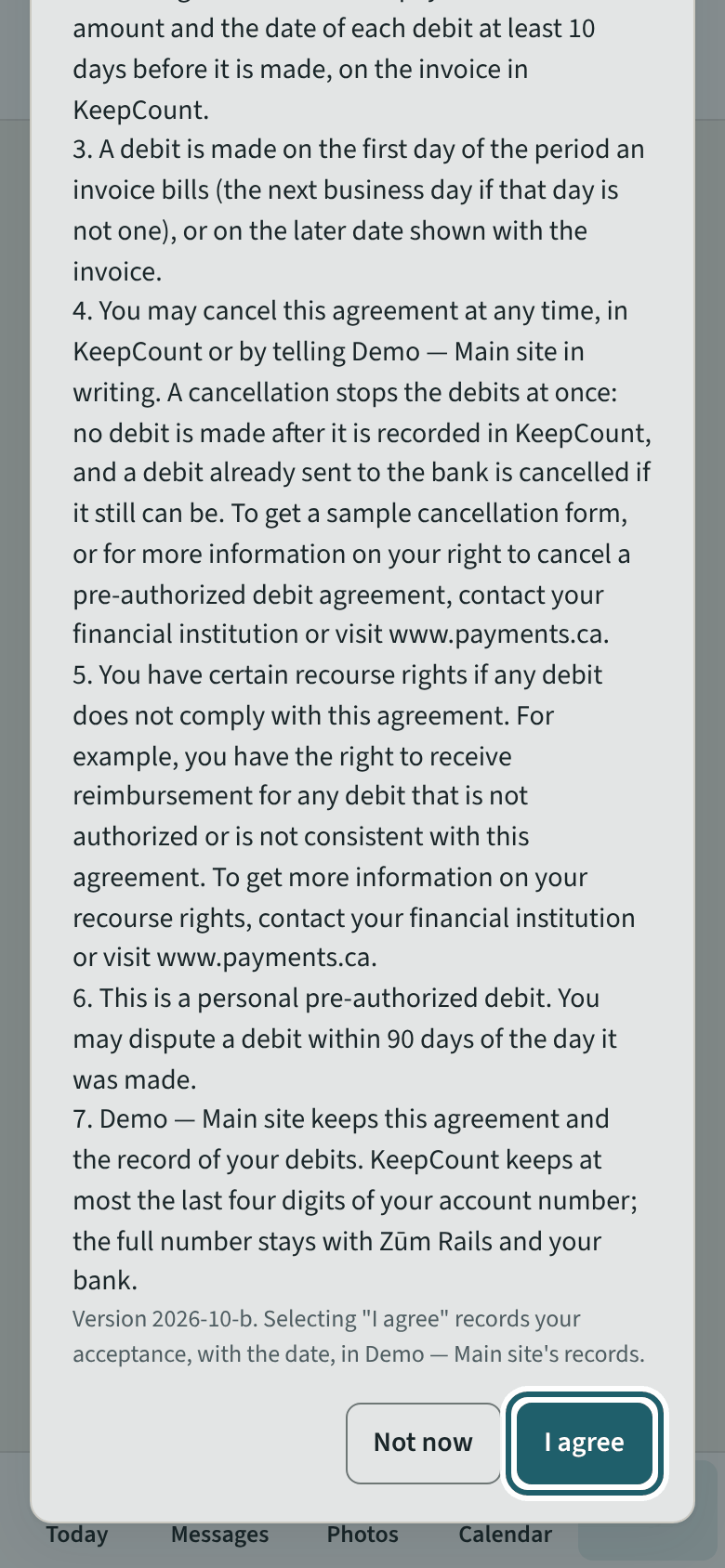
"Read the debit agreement": what may be taken and when, the 10 days' notice, cancelling, and your right to dispute a debit. "I agree" or "Not now".
Watch out: Read it to the end before "I agree". Your acceptance is recorded with the agreement's version and the date.
-
Connect your bank
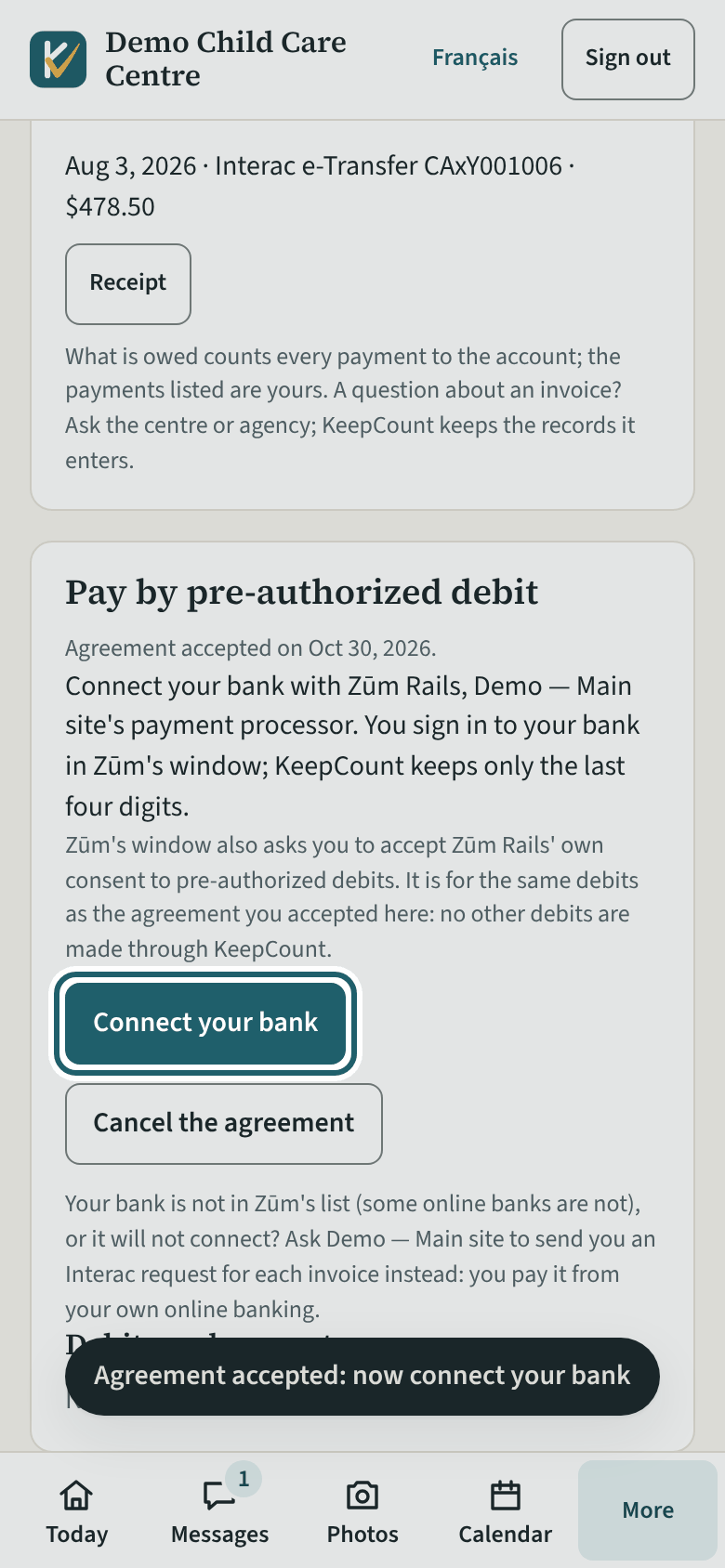
After "I agree", "Connect your bank": you sign in to your bank in Zūm Rails' window, and KeepCount keeps only the last four digits.
Watch out: Your bank is not in Zūm's list, or will not connect? Ask the centre to send you Interac requests instead.
-
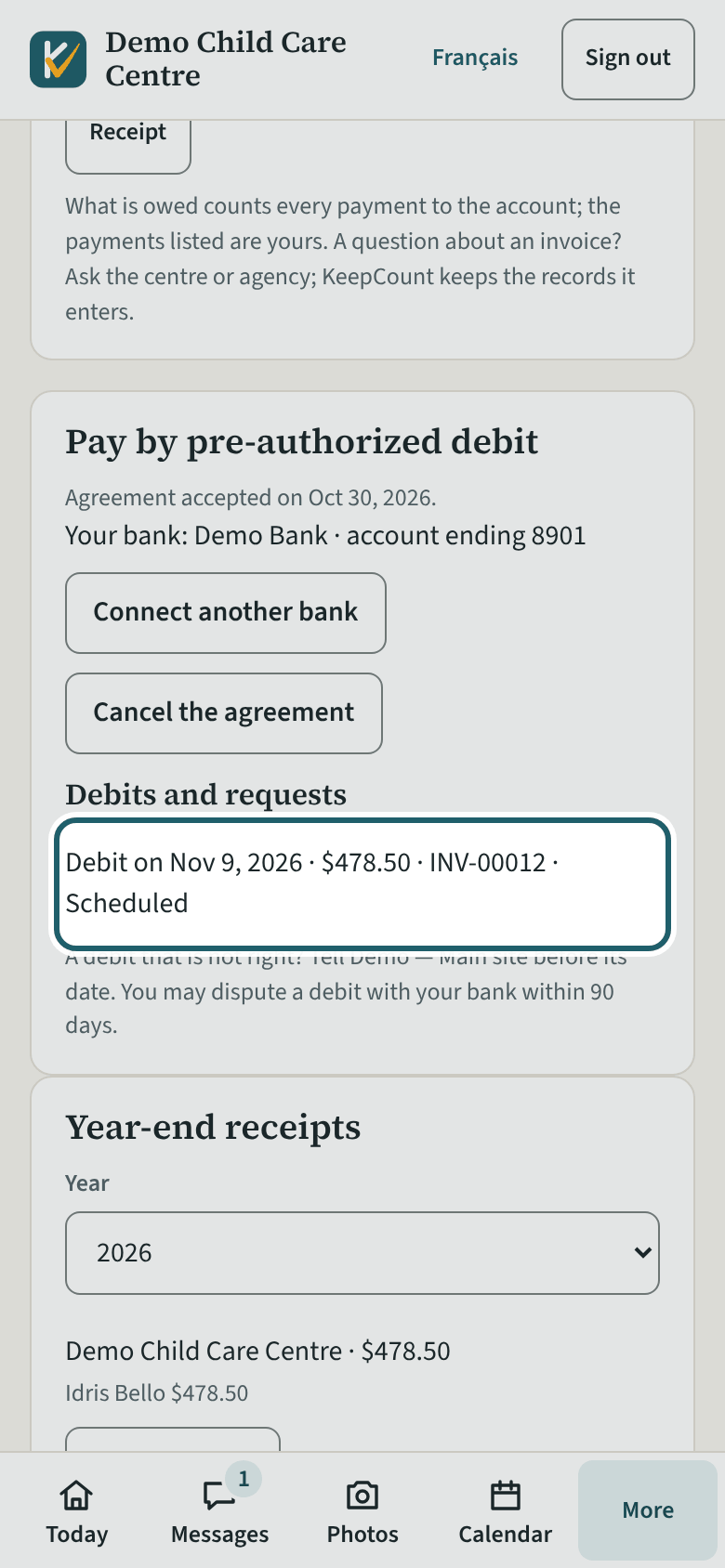
Debits and requests
Debits and requests: each debit with its day, amount and status, from Scheduled to Paid. Tell the centre before the date if one is not right.
Watch out: A debit your bank sends back reads "Returned by the bank": the invoice is owed again and is not debited again: you get an Interac request instead. A returned payment fee, if the centre lists one, comes on a new invoice.