Your first day
The day as it runs: what needs you this morning, the people who are not cleared, the arrivals, the rooms, medication, an incident, the close-out. The screens are from a demonstration centre, three weeks into its records; everyone in them is fictional.
-
Sign in
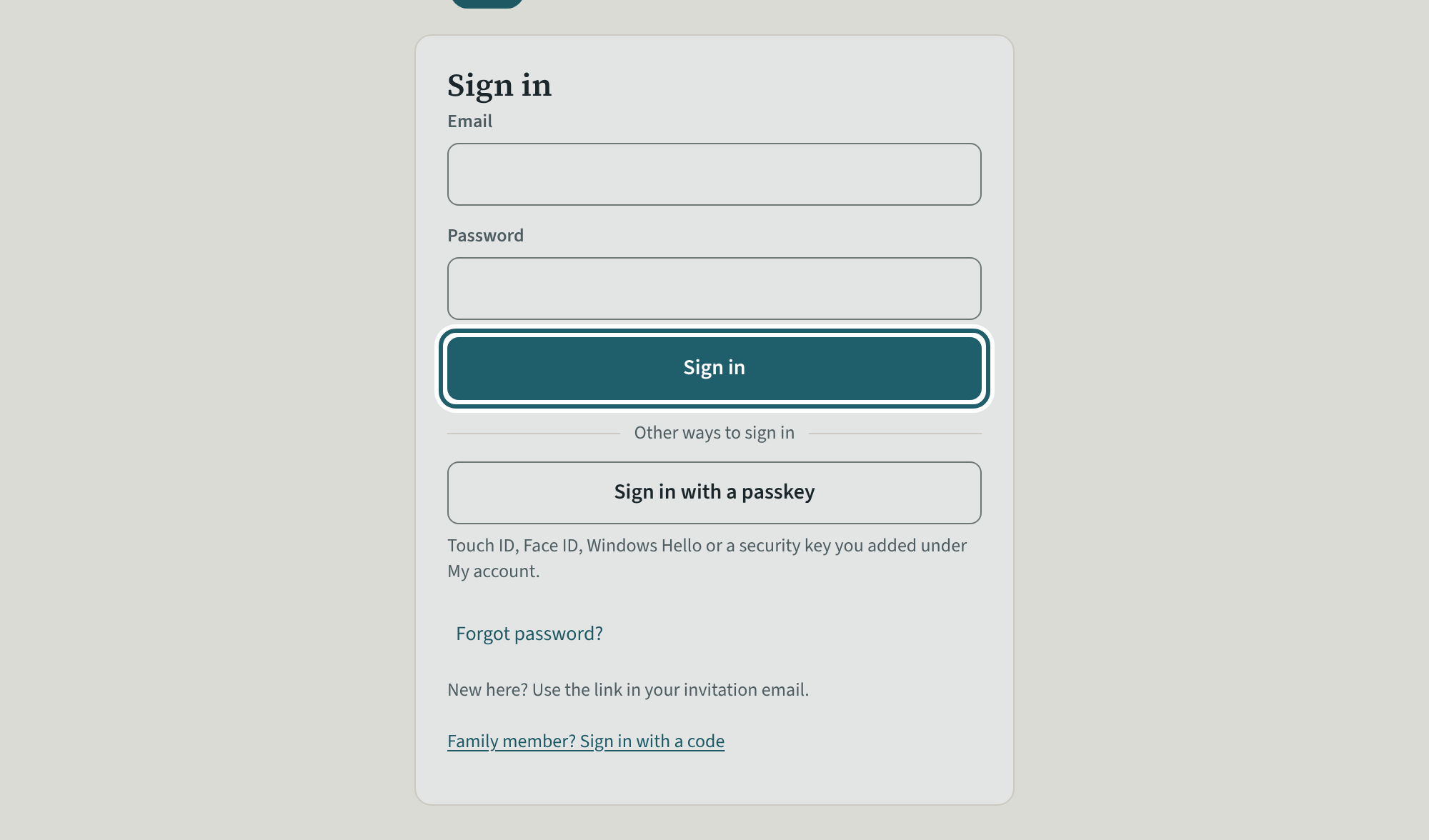
Open the link in your invitation email and choose a password. After that, sign in with your email and that password.
Watch out: An administrator does everything but billing (unless the owner allows it) and deciding who is an owner or an administrator.
-
The dashboard
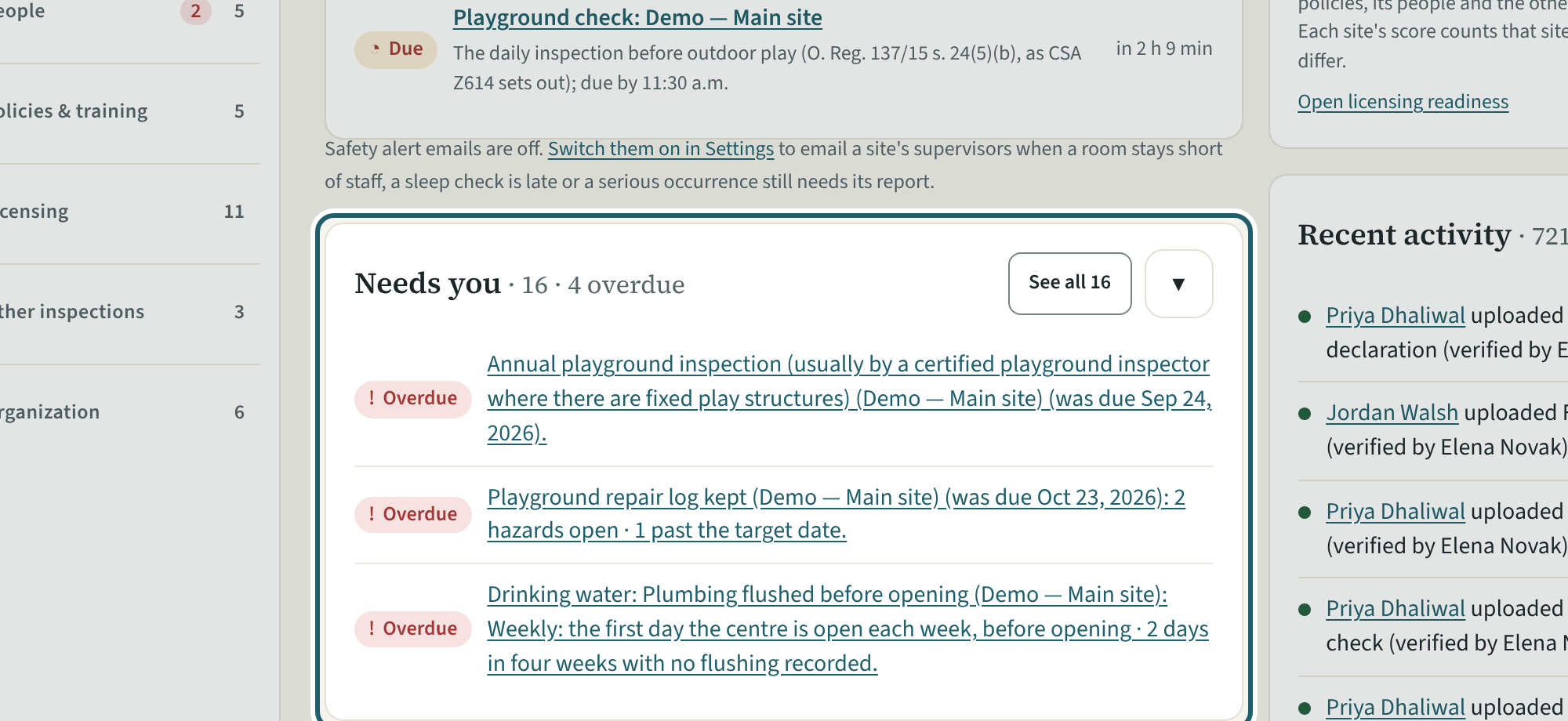
The dashboard shows what needs you now: the four figures, Needs you, the readiness score, recent activity and the staff still in progress.
Watch out: "Remind everyone overdue (n)" emails each person once, and not again within 20 hours.
-
Needs you, in full
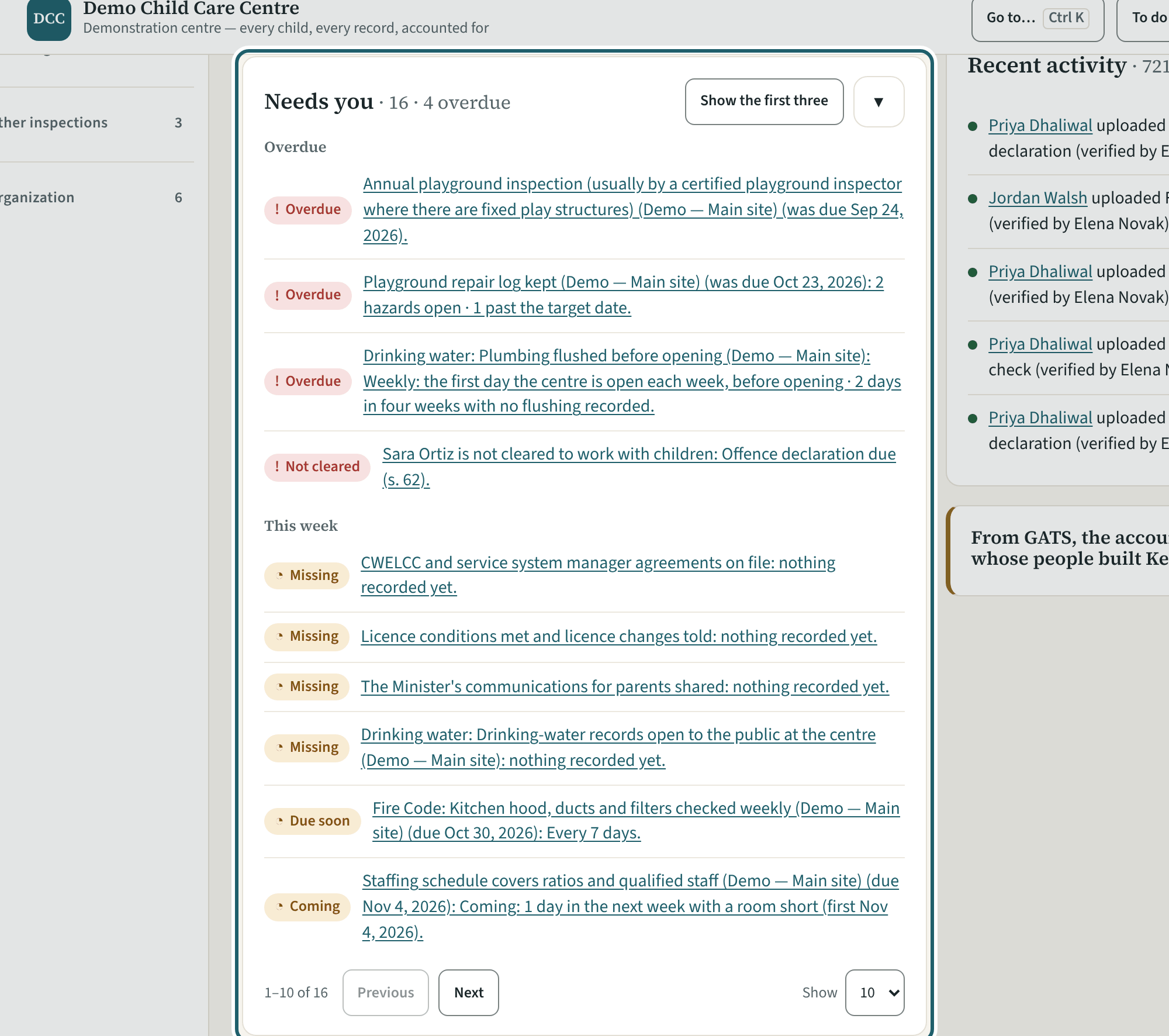
"See all" opens Needs you in full: Overdue, This week and Later, each line a person or a record with its date and the section behind it.
Watch out: Nothing is ticked: a line leaves when the record changes. Each line opens the screen where it is fixed.
-
Staff
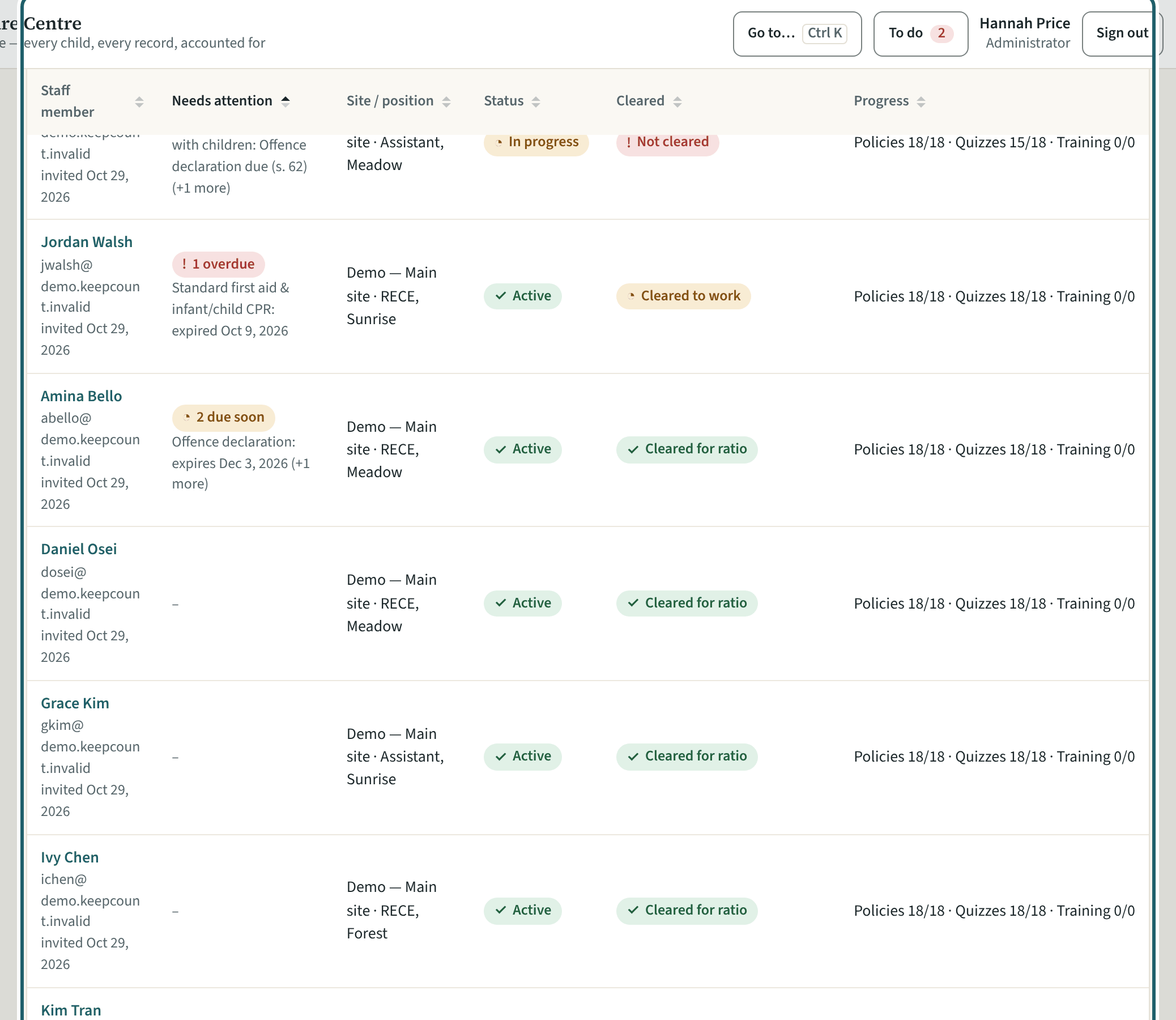
Staff lists each person with what needs attention, their site and position, their status, whether they are cleared, and their progress.
Watch out: Read "Needs attention" in the morning: it flags an expired first aid certificate, which s. 58(2) asks of anyone counted in the ratio. The flag is KeepCount's own rule, not the regulation's.
-
A person who is not cleared
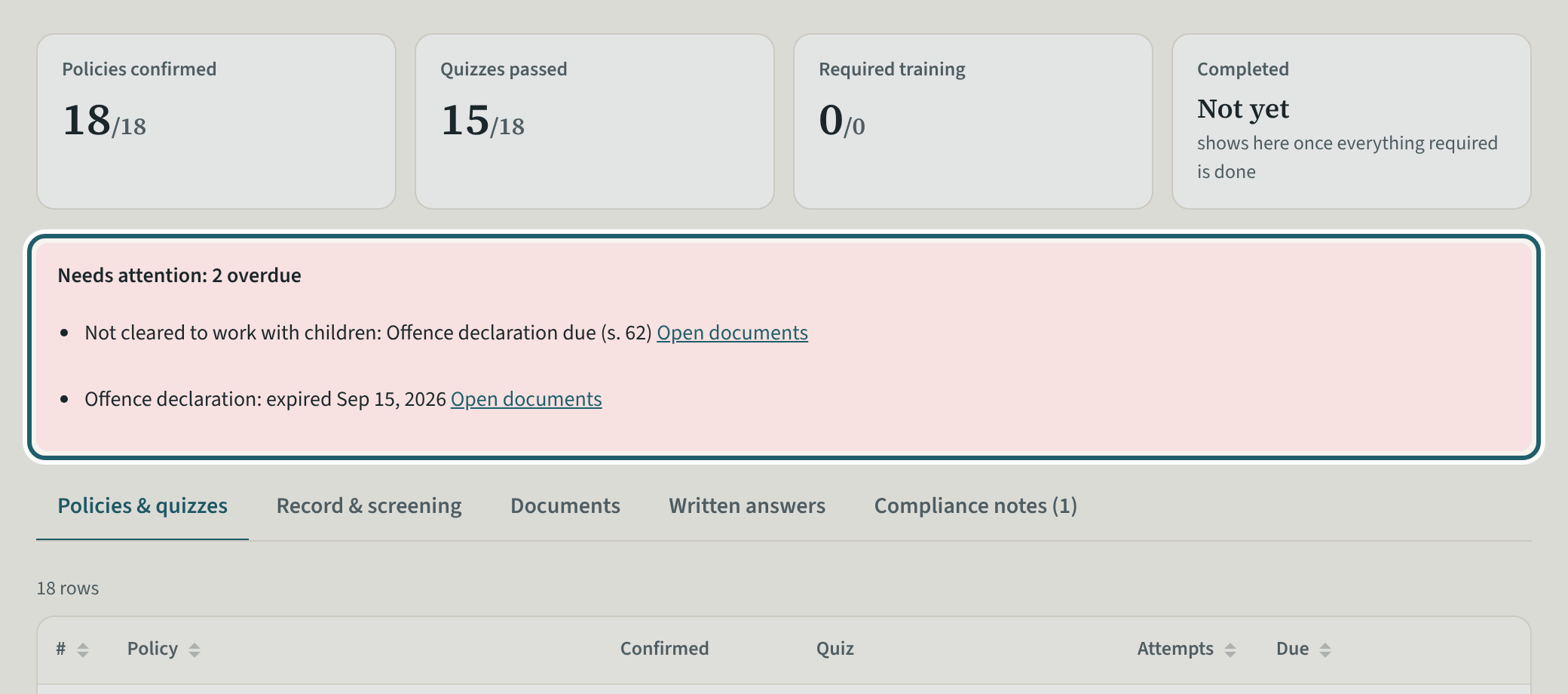
Open the person: the callout says why they are not cleared and what to do; the pills say In progress and Not cleared to work with children.
Watch out: A person not cleared still signs in and reads their policies; the room tablet says "Not cleared yet" beside their name and asks the supervisor before they are counted or left alone.
-
Cleared to work, and to count
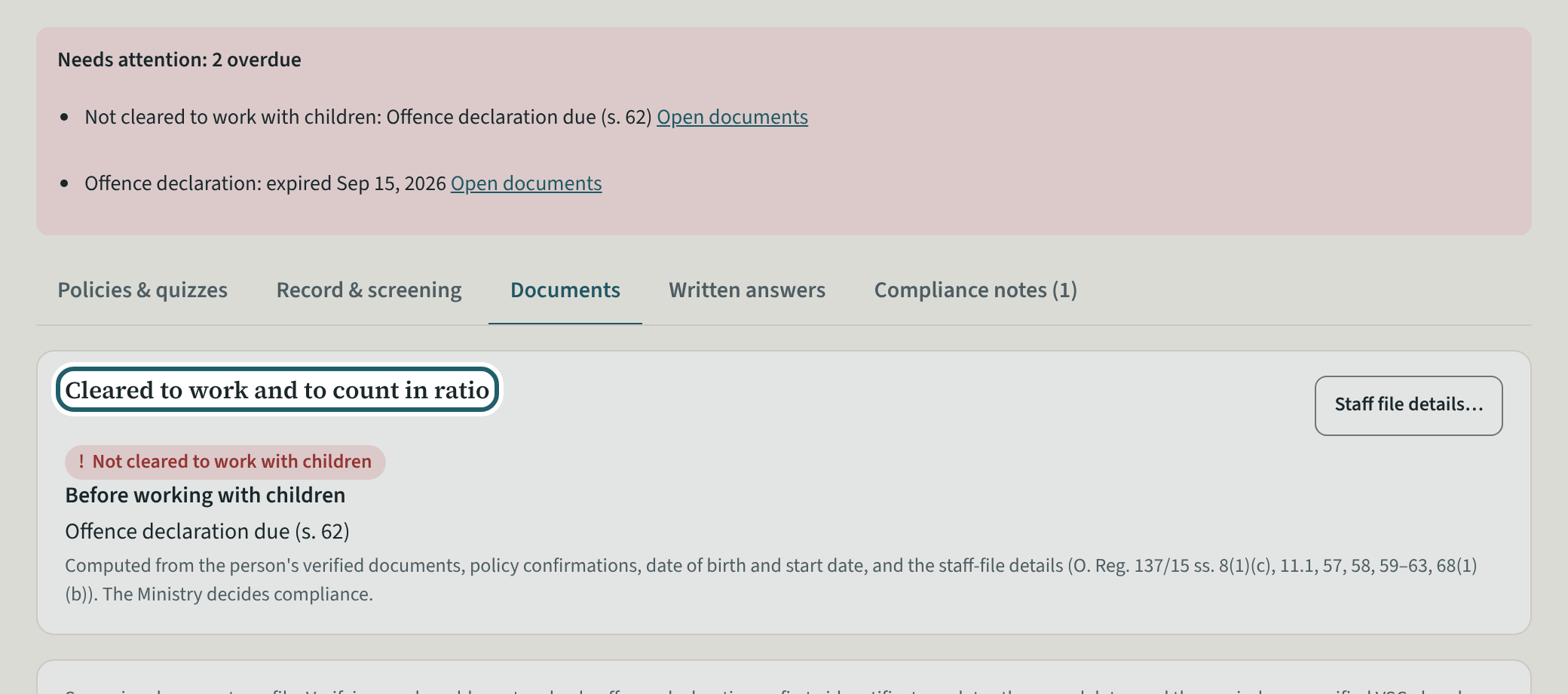
The Documents tab: "Cleared to work and to count in ratio" says what is still needed before working with children and before counting; then each document.
Watch out: You cannot verify a document you uploaded yourself: another administrator does, so no one clears their own file.
-
Upload a newer document
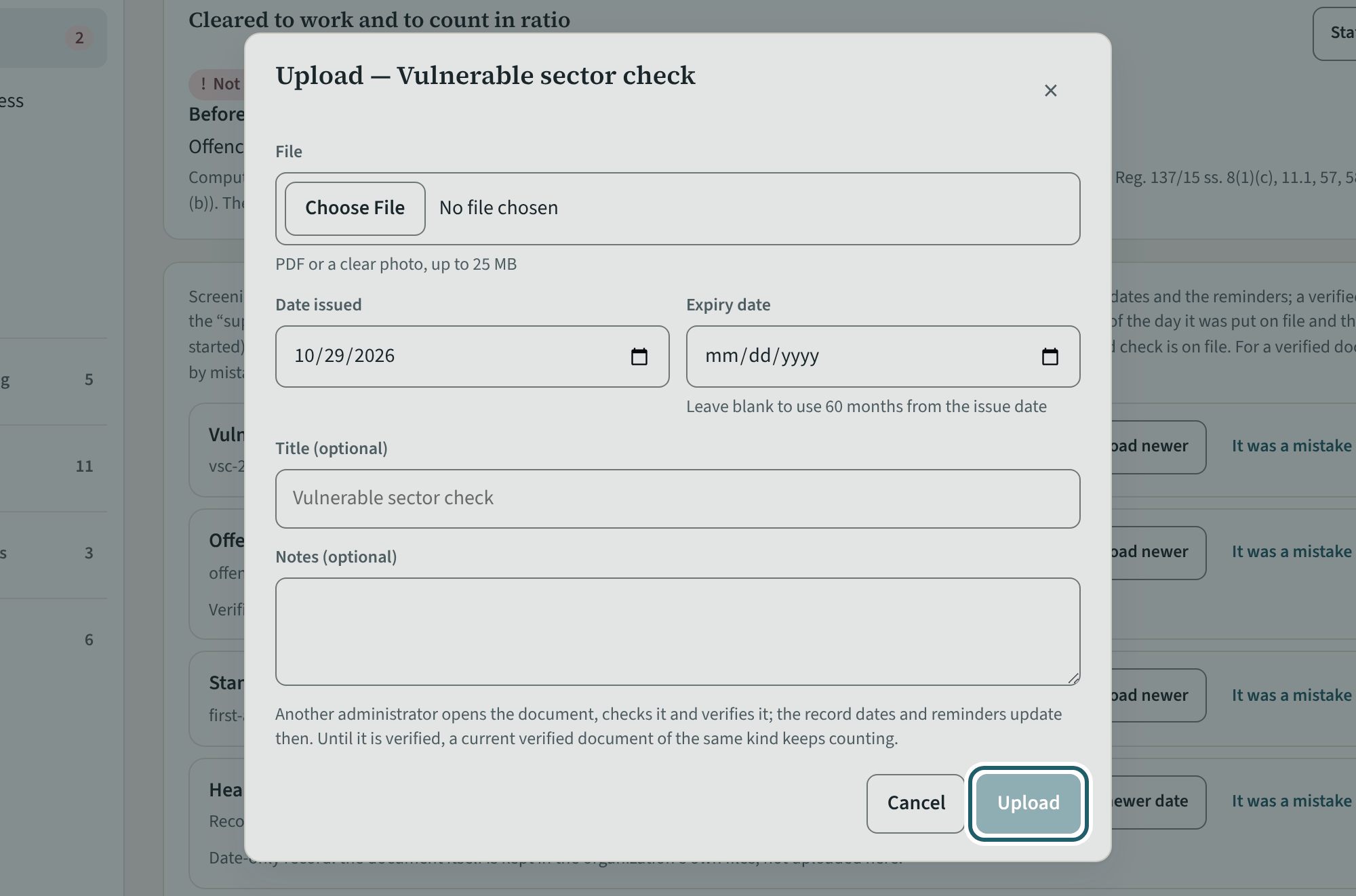
"Upload newer" on a document: the file, the date issued, the expiry and a note. Verify it, and the record dates and reminders update.
Watch out: The dates you type set the next due date and the reminders; until the document is verified, the one on file counts.
-
Arrivals and absences
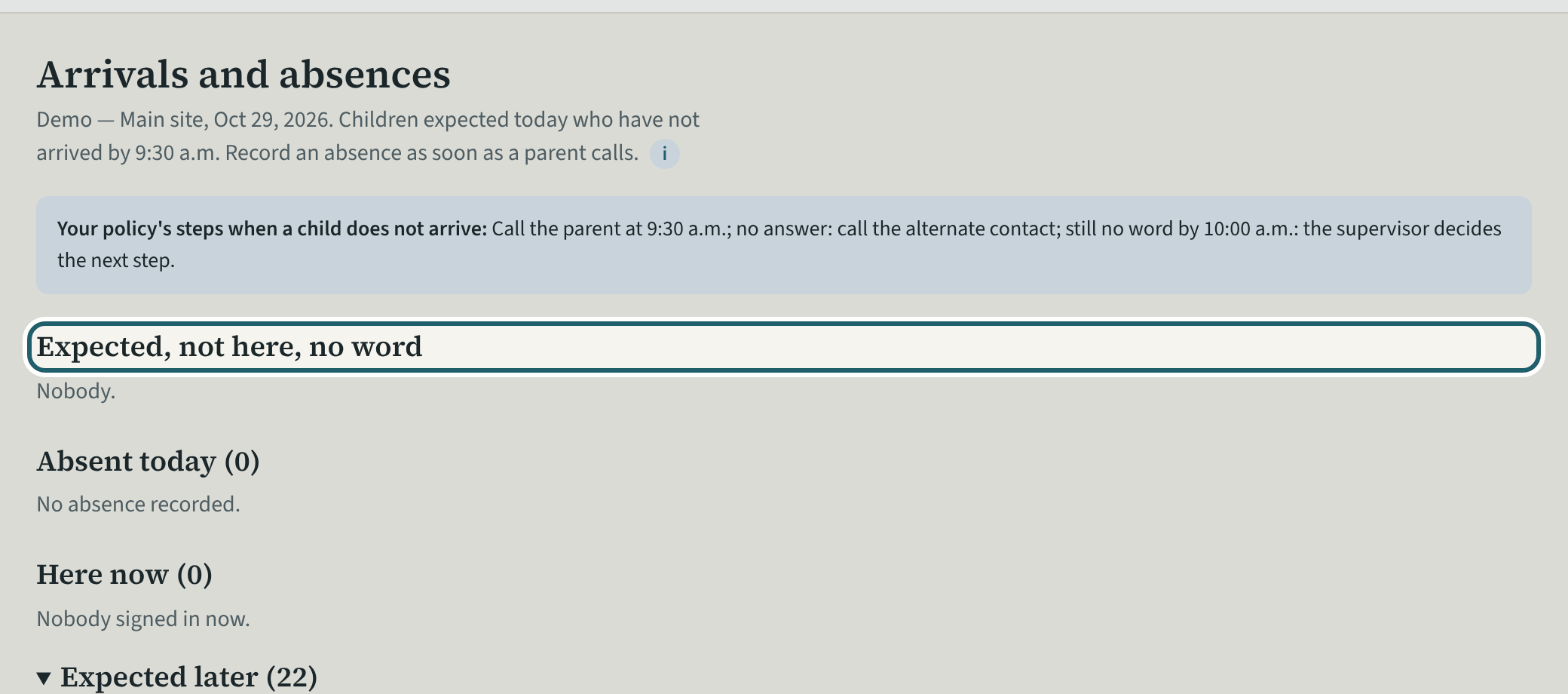
In the morning, Arrivals and absences: who is expected and not here with no word, so the safe arrival policy's calls are made and recorded.
Watch out: Record each call as a step: the policy sets out the steps to take (s. 50(b)(i)), and the record shows they were taken.
-
Checks today
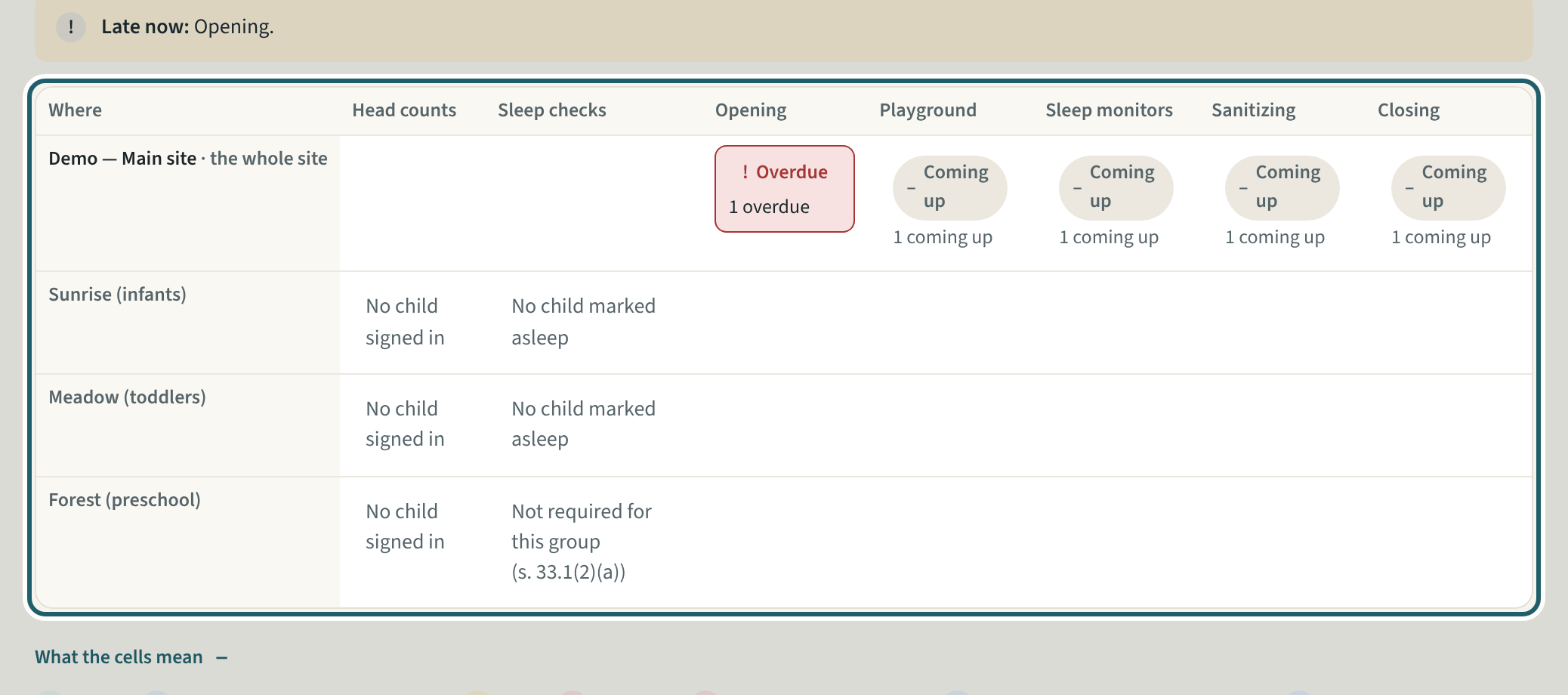
Checks today is the board of every room's counts and checks: done, coming up or overdue. A missed check is explained and signed off here.
Watch out: A missed check explained and signed off counts as a miss with a reason; a gap with no explanation stays a gap in the binder.
-
Medication today
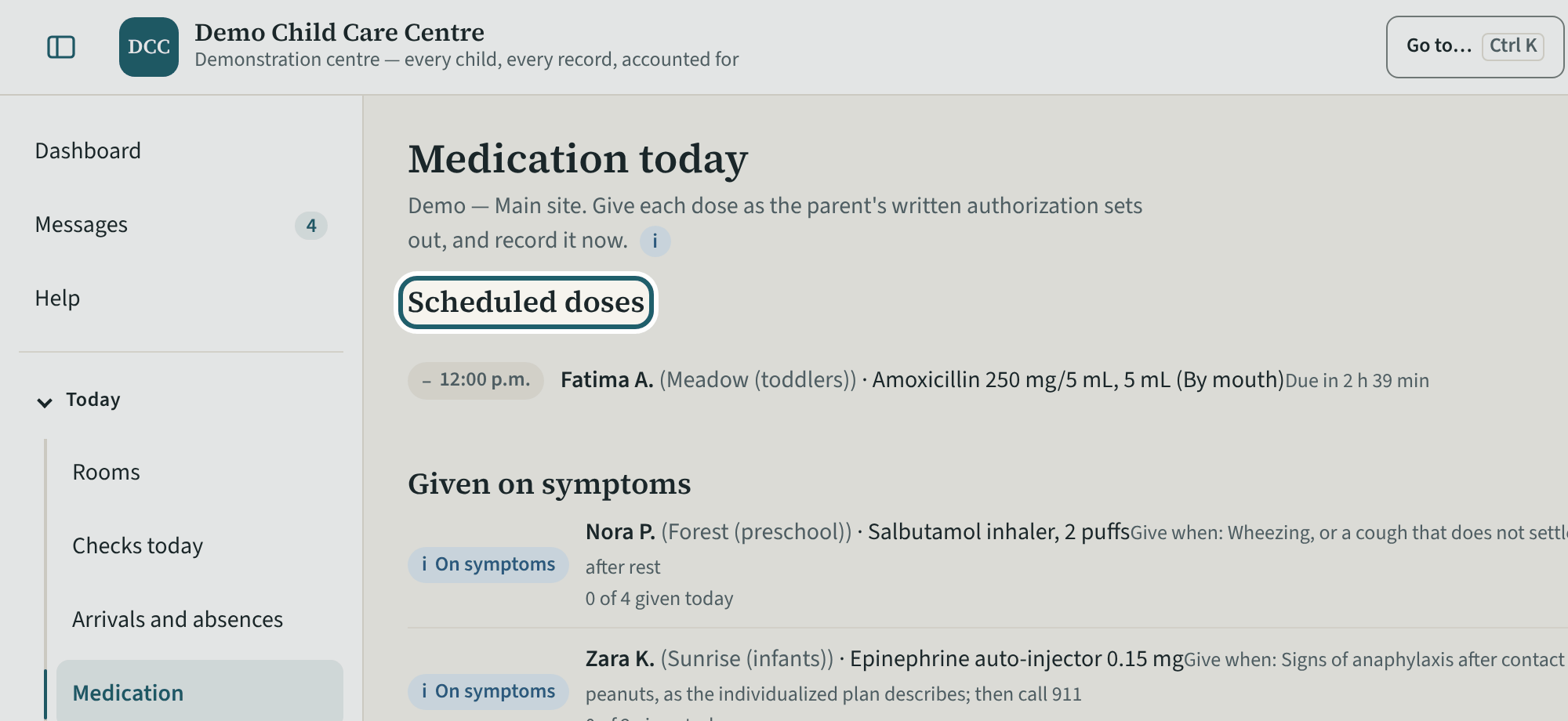
Medication today: the scheduled doses, the medication given on symptoms, sunscreen and other products, each with its written authorization and Record the dose.
Watch out: Medication given on symptoms has a daily limit on the child's file ("at most 4 a day", KeepCount's own field): check it before a second dose.
-
An incident and its follow-up
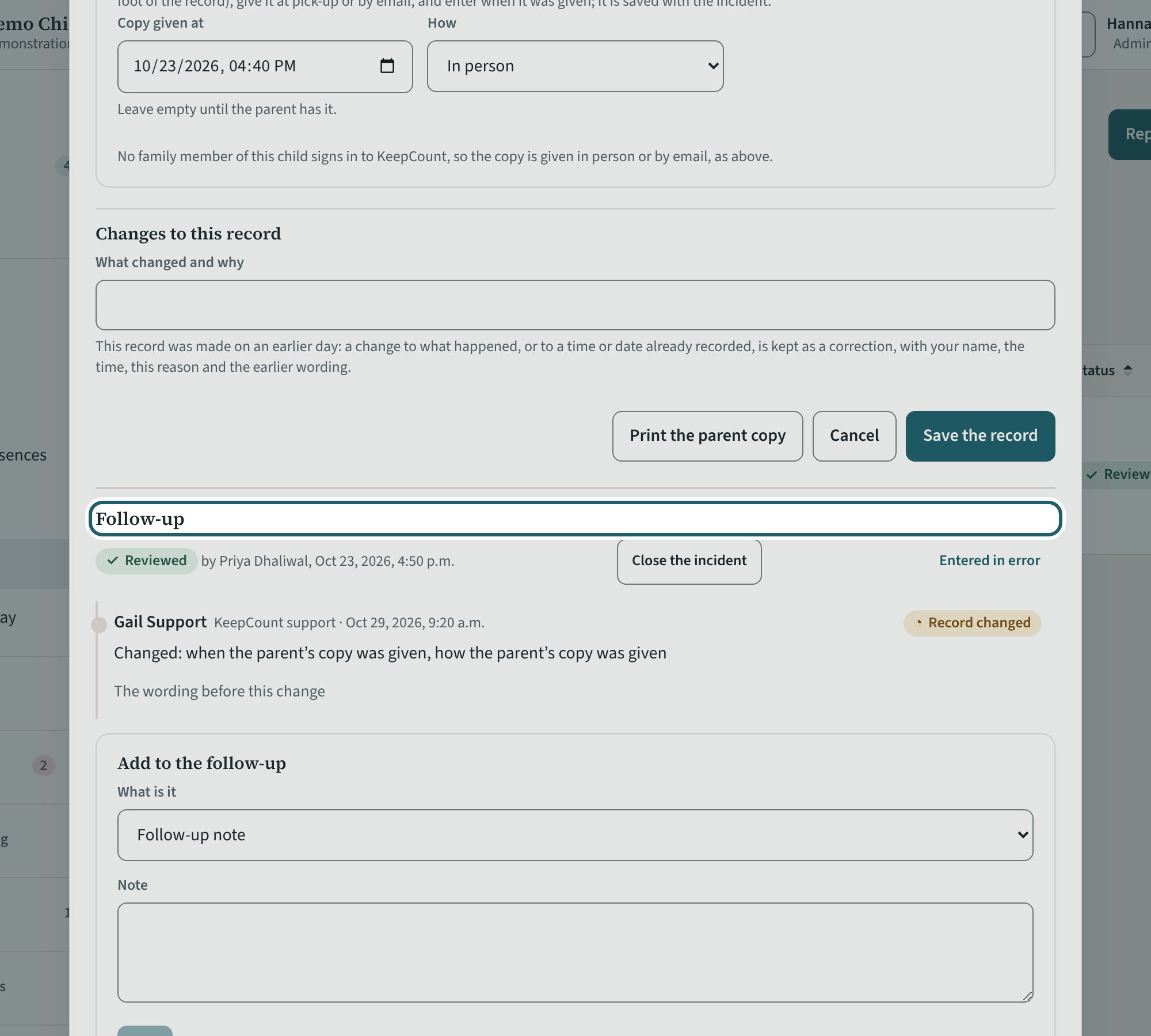
Open an incident: what happened, then the follow-up: the supervisor's review, corrective actions given to a person with a date, and Close the incident.
Watch out: A serious occurrence is reported within 24 hours of the licensee or supervisor becoming aware of it (s. 38(1)(b)); "Close the incident" waits until every action is done and, for one, the Ministry report is recorded.
-
Close out the day
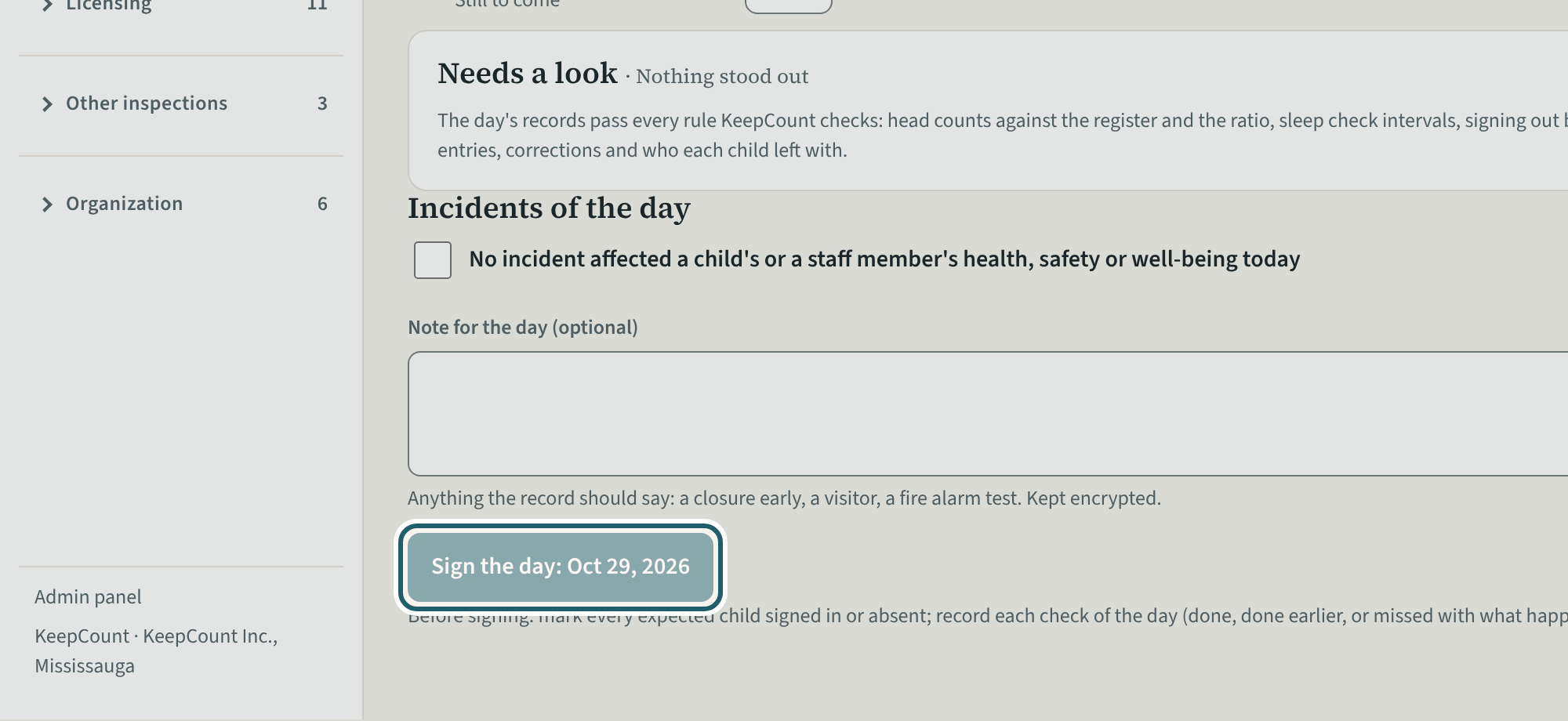
At the end of the day, Close out the day: the checks not done at their time, the incidents of the day, counts below what was allowed, a note, and Sign the day.
Watch out: "Sign the day" is enabled once the blockers are cleared. A record entered more than 30 minutes after its moment is listed as "Entered later": the record never hides a late entry.
-
The daily log
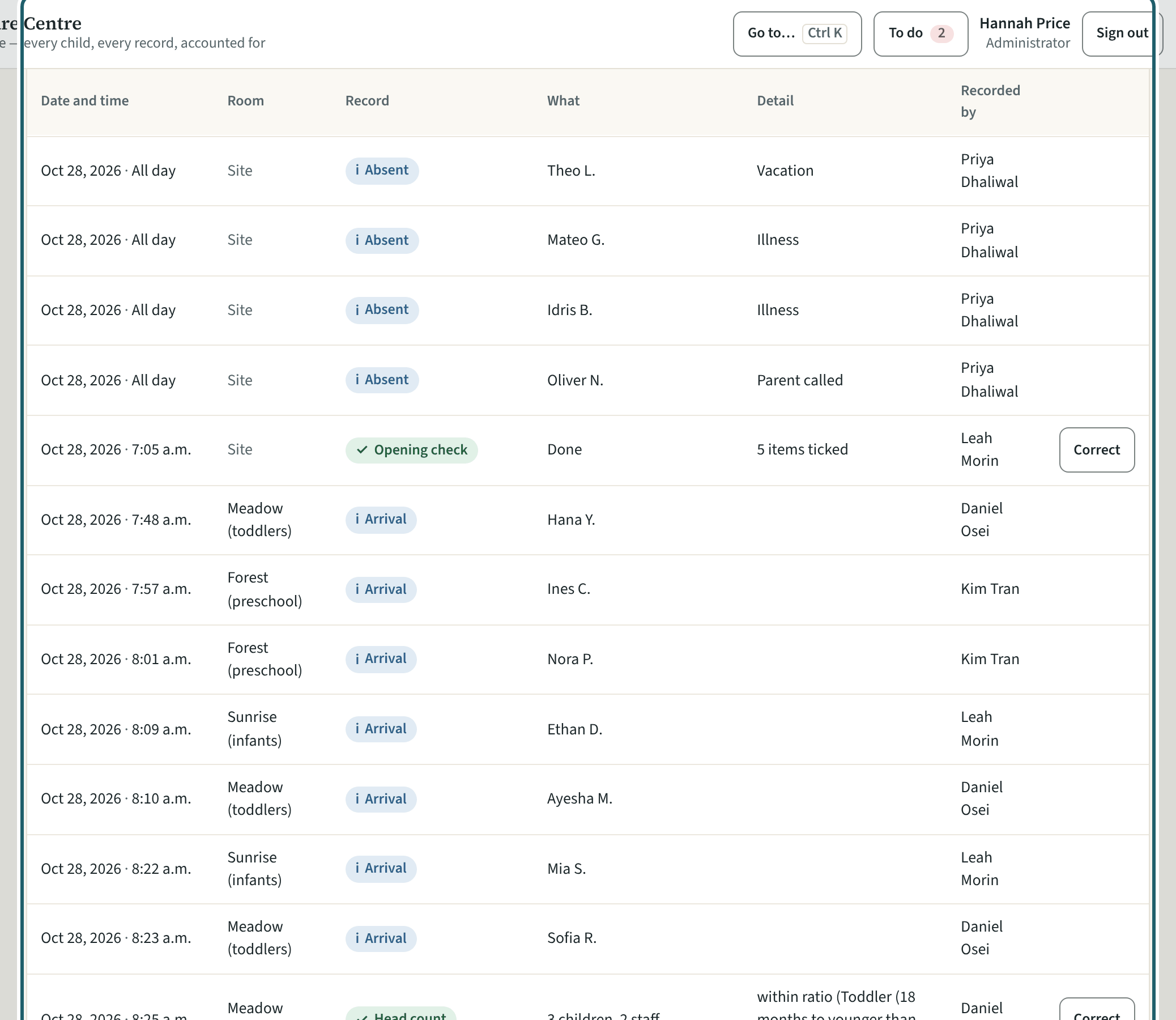
The daily log for a day: every record with its time, room, what it was and who recorded it, filtered by kind, with Correct beside each.
Watch out: A correction references the original and keeps both: daily records are never overwritten. "Print" and "Export CSV" are logged with who made them.
-
Write to staff
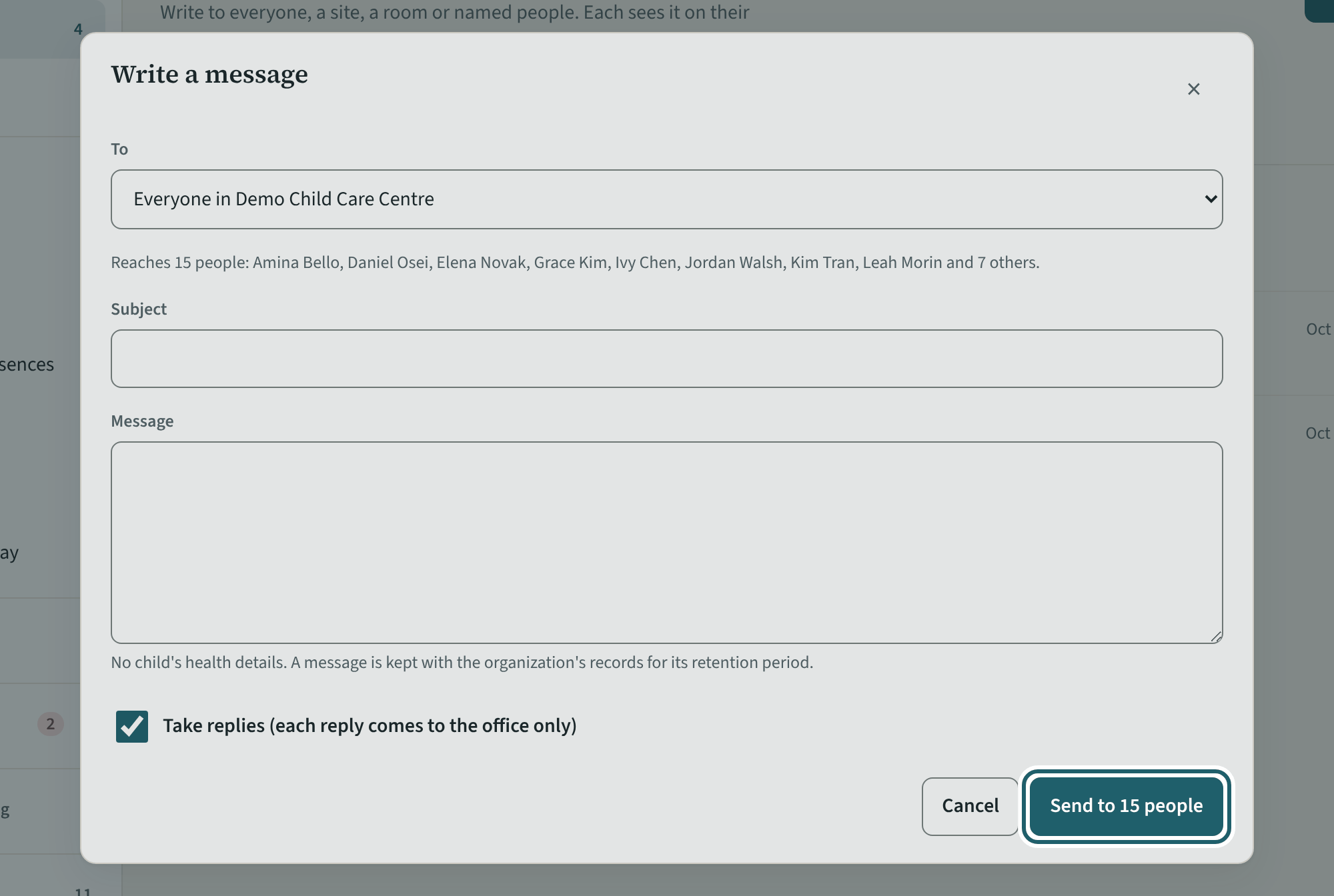
Messages: write to everyone, a site, a room or named people; each sees it on their home screen, and you see who has read it.
Watch out: No child's health details in a message: it is kept with the organization's records for the retention period. Replies, when you take them, come to the office only.
Your first week
The rhythm: the readiness list, a Ministry change to issue, the drills, the staffing schedule, the contraventions, the playground, inspections and orders, fire and safety, the allergy list, training, the calendar, the records for a period, and who else administers.
-
Licensing readiness
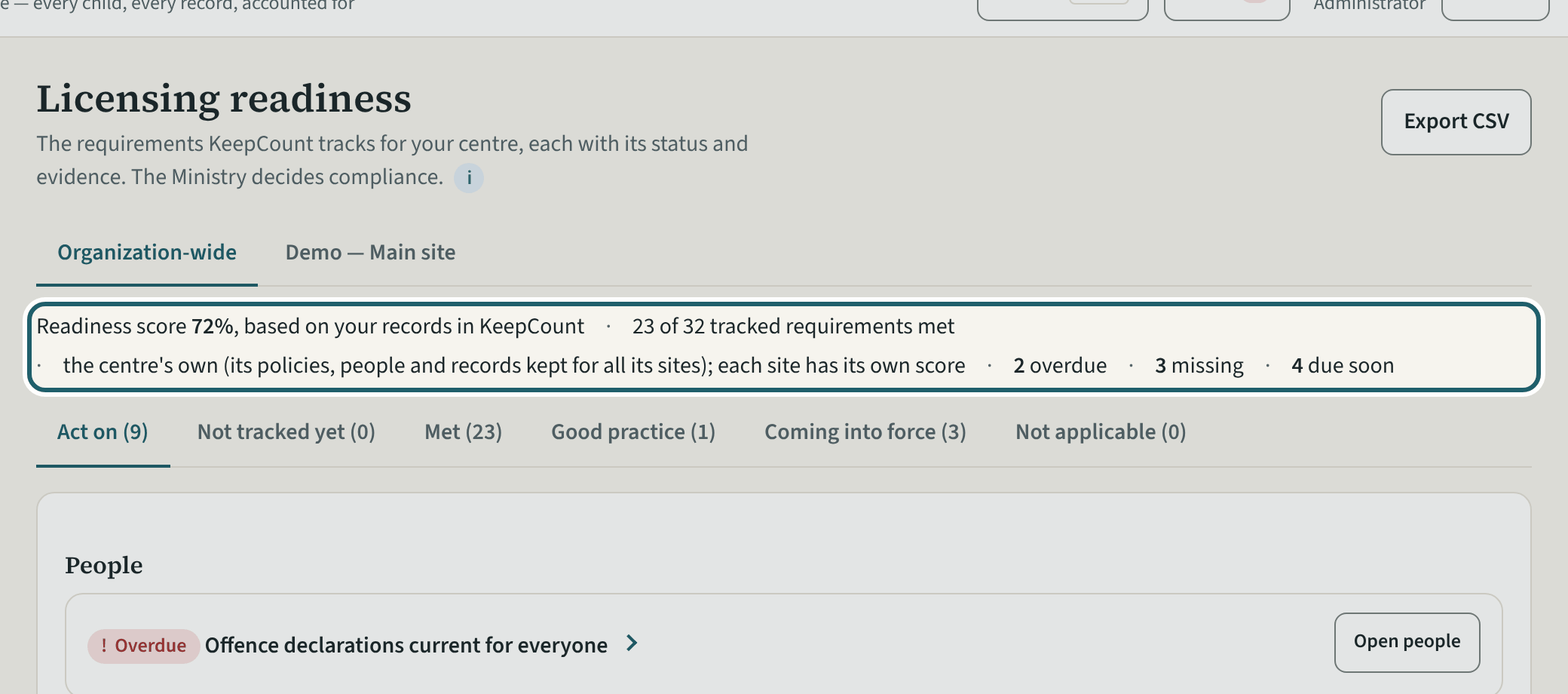
Licensing readiness is the regulation as a list: the score, what is overdue, missing and due soon, and every requirement with its status and its section.
Watch out: Mark a line not applicable only when it truly is: your reason prints in the binder. The statuses are based on your records in KeepCount; the Ministry decides compliance.
-
A Ministry change to review
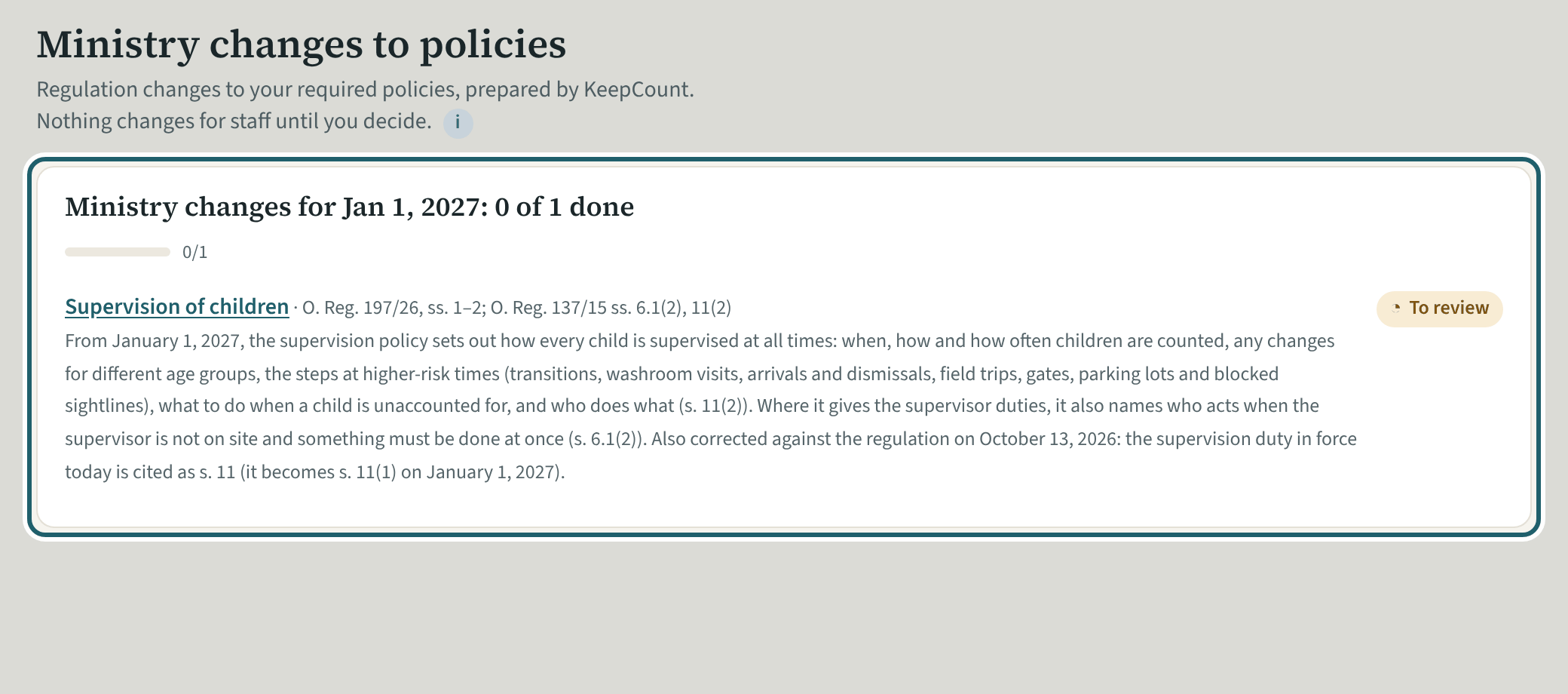
Ministry changes lists a regulation change to a required policy, prepared by KeepCount. Nothing changes for staff until you decide.
Watch out: Nothing changes for staff until you issue the new version; the Policies page counts the changes to review until then.
-
Issue the new version
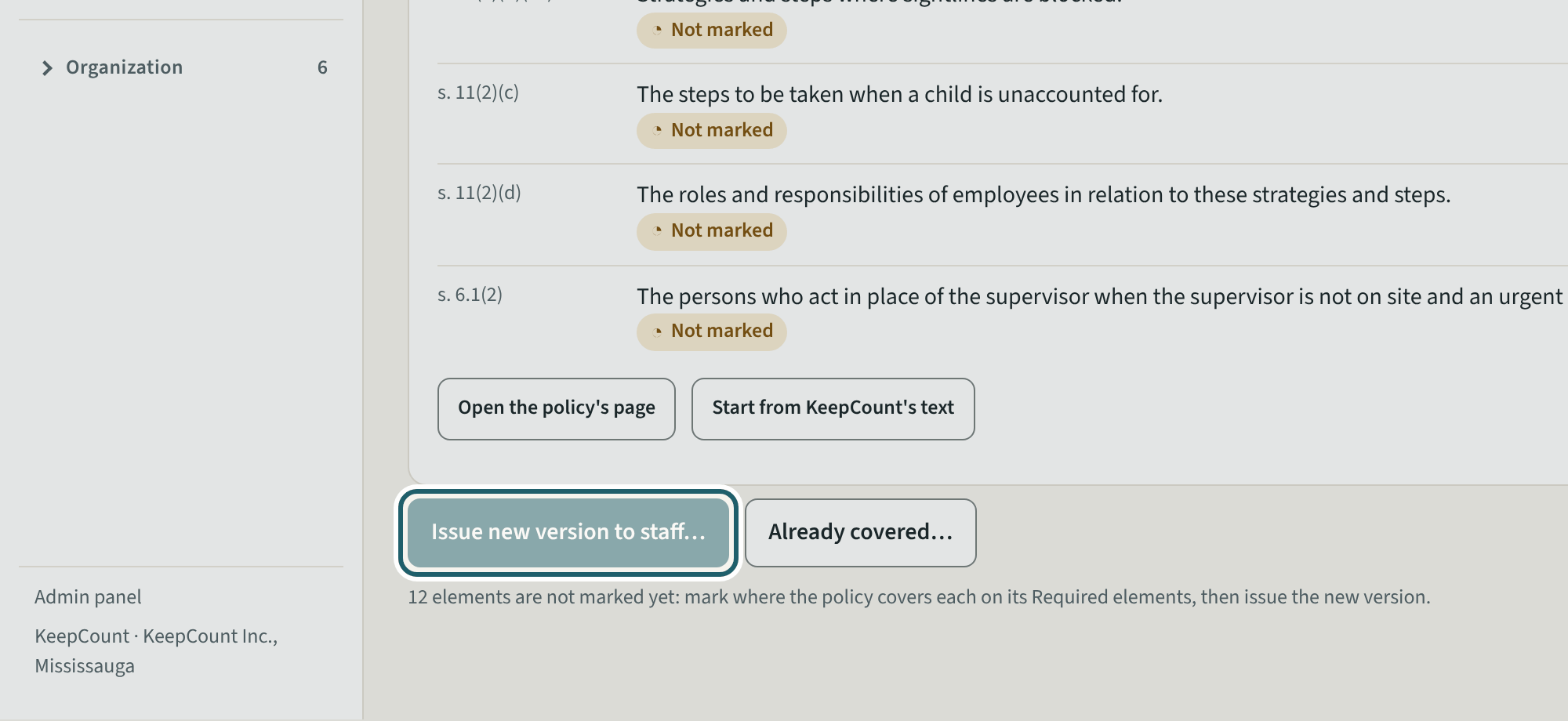
Open the change: what changed, the places where your words and KeepCount's both changed, the policy with the change marked, then "Issue new version to staff…".
Watch out: Where your centre rewrote a part the change also touches, choose whose words stand for each place before issuing; staff then confirm the new version again.
-
Drills
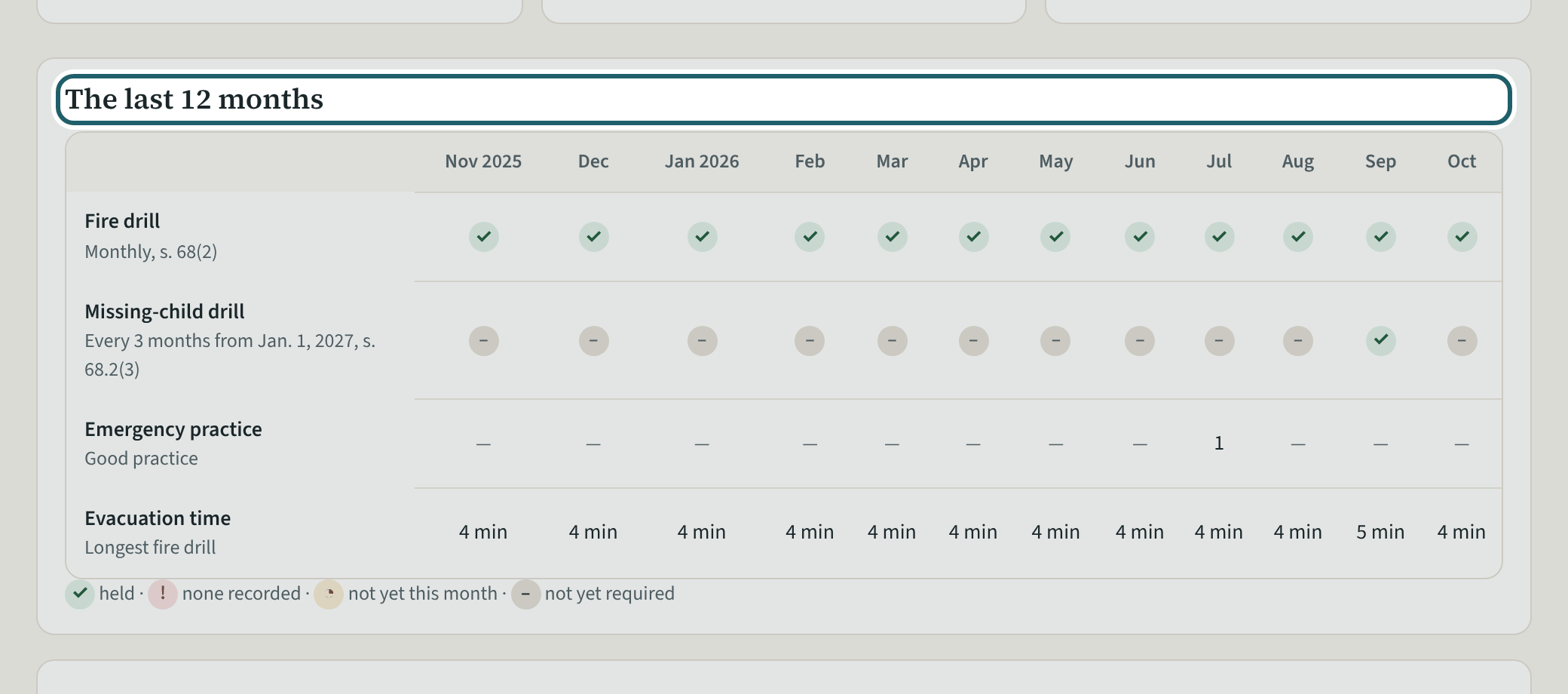
Drills: the last 12 months by site, each month's fire drill, the missing-child drills from 2027, and Record a drill.
Watch out: From January 1, 2027, a missing-child drill at least once every three months, with the record kept at least 12 months (s. 68.2(3)). Fire drill records: at least 12 months (s. 68(1)(e)).
-
The staffing schedule
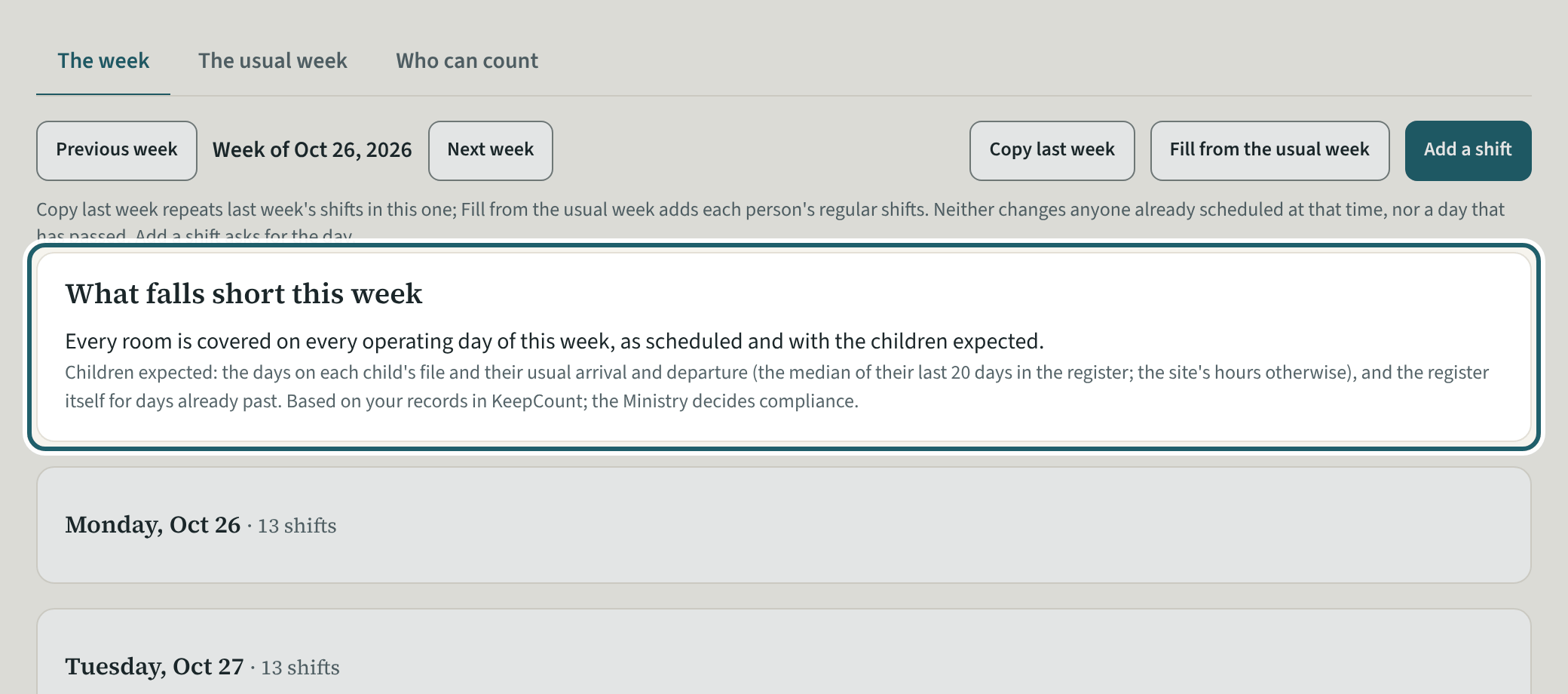
The staffing schedule: the week's shifts, the usual week, who can count, and "What falls short this week" with each stretch that is short.
Watch out: The schedule plans for the ratio; the head counts prove it. A person not cleared for the ratio is marked so on the shift.
-
Compliance observations
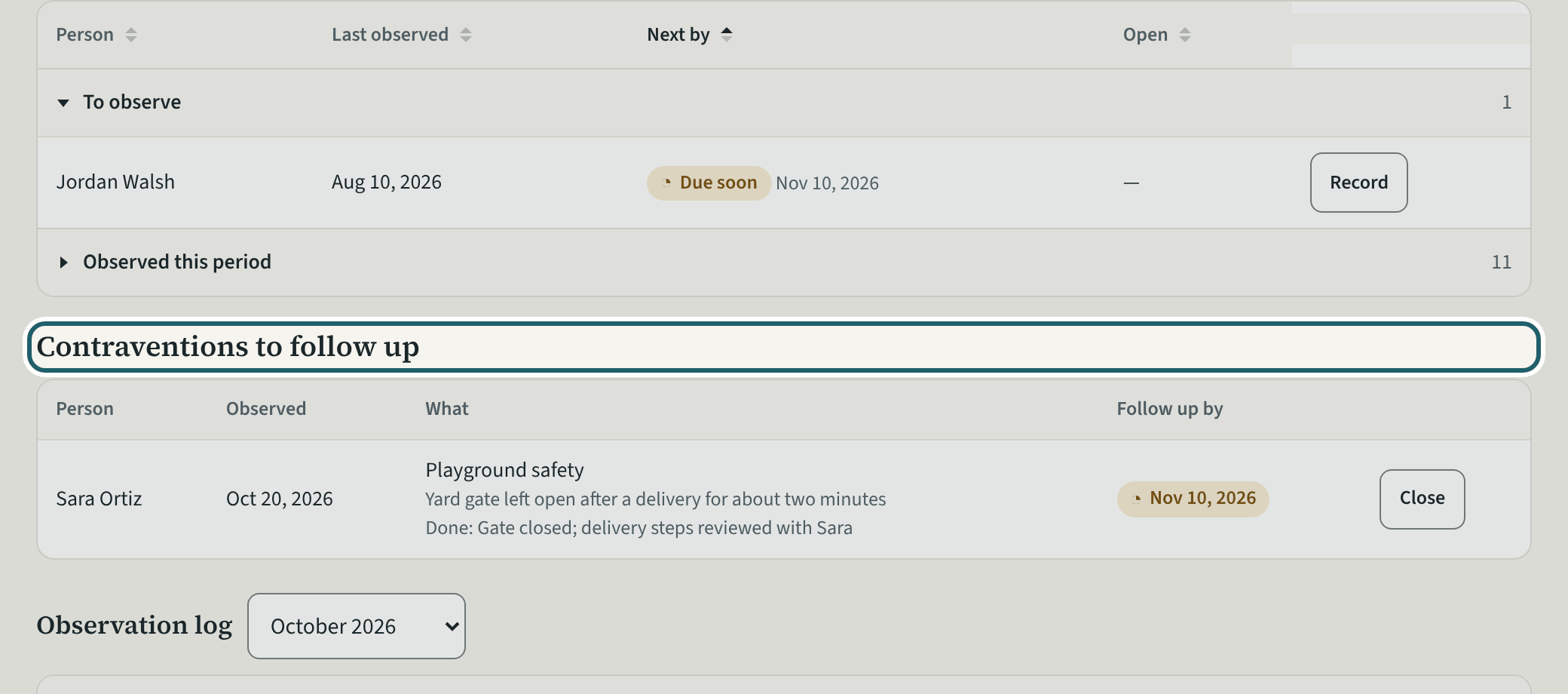
Compliance observations: who is due to be observed, the contraventions to follow up with a Close button, and the observation log.
Watch out: A contravention opens a follow-up with a date; close it with how it was addressed. The records are kept three years (s. 6.1(8)).
-
Playground
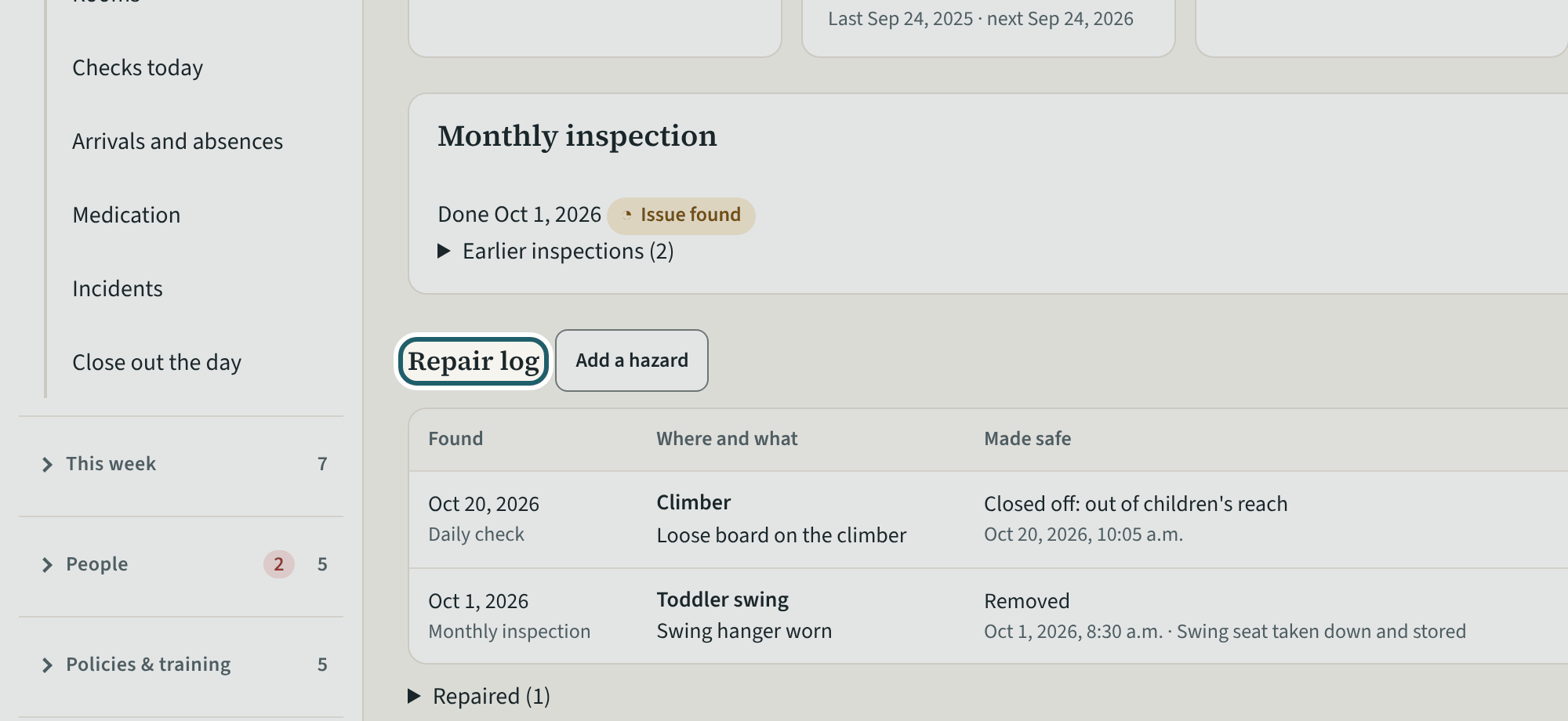
Playground: the daily and monthly inspections, and the repair log with each hazard, how it was made safe, the target date and the repair.
Watch out: A hazard open past its target date shows under Needs you. The annual inspection (s. 24(5)(b)) is recorded as evidence on Licensing readiness, not here.
-
Inspections and orders
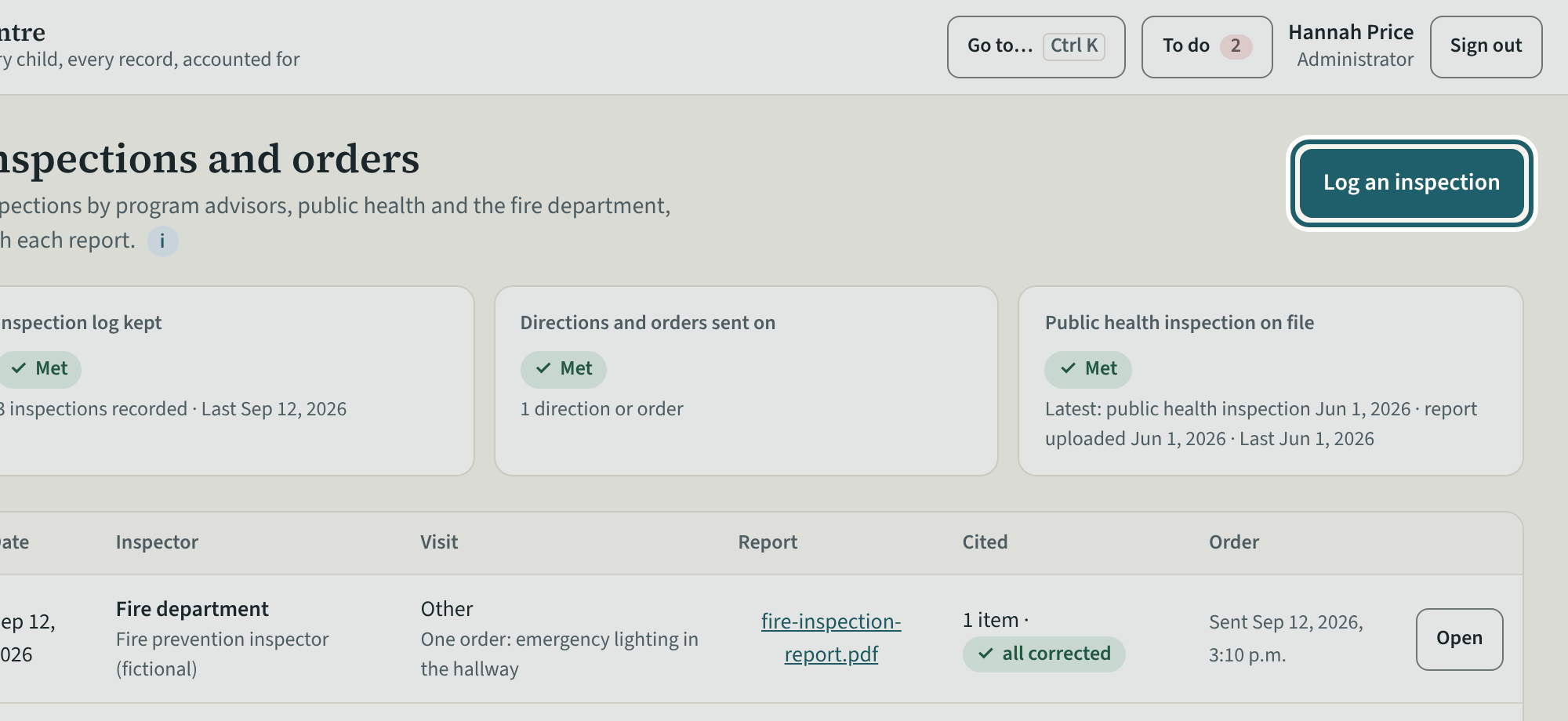
Inspections and orders: each visit by a program adviser, public health or the fire department, its report, outcome and what was cited, and Log an inspection.
Watch out: "Cited and not yet corrected" stays on the list until "Corrected today" records the correction; a licensing inspection's findings start the next Inspection day.
-
Fire and safety
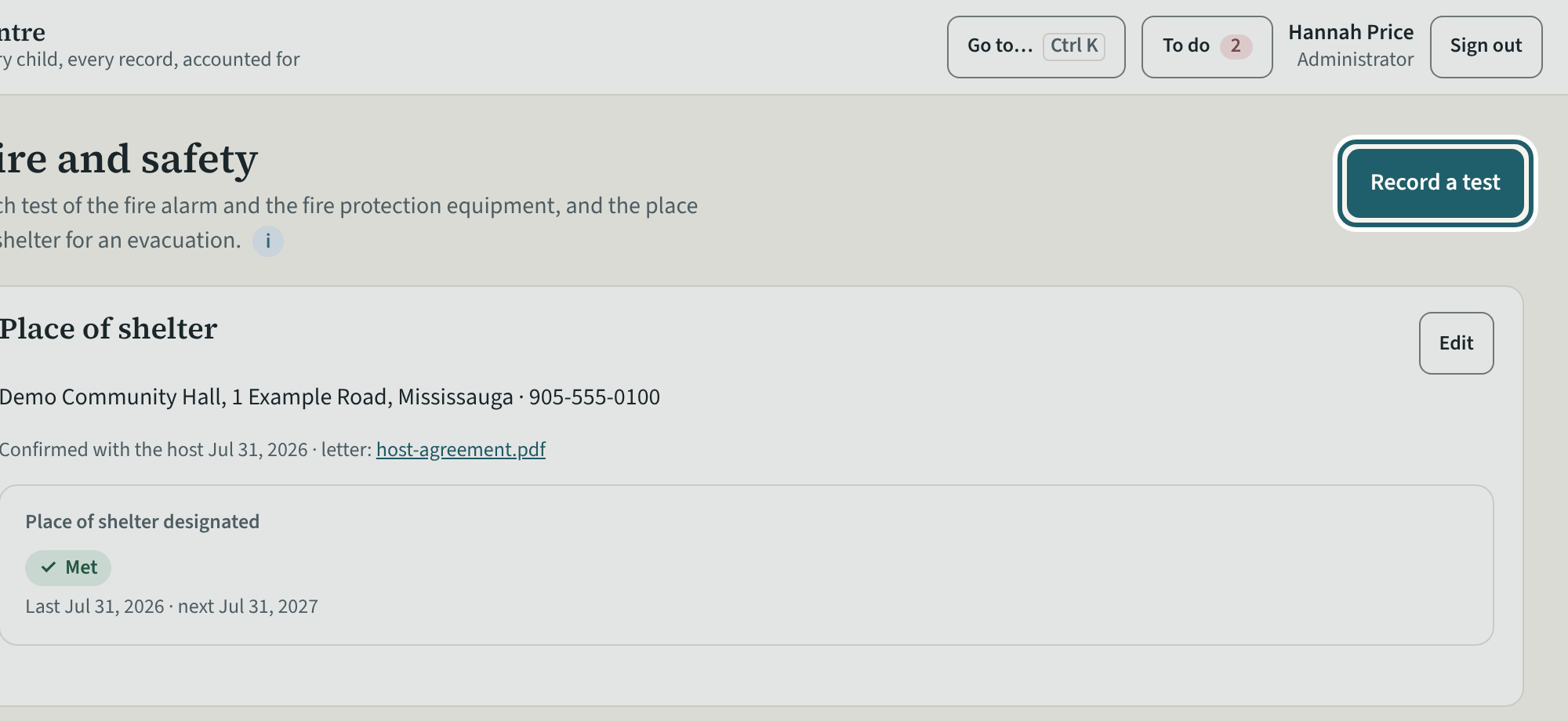
Fire and safety: the place of shelter, each test of the alarm and the equipment with its interval, the last one and the next due, and Record a test.
Watch out: The fire chief's approval of the fire procedure is evidence on Licensing readiness; here are the tests, whose intervals come from the Fire Code, and their records (s. 68(1)(e)).
-
The allergy list
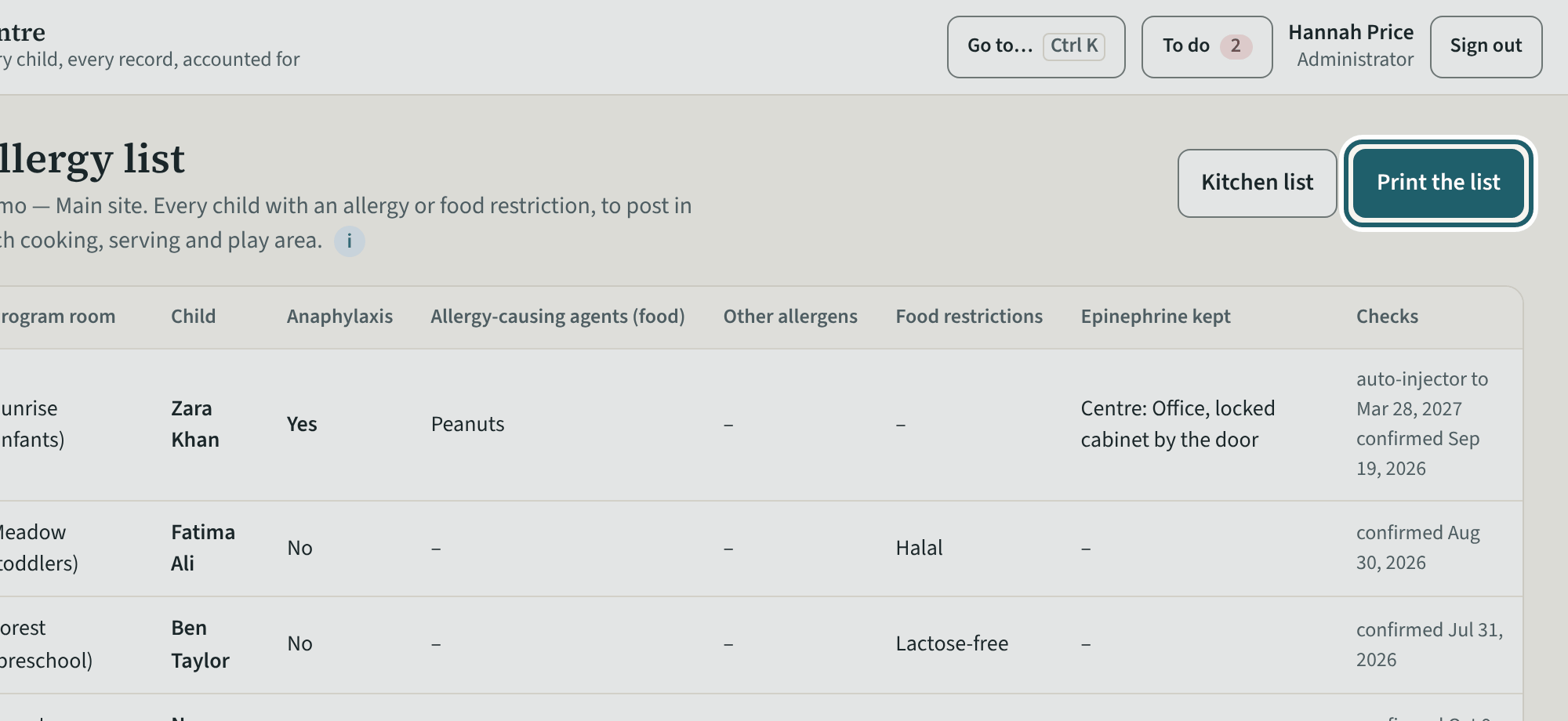
The allergy list: the current version with each child's allergies and restrictions, where copies are posted, and Print the list.
Watch out: The list changes whenever a child's file does: print the new version and confirm "Copies are up", so the binder shows what was posted and when (s. 43(3)).
-
Training
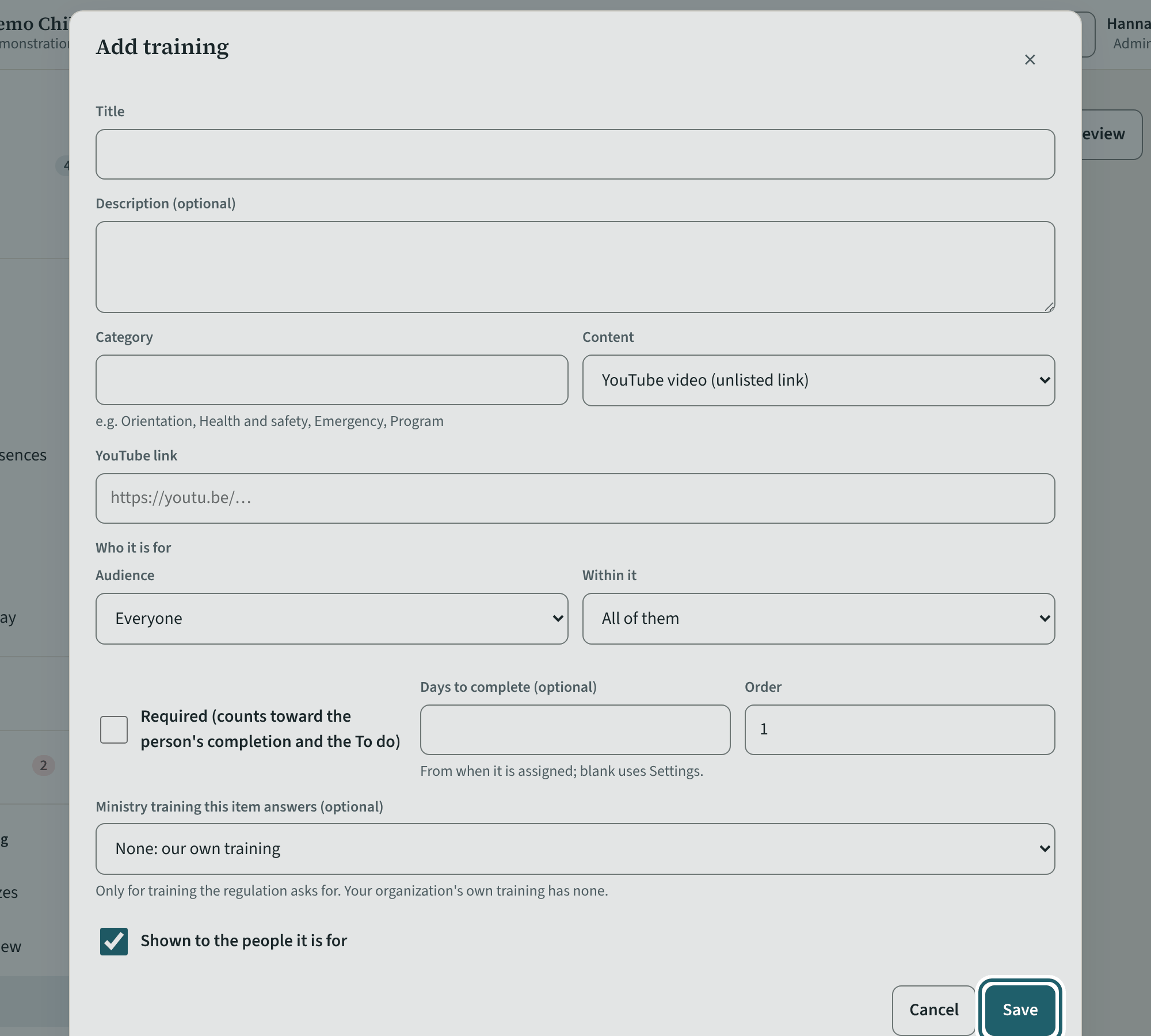
Add training: the title, the content (a video, a file, a link or text), who it is for, whether it is required and the days to complete.
Watch out: A YouTube video goes in as an unlisted link. "Required" counts toward completion on the person's record and the To do, with its days to complete.
-
The calendar
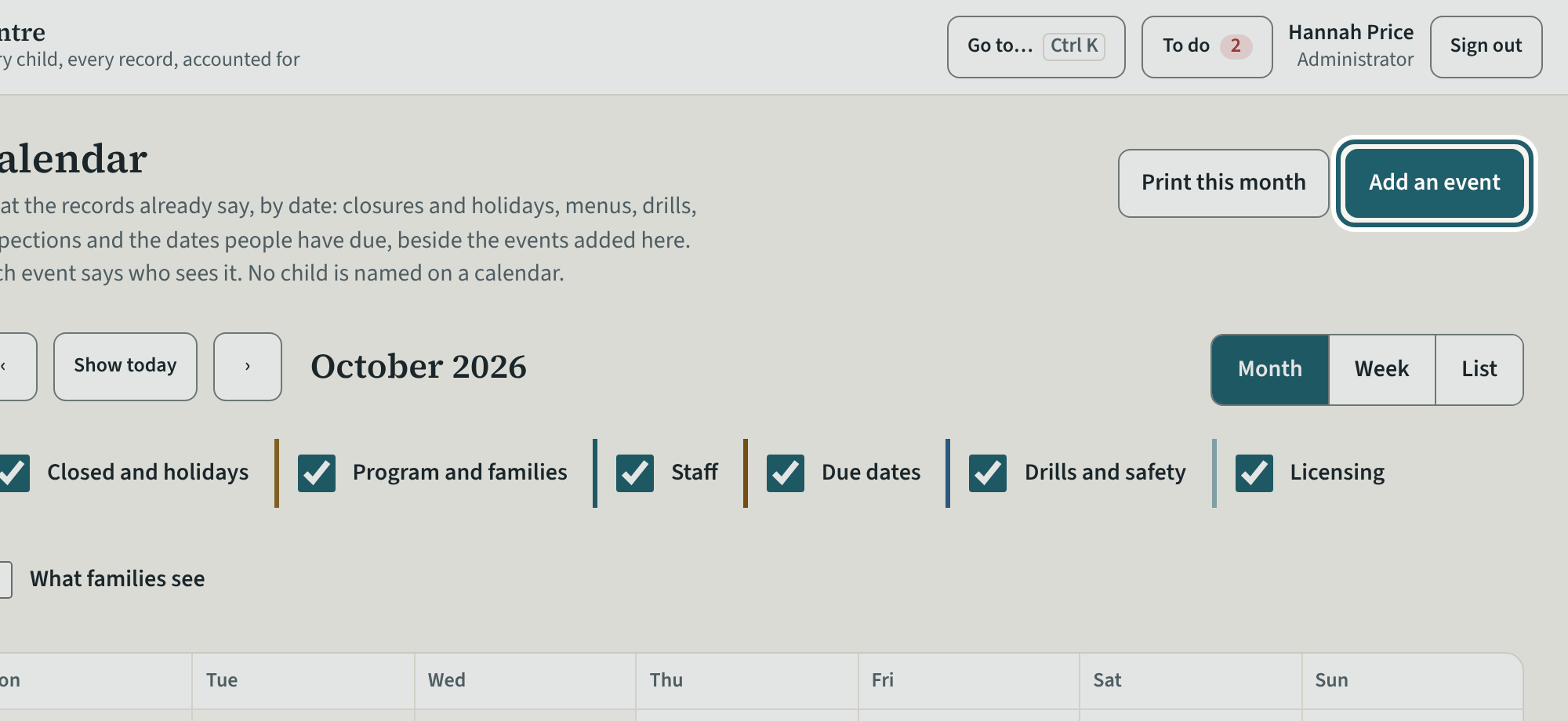
The calendar: closures and holidays, drills and safety tests, renewals and due dates, by month; Add an event and Print this month.
-
Records over a period
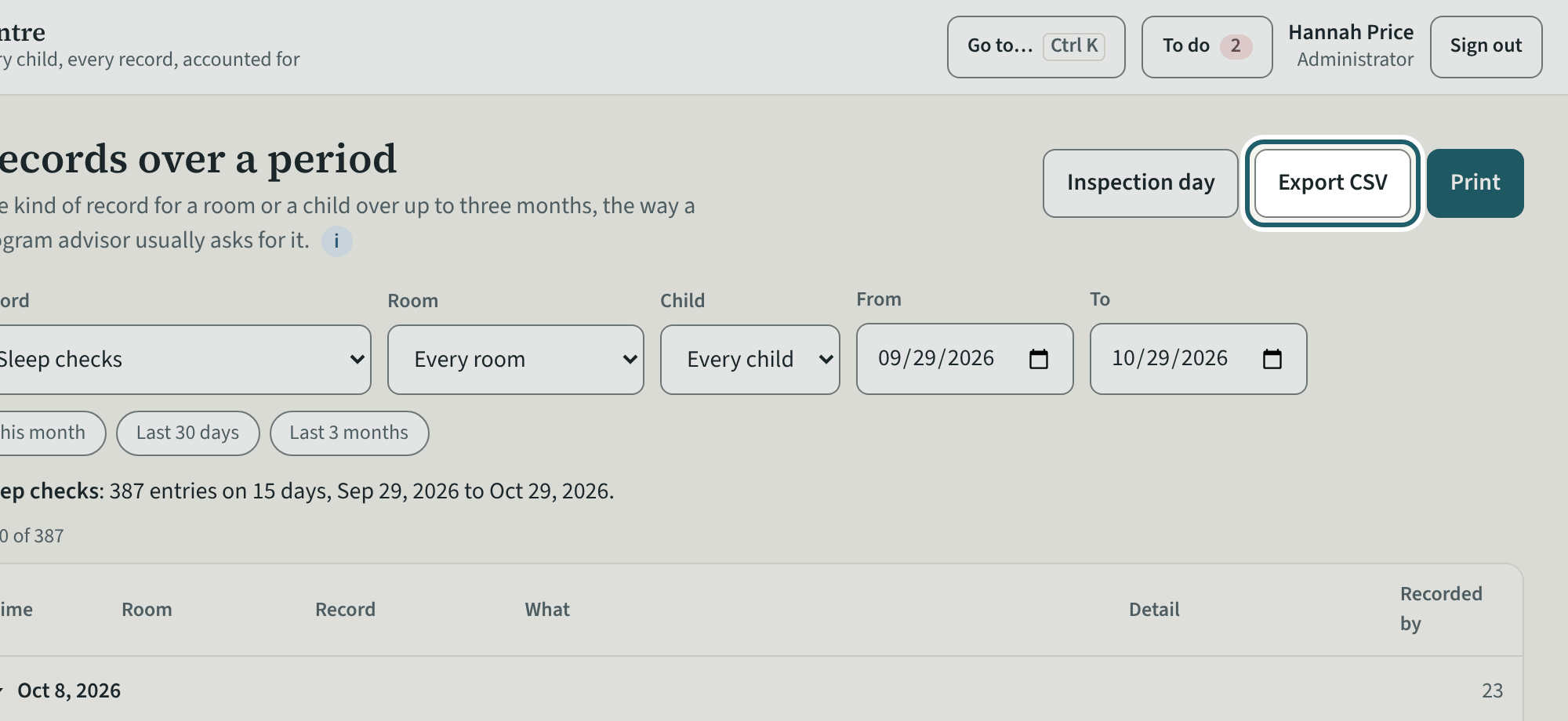
Records over a period: a kind of record, a room or a child, from and to, up to three months at once, printed or exported for an inspector.
Watch out: Up to three months at once. "Print" and "Export CSV" are logged with who made them.
-
Who else administers
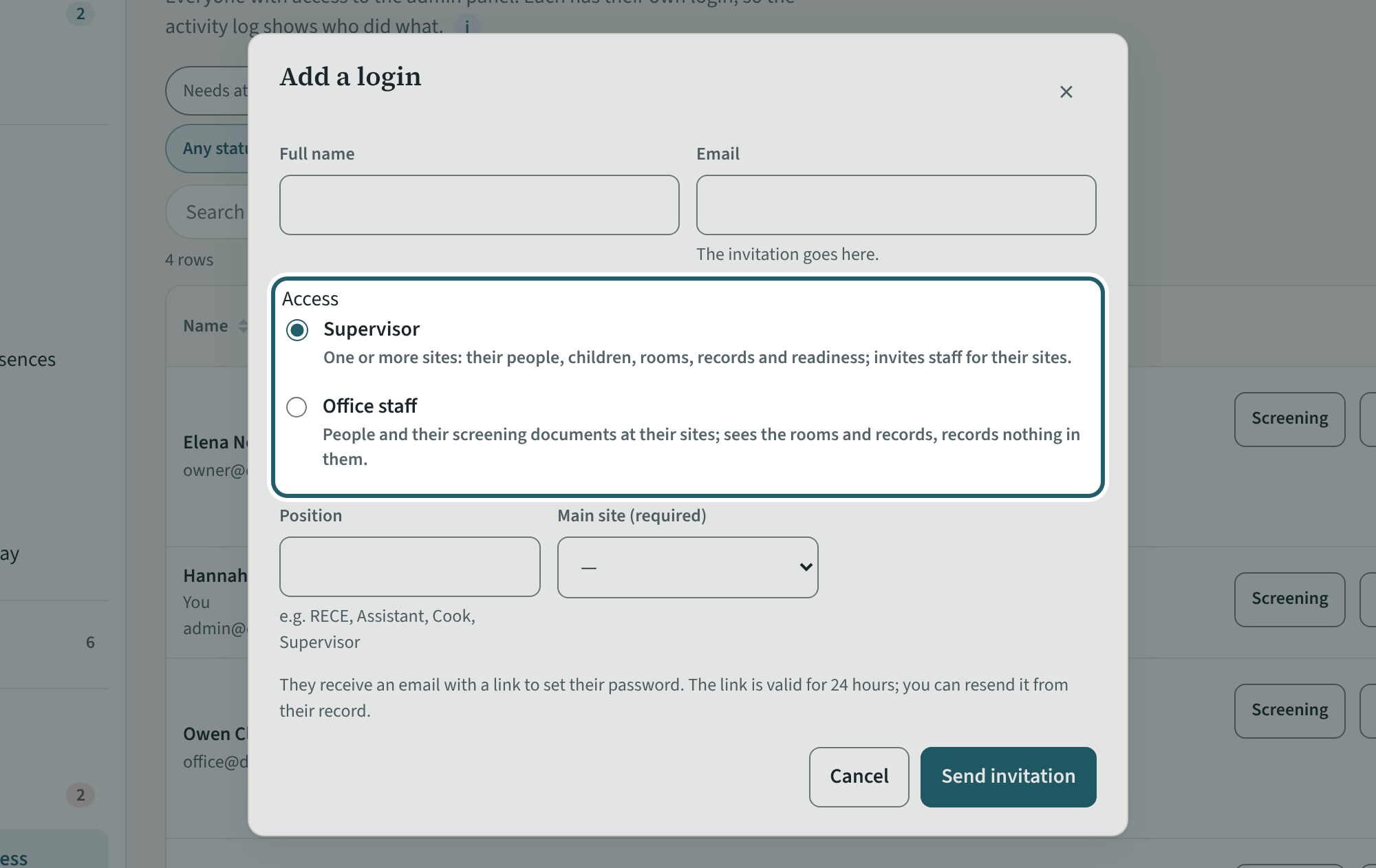
Logins and access: an administrator adds supervisors and office staff. Owners decide who is an owner or an administrator and who handles billing.
Watch out: An owner's or an administrator's access is changed only by an owner. Room staff and volunteers are added from Staff.
-
Help and the tour
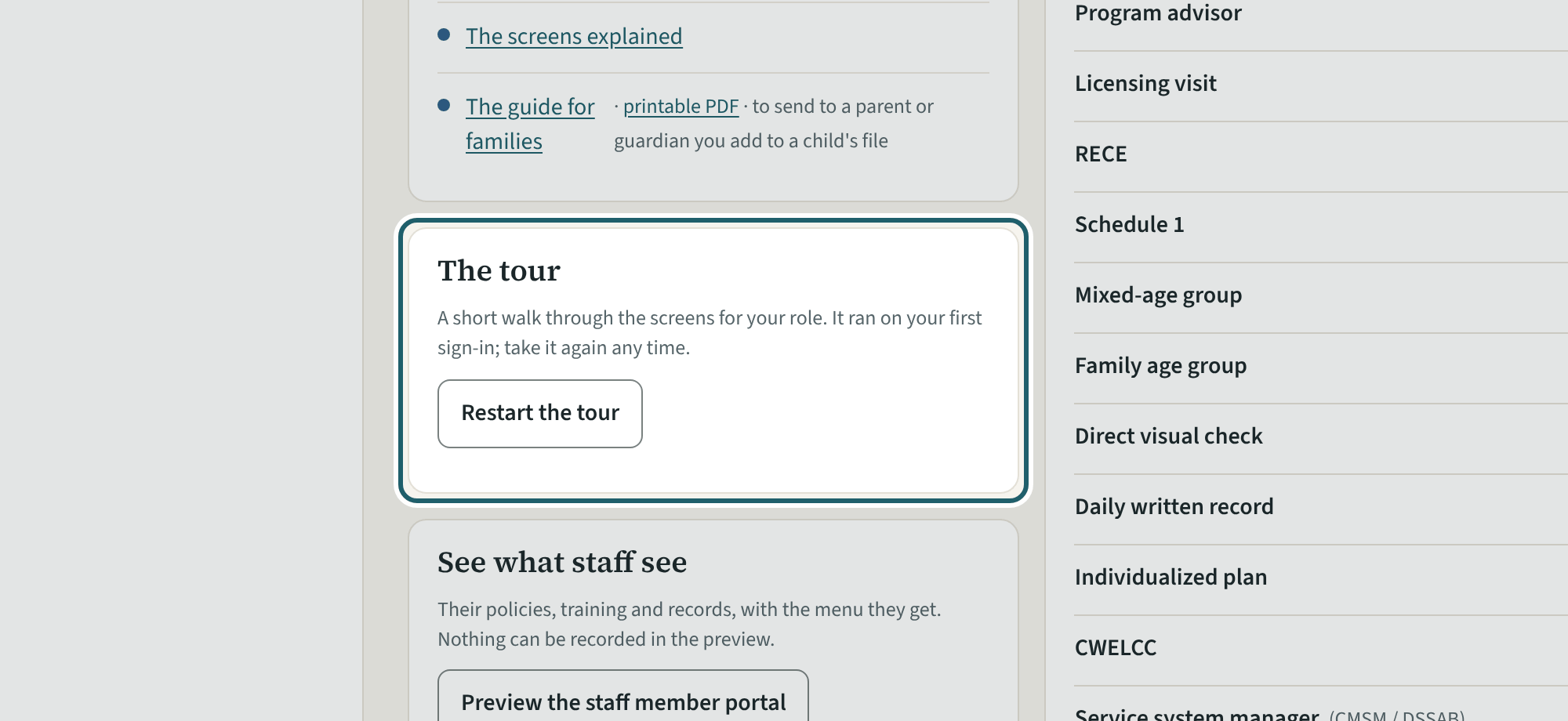
Help has this guide, the regulation guides, the glossary, the staff portal preview, who to ask, and "Restart the tour" for the eleven admin screens.
Watch out: "Report a problem" goes to KeepCount support only, with this version: say what you did and what you saw, without a child's name or health details.