Your first day
The homes: what needs you, each home's record and its day as the provider records it, the household's checks, what the last inspection found, the providers and the children. The screens are from a demonstration agency of eight homes, of which your office has five; everyone in them is fictional.
-
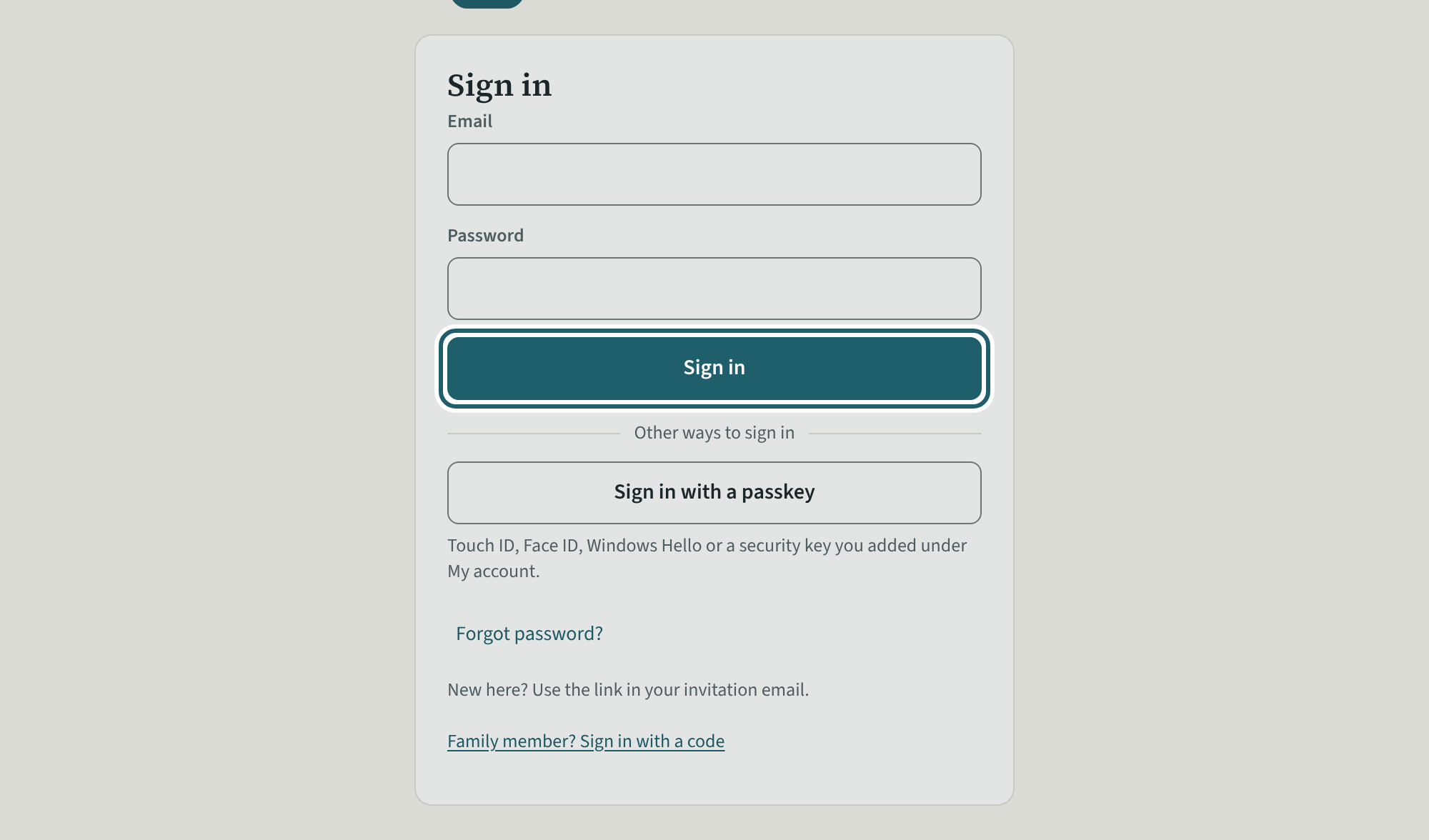
Sign in
Open the link in your invitation email and choose a password. After that, sign in with your email and that password.
Watch out: A visitor with several offices is asked which one at sign-in. Policies, settings and logins are the administrators'.
-
The dashboard
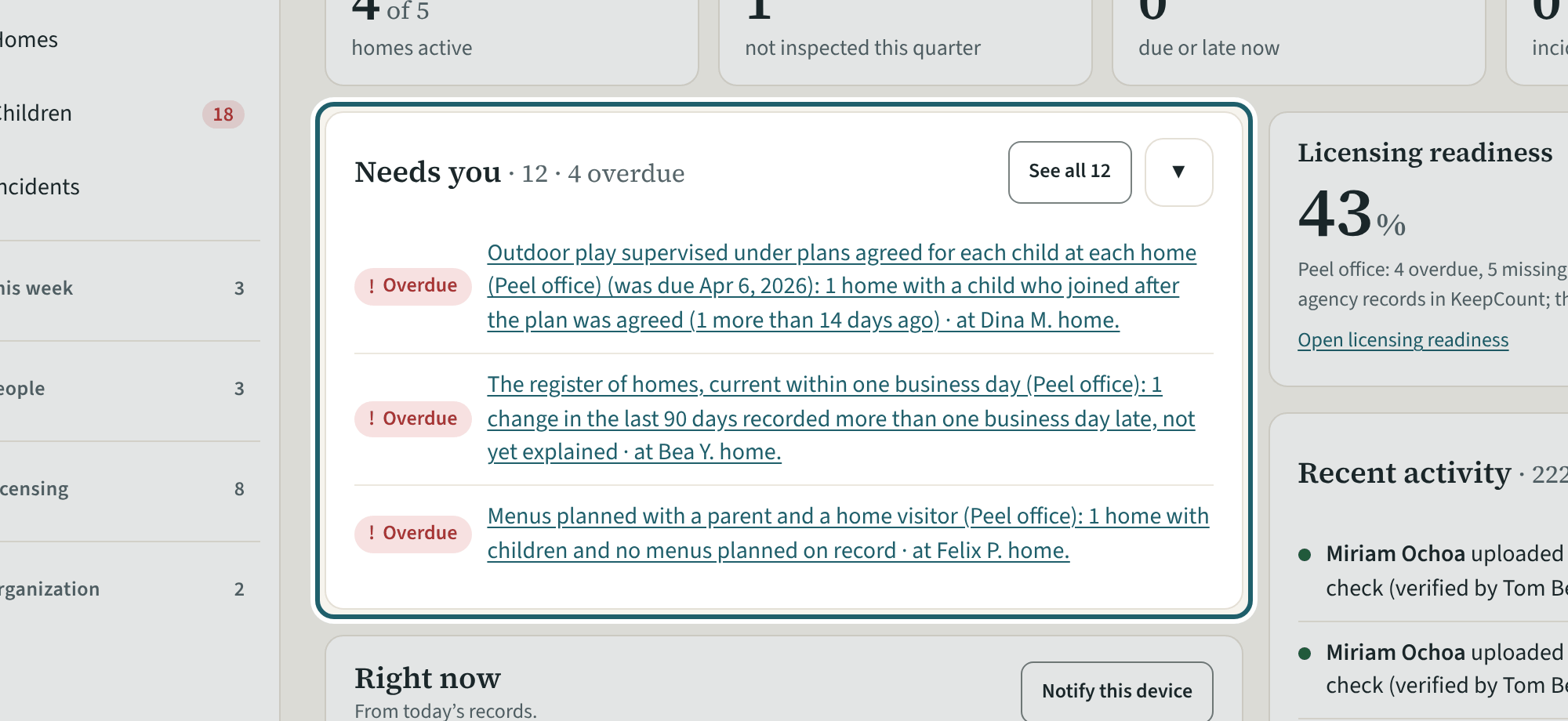
The dashboard for your office: homes active, not inspected this quarter, due or late now, incidents open; Needs you; the score; the providers in progress.
-
The homes
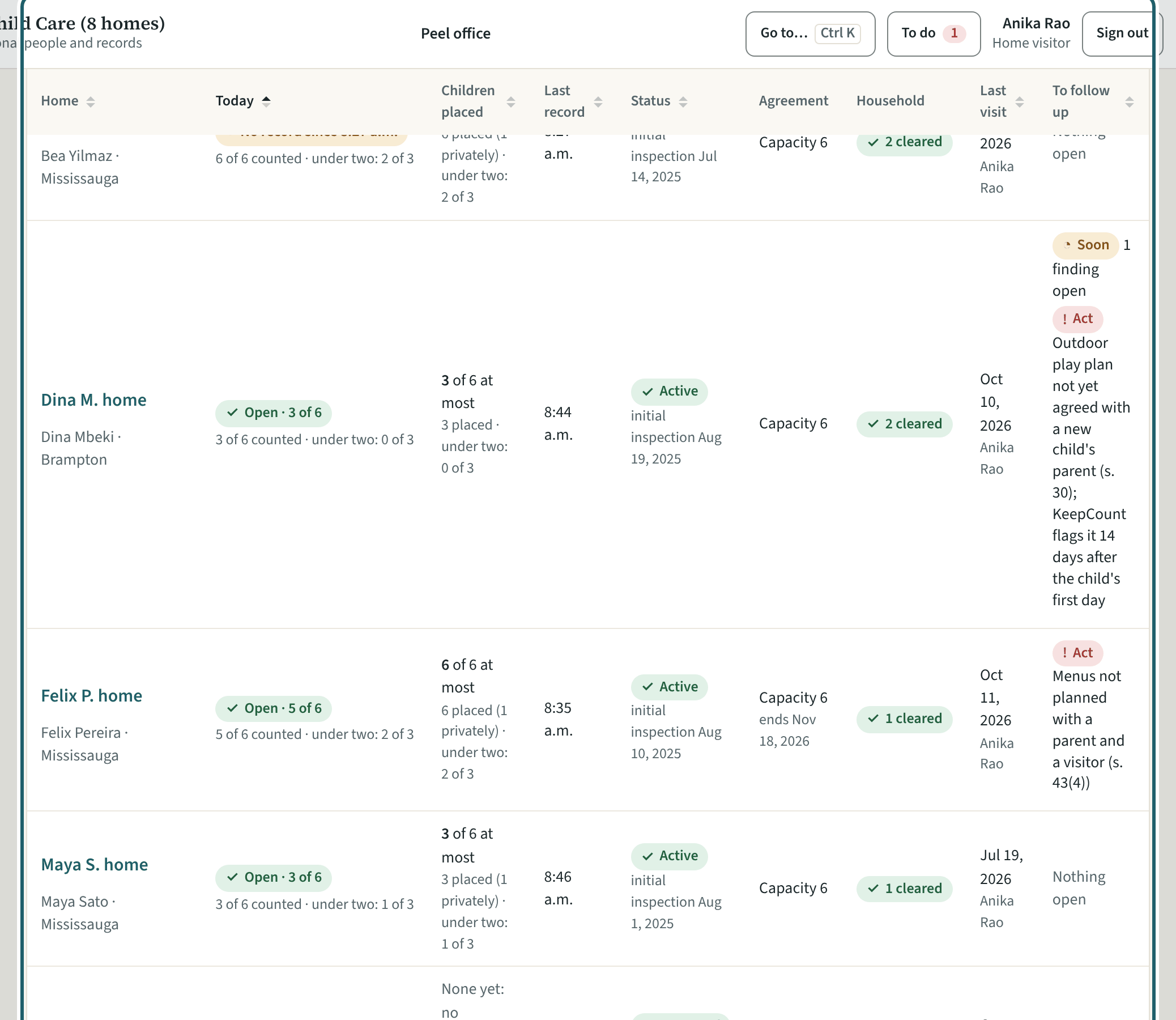
The homes: one table with each home's children here, last record, status, agreement, household screening, last visit and what is to follow up.
-
A home's record
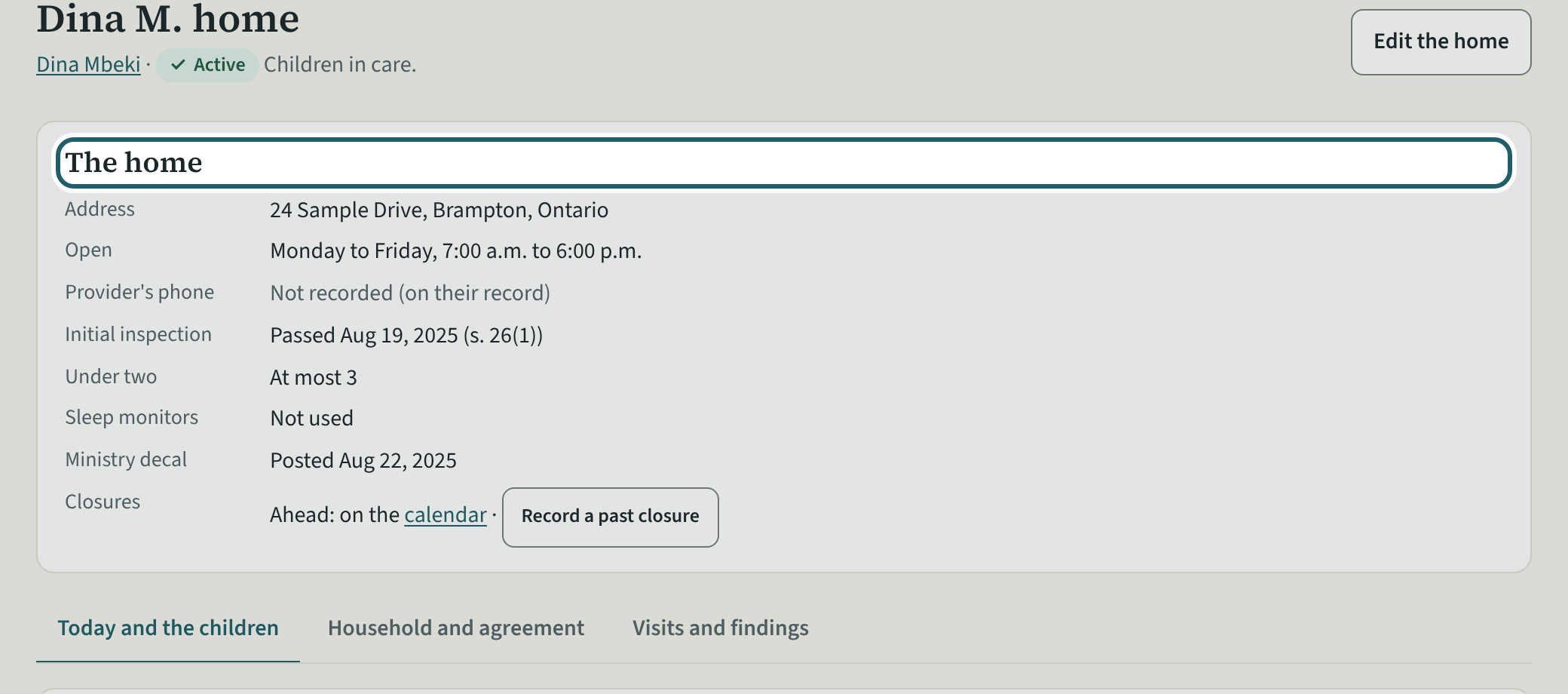
A home's record: the address and hours, the initial inspection, the under-two approval; then its day, children, agreement, household, findings and visits.
Watch out: "Under two" needs the director's approval where the agreement allows more than the Act's limit; record whether sleep monitors are used (s. 33.1(5)).
-
The household
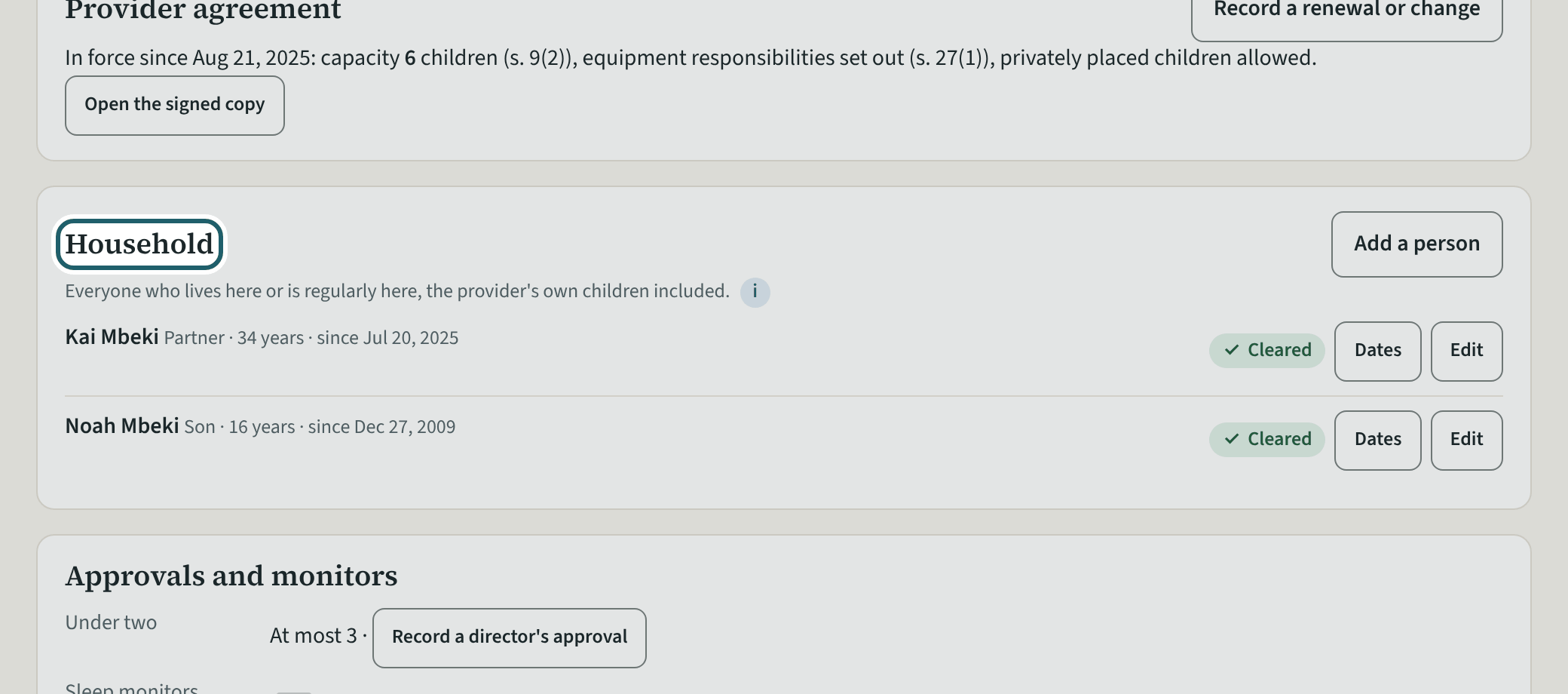
The household: each person living in or regularly at the home, with Cleared, Not cleared or a renewal due, and Dates and Edit; Add a person.
Watch out: Everyone living in or regularly at the home is screened before they interact with the children (s. 60(2)); the provider never sees the household's checks.
-
Record a date
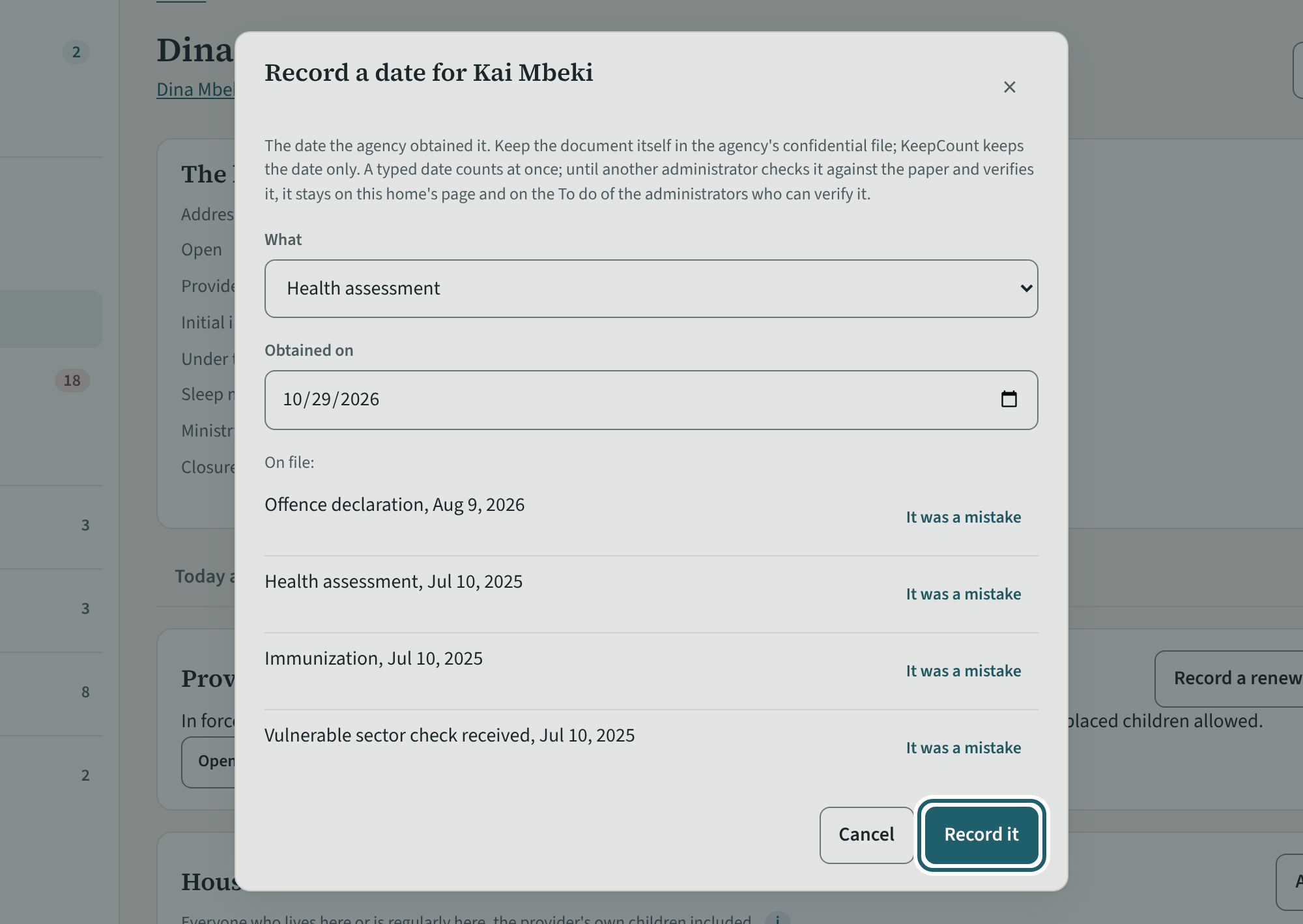
"Dates" on a household member: the vulnerable sector check received or applied for, the offence declaration, the statement at 18, the health assessment.
Watch out: A date you type is "Typed, not verified" until another administrator or visitor verifies it; the home reads "Not cleared: check applied for" until the check is received.
-
What inspections found
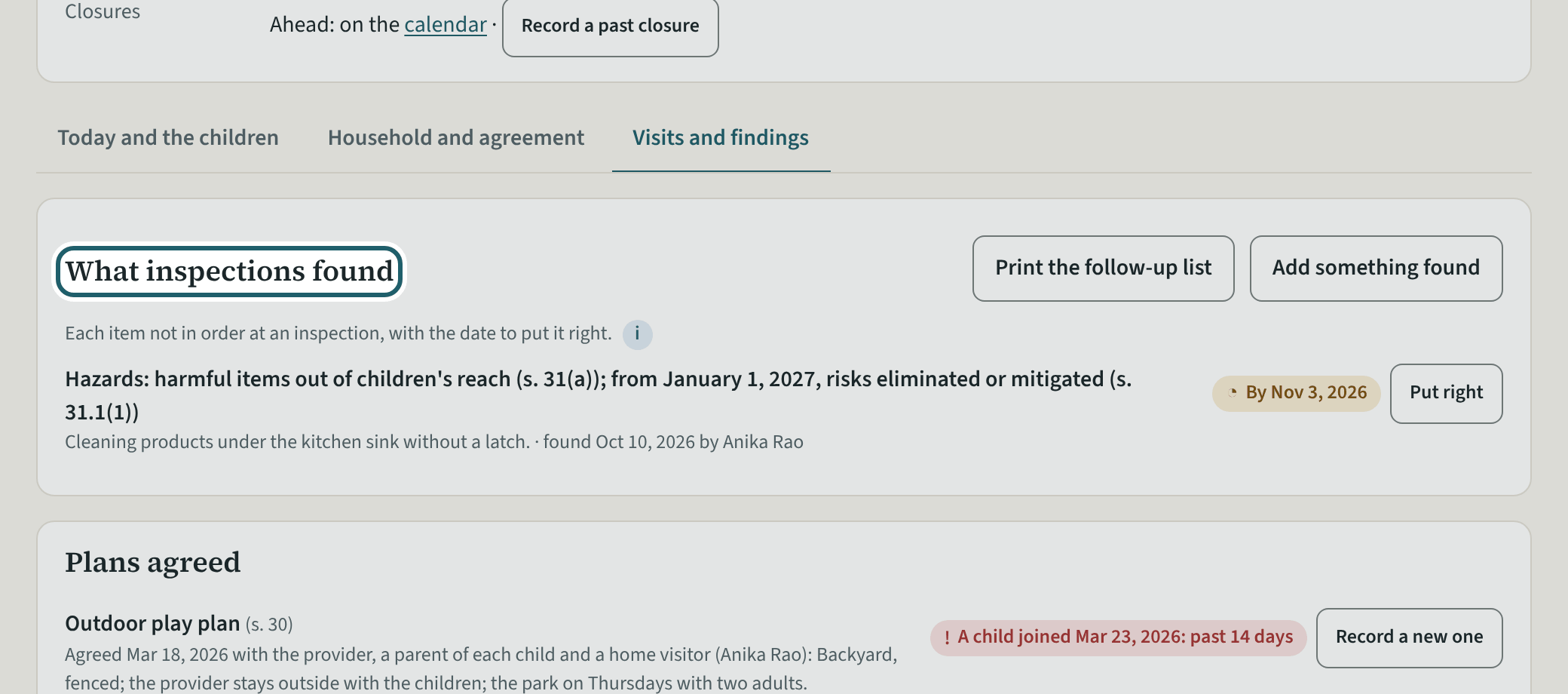
What inspections found at the home: each thing found at a visit, by when it is to be put right, and Put right.
Watch out: A finding past its date shows "Past October 3, 2026" and under Needs you; "Put right" closes it with the date. The findings print in the binder with the visit.
-
A home's day
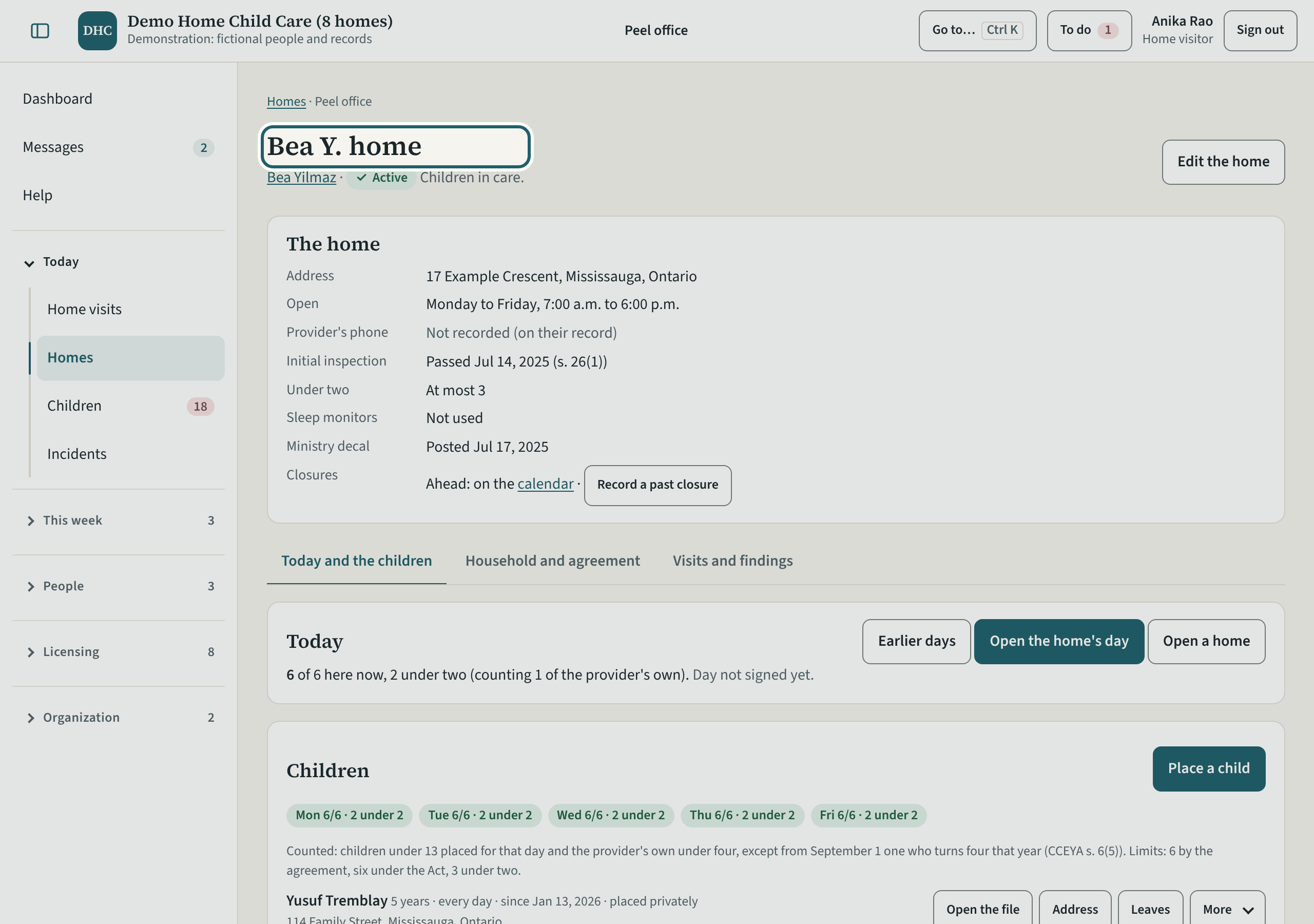
A home's day as the visitor sees it: children here of the most allowed, what is due, each child's state, and Today so far, as the provider keeps it.
Watch out: Record on a home's day only when you are at the home: "Are you at Bea Y. home now?" names you on the record.
-
Providers
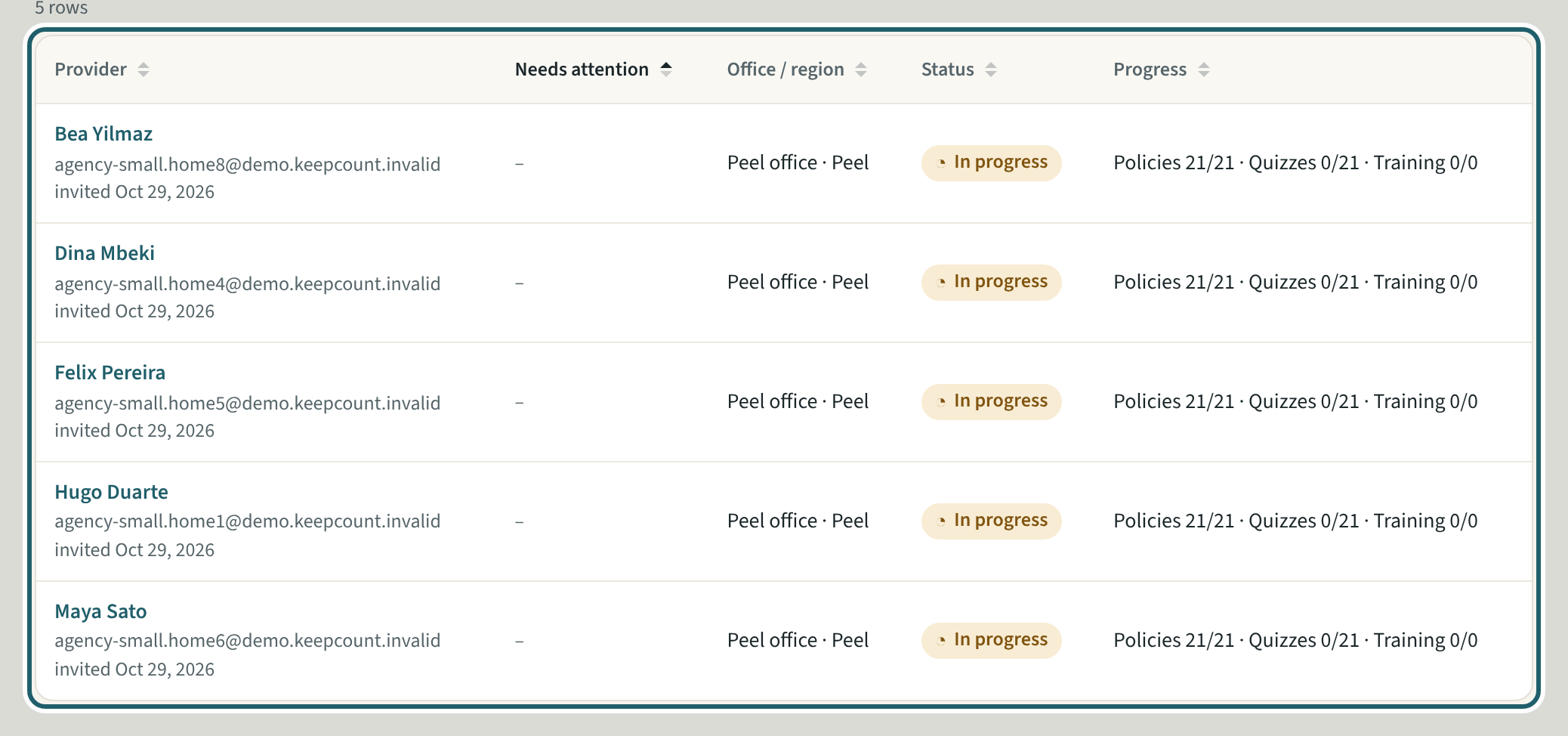
Providers: each with what needs attention, their home, status, whether they are cleared, and their progress with the policies and quizzes; Add provider.
Watch out: A provider whose first aid lapses shows "Needs attention" and under Needs you (s. 58(2)); their documents are verified by you or another administrator.
-
Children
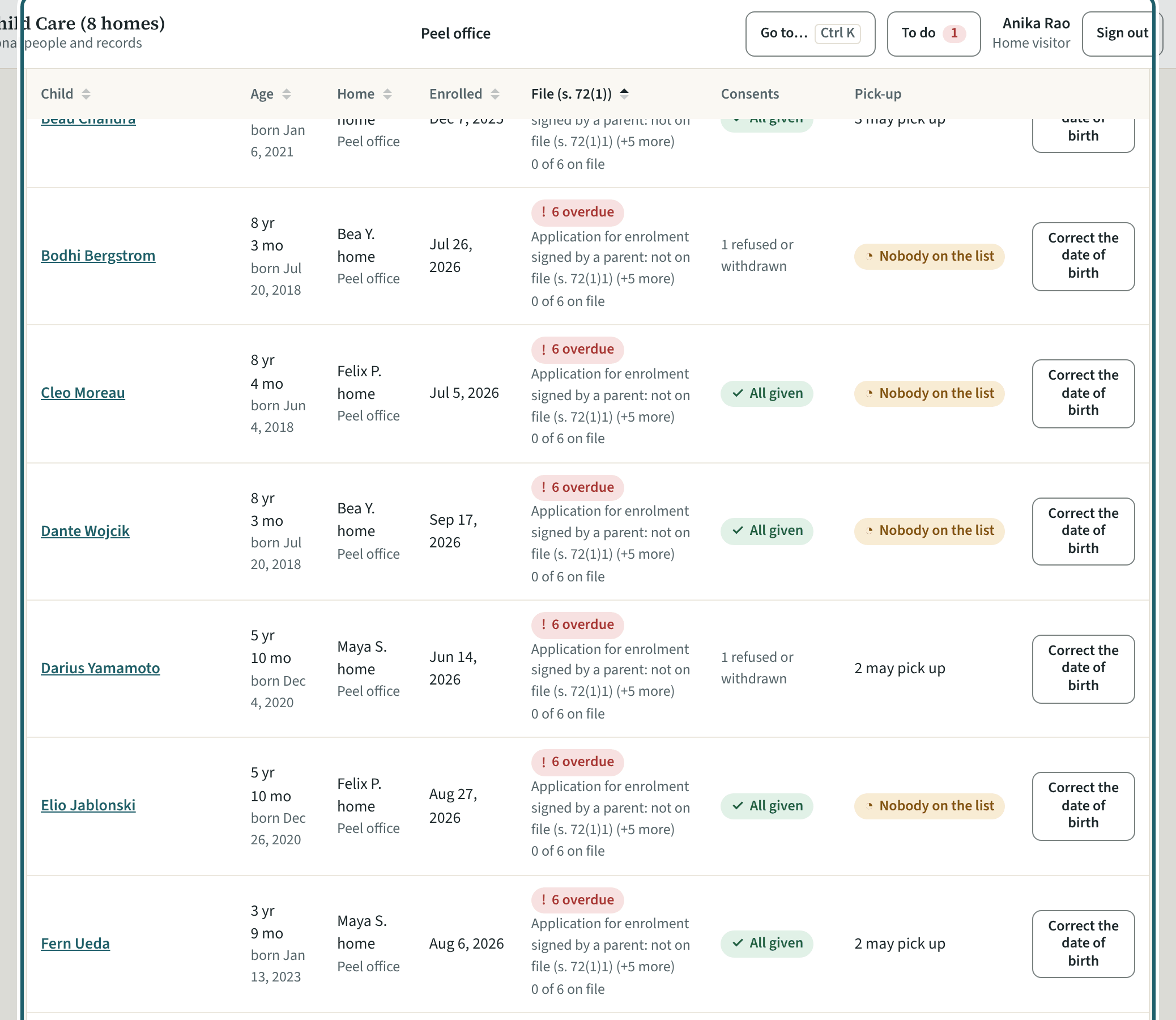
Children: the children placed at your office's homes, each with their home, enrolment, the state of their file (s. 72(1)) and the pick-up list; Place a child.
Watch out: A withdrawn child stays on the file for the retention period; "Needs attention only" filters to the files with an item missing or late.
-
The register of homes
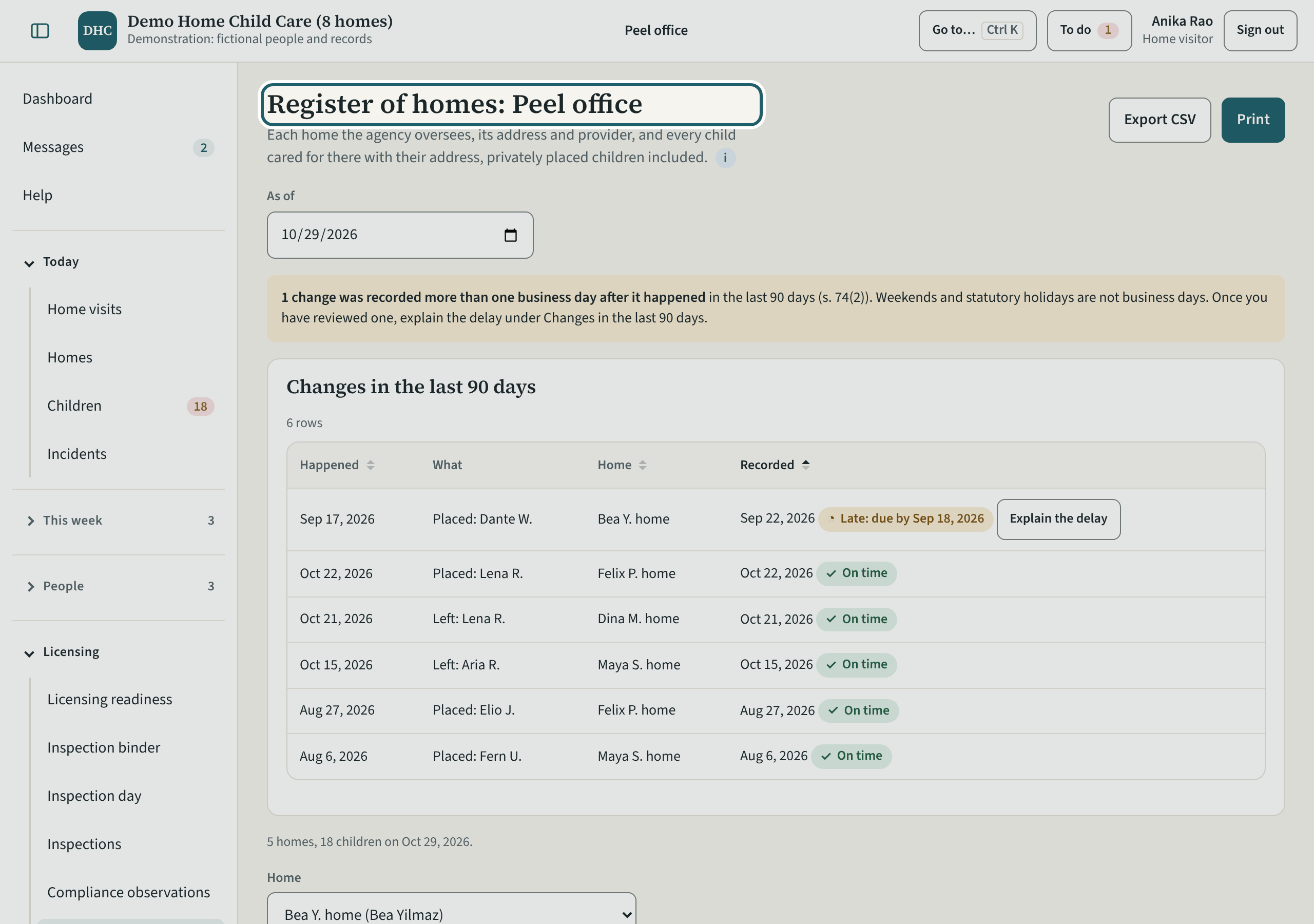
The register of homes: each home with its address and provider, the children placed there with their addresses and since when, and the last 90 days' changes.
Watch out: A change recorded more than one business day after it happened asks "Explain the delay", and the explanation stays on the register (s. 74).
Your first week
The visits: the office's home visits with the Ministry's checklist, a home's history, the quarters, the visitors, readiness, an incident, the binder and inspection day.
-
Home visits
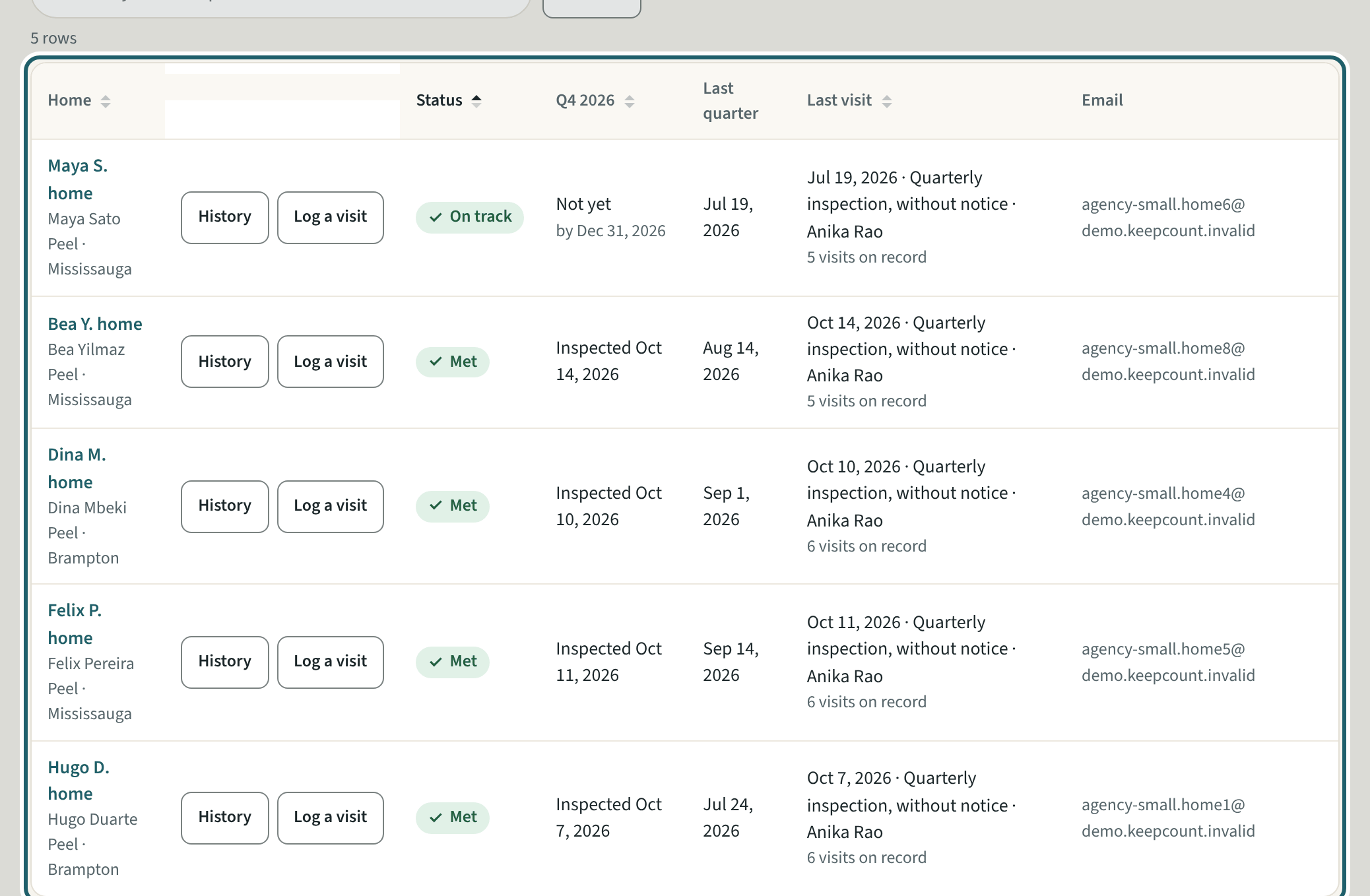
Home visits: no visit on record, quarters to explain, not yet this quarter, inspected this quarter; each home with its status, the last visit and Log a visit.
Watch out: Only an inspection without prior notice counts toward the quarter; the initial inspection never does (s. 26(1)). A home with no child in care is not counted against you.
-
Log a home visit
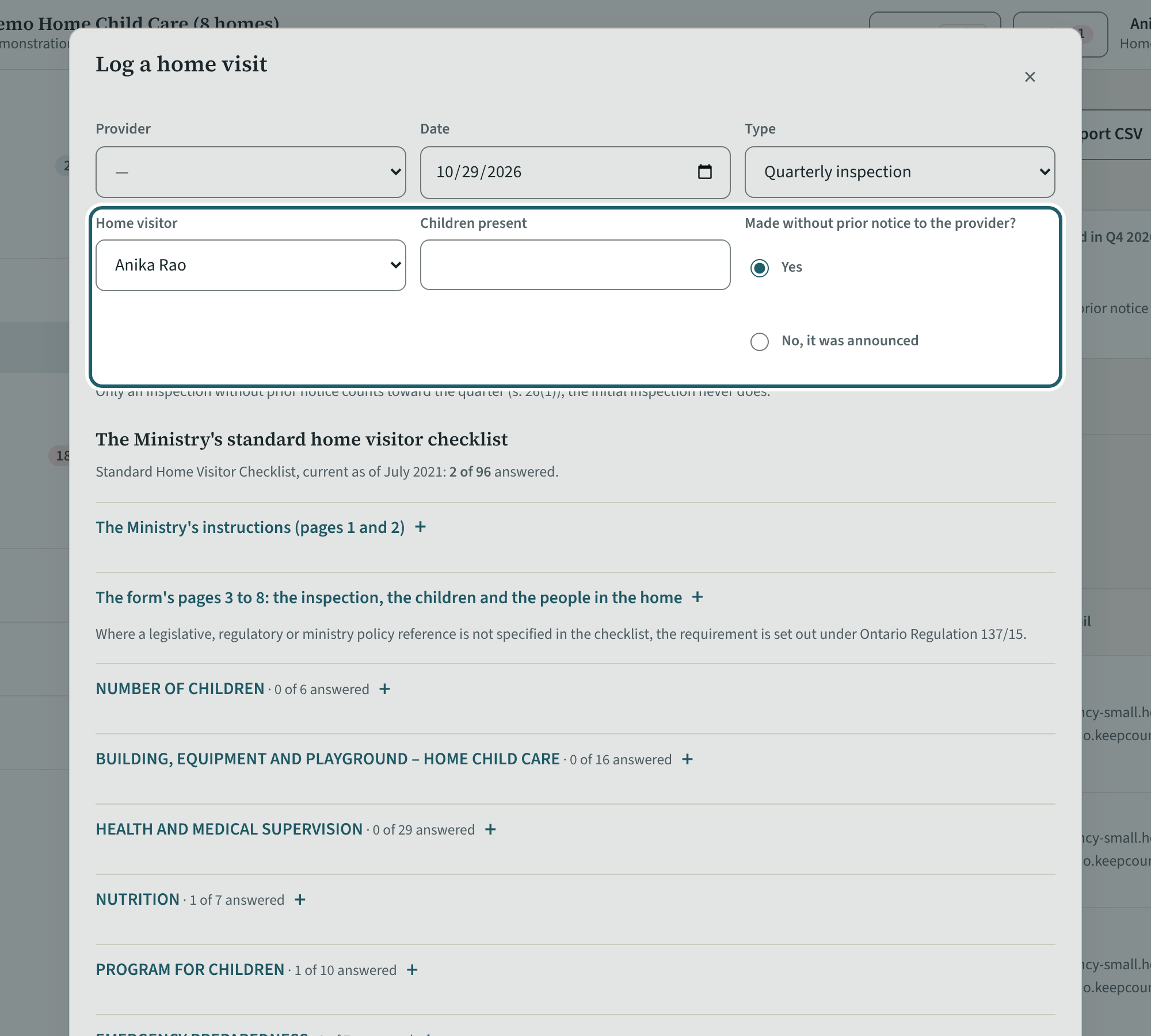
"Log a visit": the provider, the date, the type (initial, quarterly, follow-up, other), the visitor, the children present, and whether it was without notice.
Watch out: A draft counts toward the quarter only once signed off, by the quarter's last day; it is kept on this device for seven days.
-
The checklist
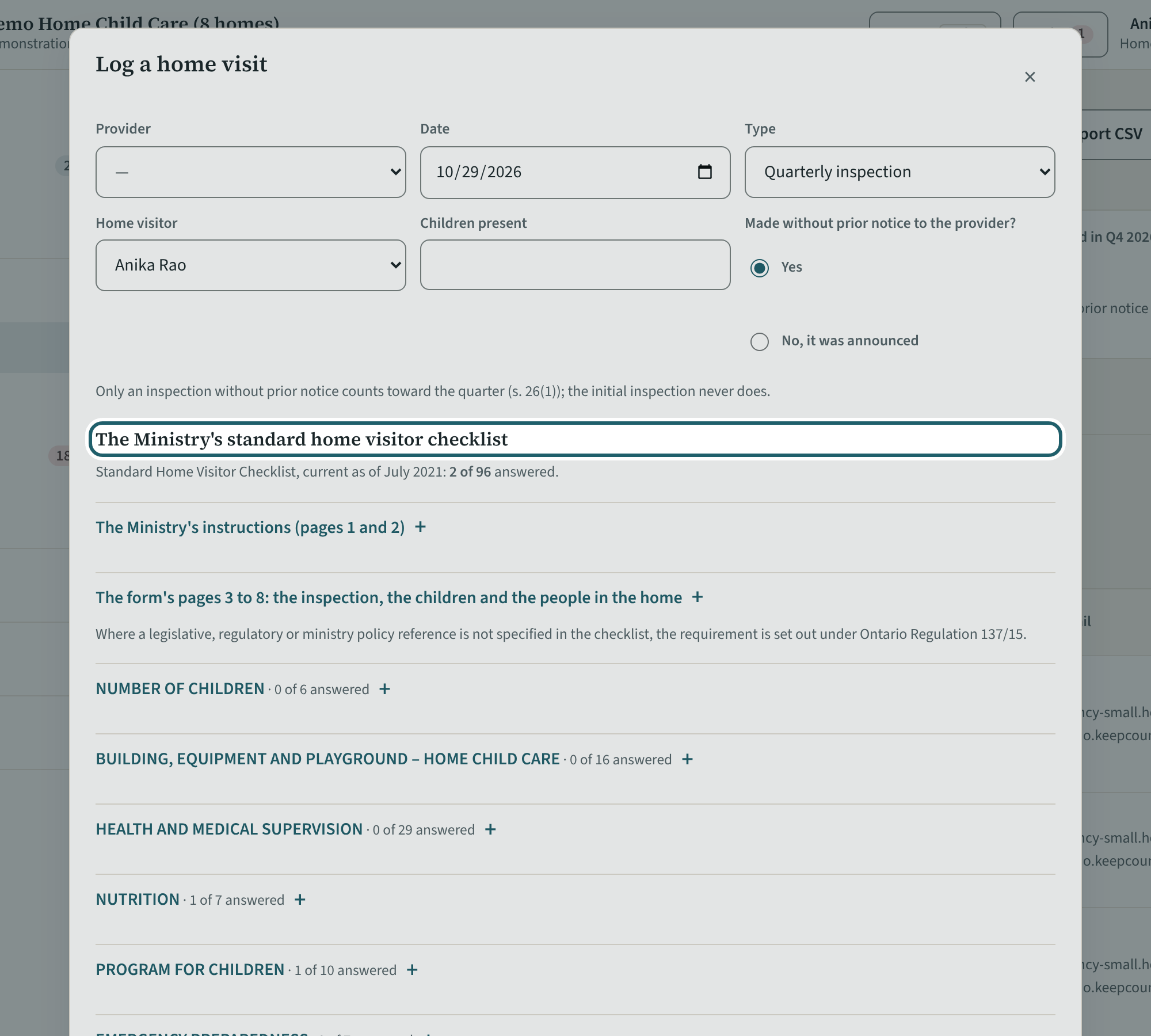
The Ministry's standard home visitor checklist, in the visit: each item Yes, No or N/A, its risk level, and Put right by for a No. Signed off, it counts.
Watch out: Signed off, the checklist is final and kept as signed; a No takes a date to put it right by.
-
A home's history
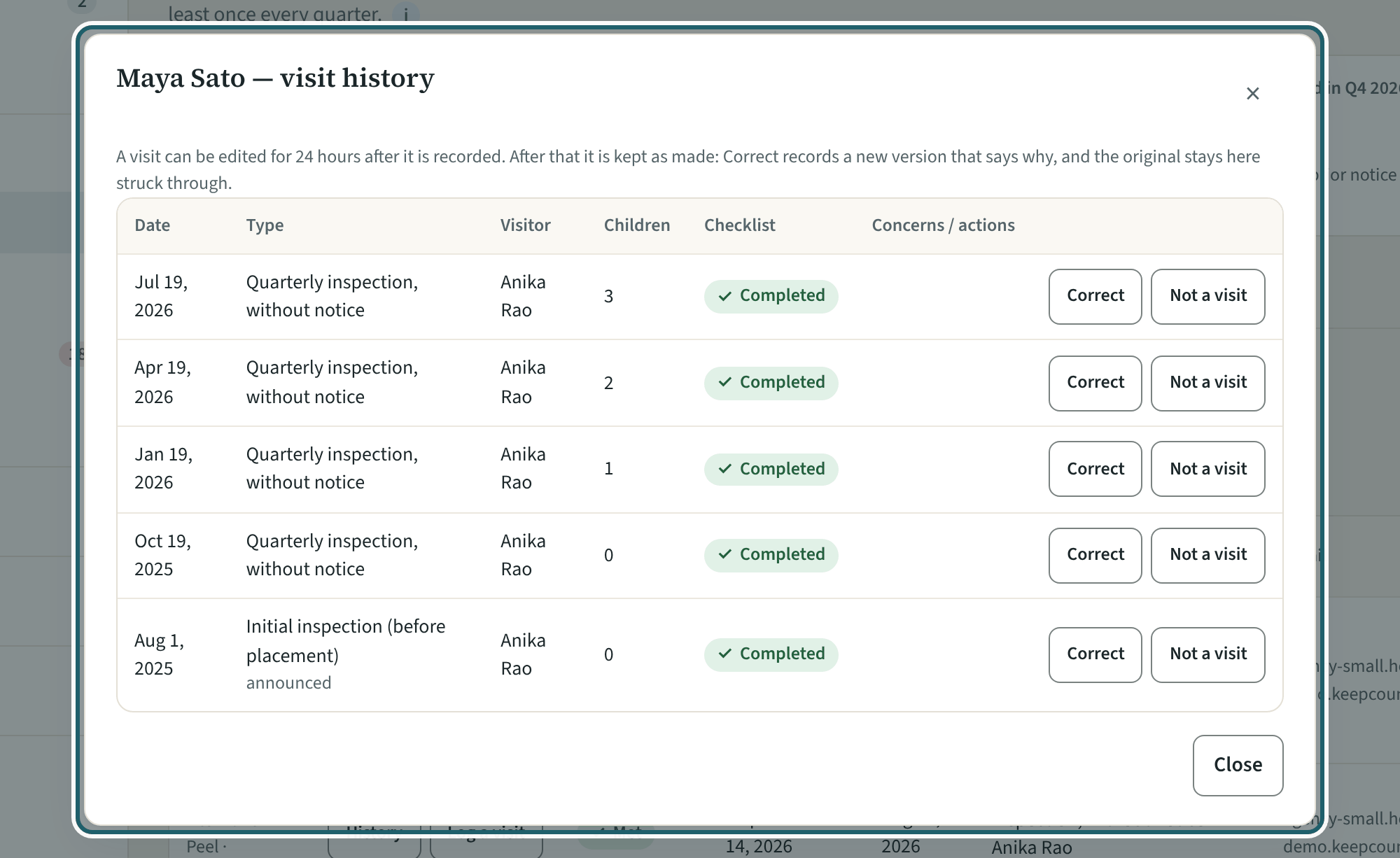
"History" on a home: each visit with its type, whether it was without notice, the checklist signed off or a draft, and what was found; Edit, then Correct.
Watch out: A visit can be edited for 24 hours; after that "Correct" records a new version that says why, and the original stays, struck through.
-
By quarter
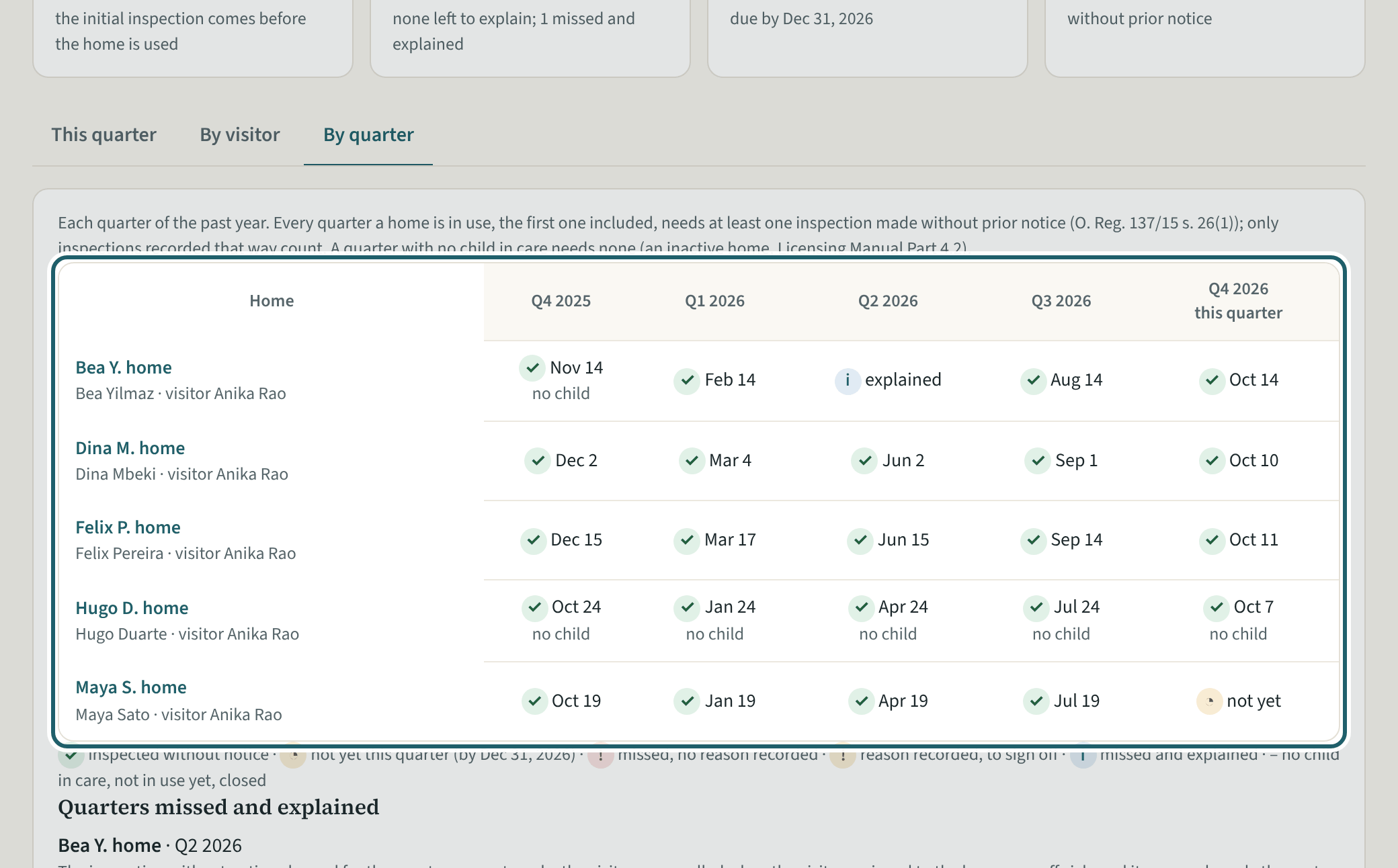
By quarter: each home and each quarter, inspected, missed and explained, or to explain. A missed quarter is recorded with why and the make-up visit.
Watch out: A missed quarter is recorded with why and the make-up visit, and signed off; the grid prints in the binder's Part 4 with the explained misses.
-
Home visitors
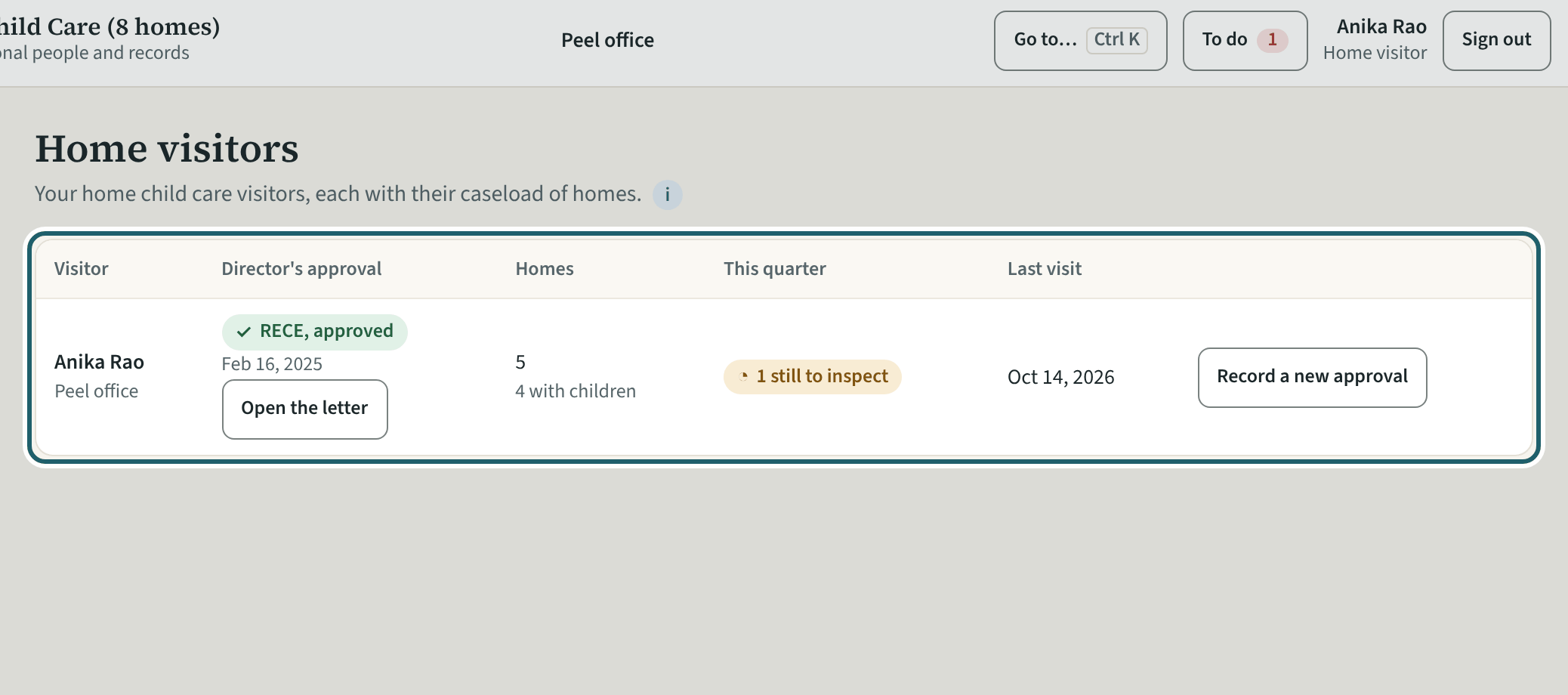
Home visitors: each visitor with the director's approval on file, their homes, this quarter's visits and the last visit.
-
Licensing readiness
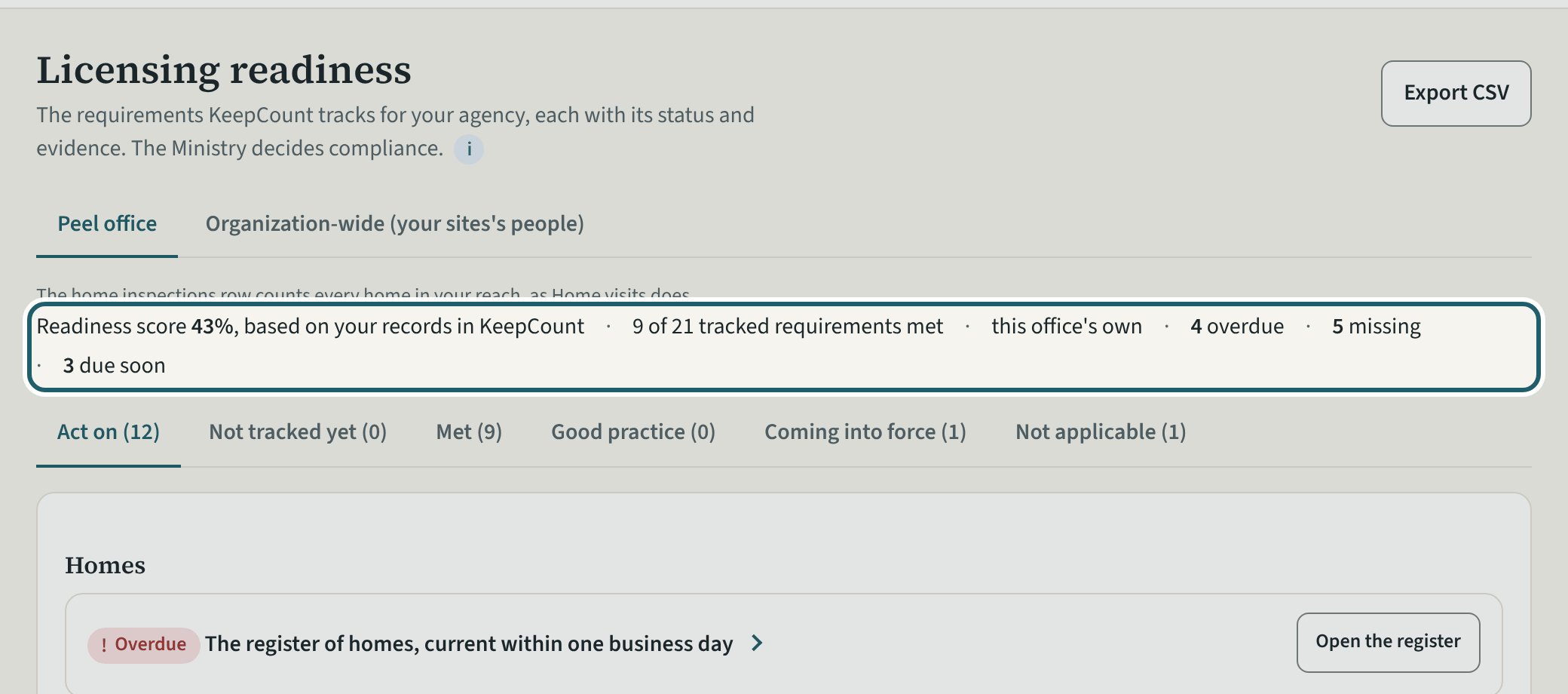
Licensing readiness for the office: the score, what is overdue, missing and due soon, and the agency's requirements with their status and their section.
Watch out: Mark a line not applicable only when it truly is: your reason prints in the binder. The statuses are based on your records in KeepCount; the Ministry decides compliance.
-
Report an incident
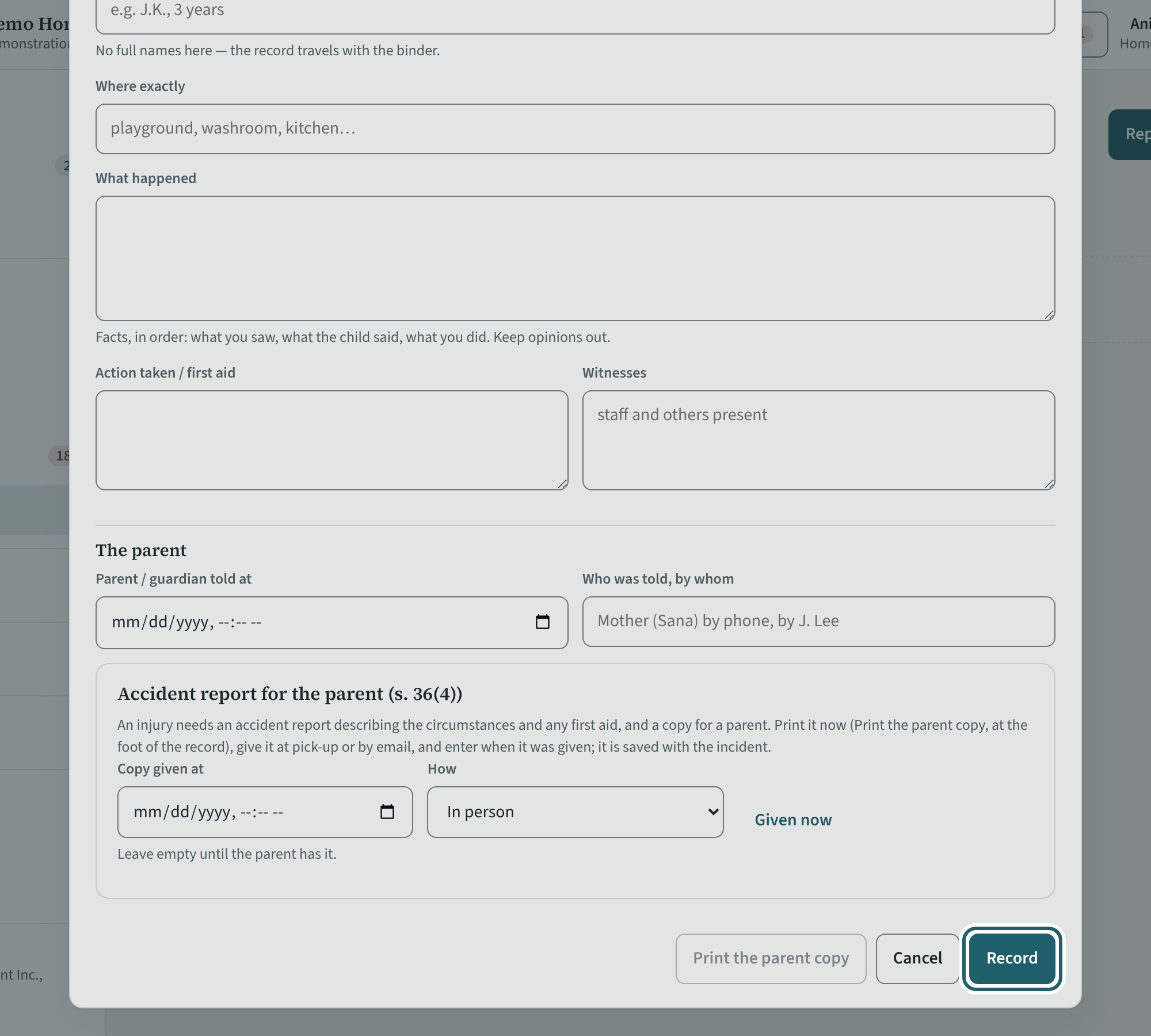
An incident at a home: the home, the child, the kind, what happened, the action taken, who told the parent, whether it is serious. The provider records too.
Watch out: The provider's record alerts the agency; the 24 hours run from the agency becoming aware (s. 38(1)(b)), and the "Ministry reporting" card keeps the time.
-
The inspection binder
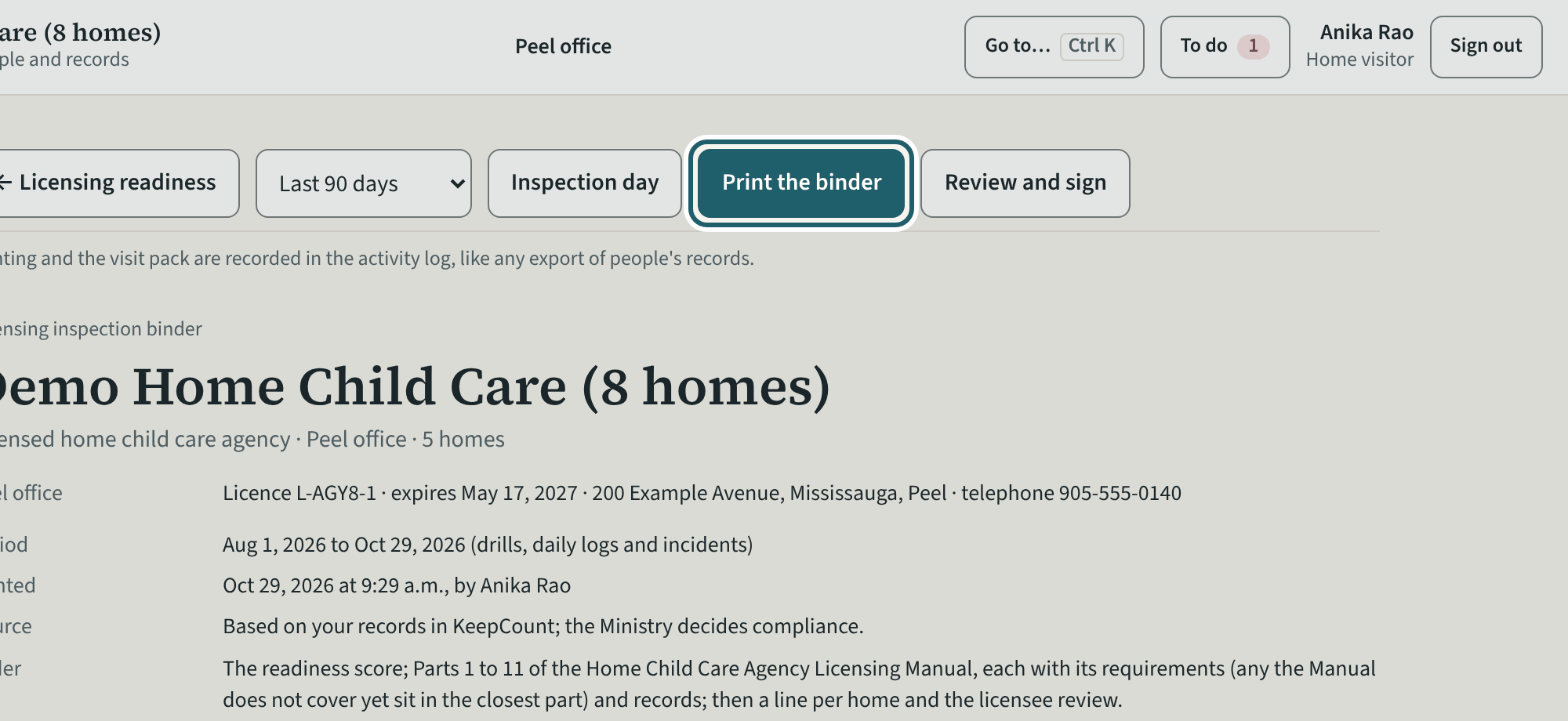
The binder for the office: the home child care licensing manual's parts in its order, the homes, the readiness score, and Print the binder.
-
Inspection day
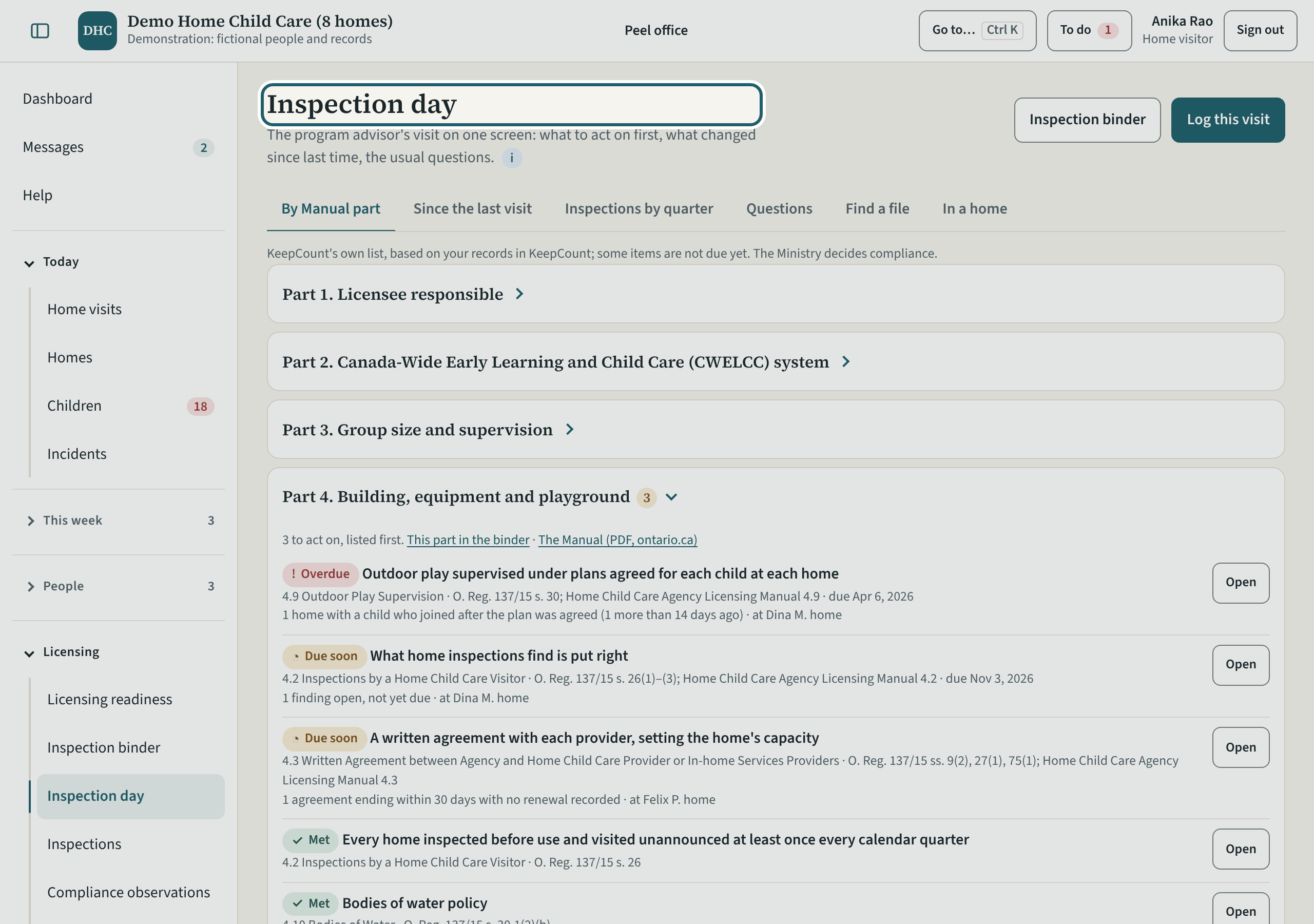
Inspection day for an agency: the records by Manual part, since the last visit, the inspections by quarter, the questions an adviser asks, and in a home.
-
Help and the tour
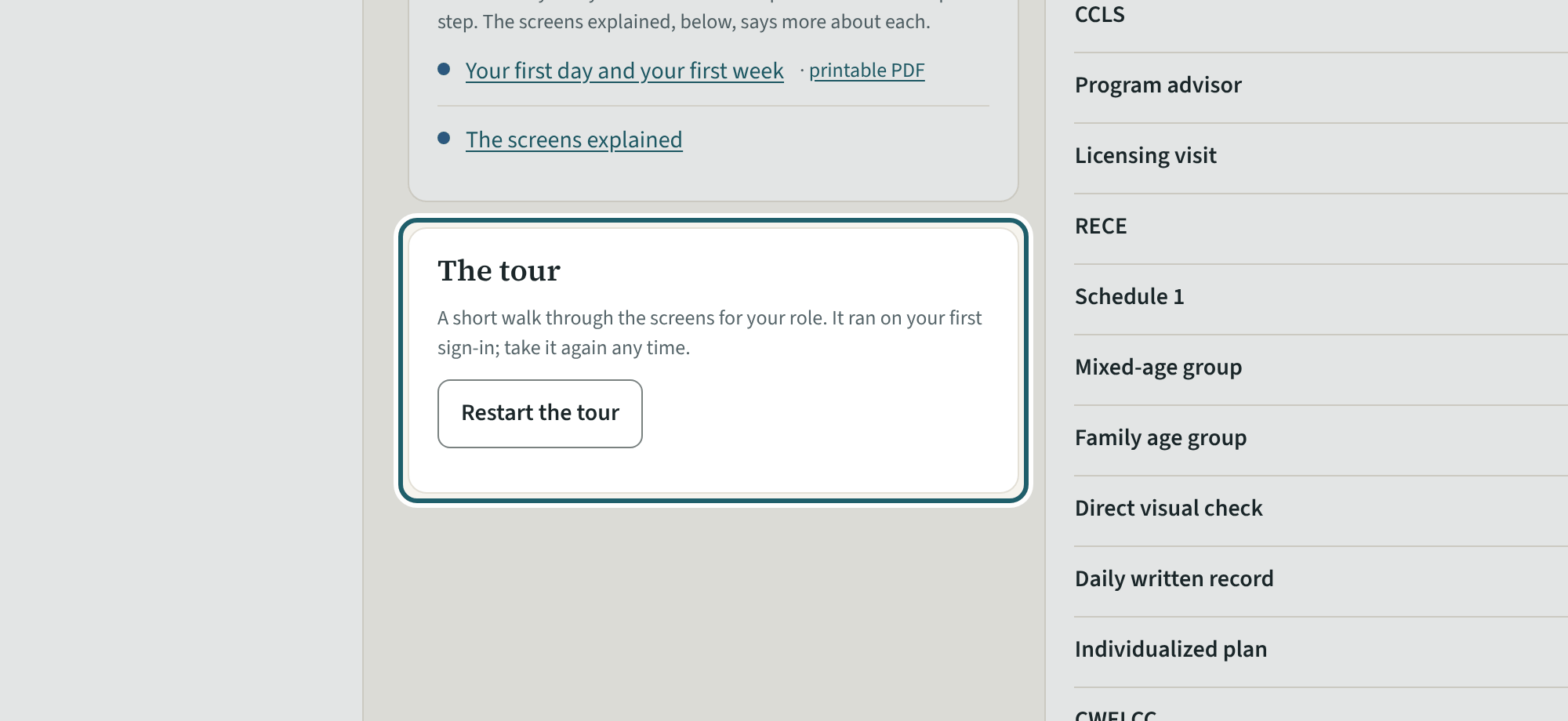
Help has this guide, the guides to the regulation, the glossary, who to ask, and "Restart the tour" for your eight screens.
Watch out: "Report a problem" goes to KeepCount support only, with this version: say what you did and what you saw, without a child's name or health details.