Step 4 of 14 · Your first day
Add a provider
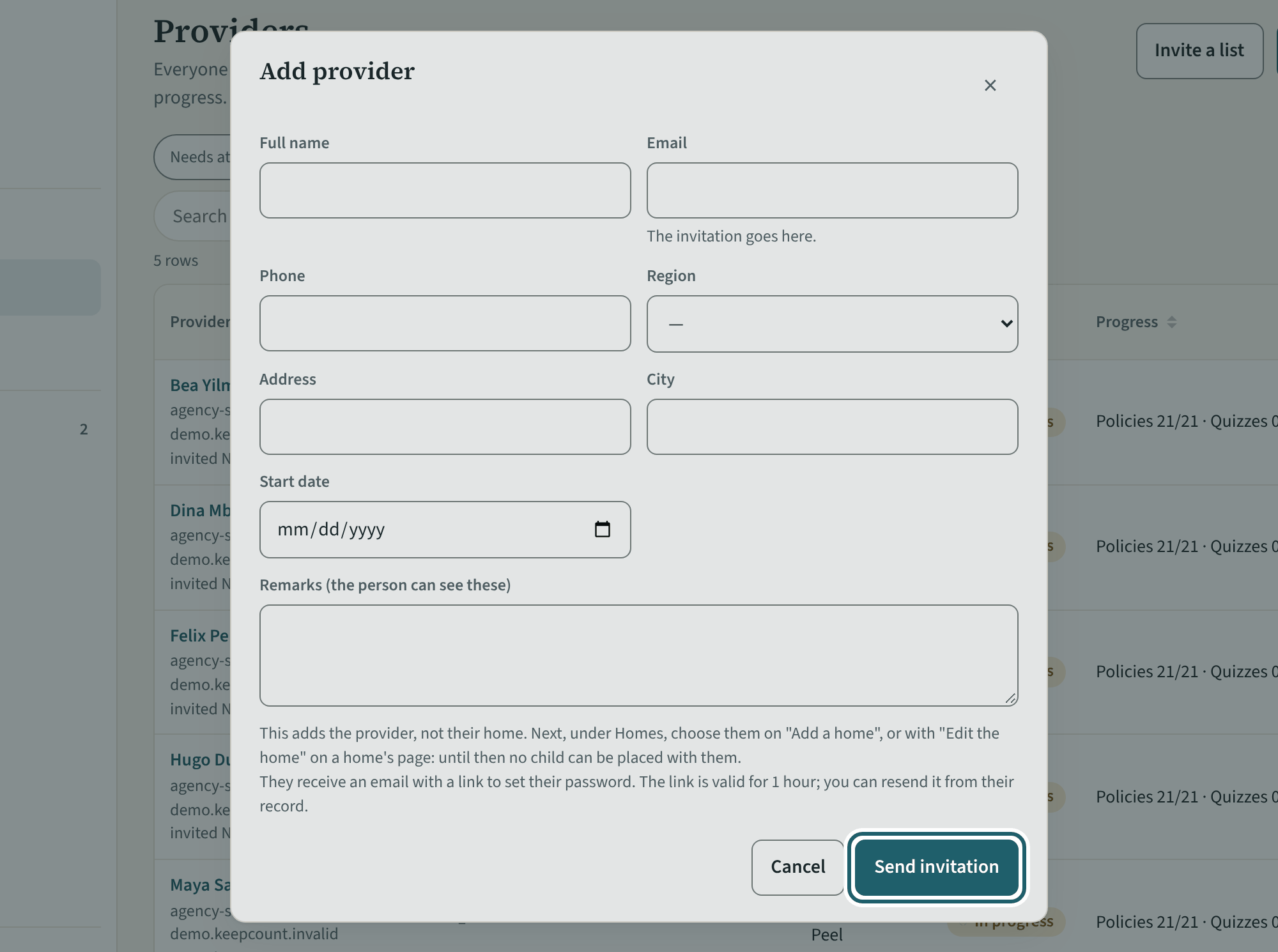
"Add provider": the name, the email, the region and the start date. Their invitation goes out when you save.
Watch out: This adds the provider, not their home: an administrator adds the home and chooses the provider on it, and until then no child can be placed with them.
More about this
The form takes the full name, the email, a phone number, the region, an address and city, the start date and remarks (the person can see these). "Add provider" sends one invitation email with a link to choose a password; "Resend invitation" on the record sends another. In a demonstration no email leaves KeepCount: the button reads "Add without an email" and you get a link that opens KeepCount as the person. "Invite a list" invites several providers at once. Choosing the home is the agency administrators' step ("Add a home" under Homes): the page says so under the form.
Your agency's words for people and its policies may differ; the screens are the same. The screen is from KeepCount 0.99.191, captured November 2, 2026 in a demonstration organization: everyone in it is fictional. Section numbers are O. Reg. 137/15 (General) under the Child Care and Early Years Act, 2014, read on e-Laws on October 20, 2026. This explains how KeepCount works; it is not legal advice, and the Ministry's program advisors decide compliance.