Step 12 of 29 · Your first day
Close out the day
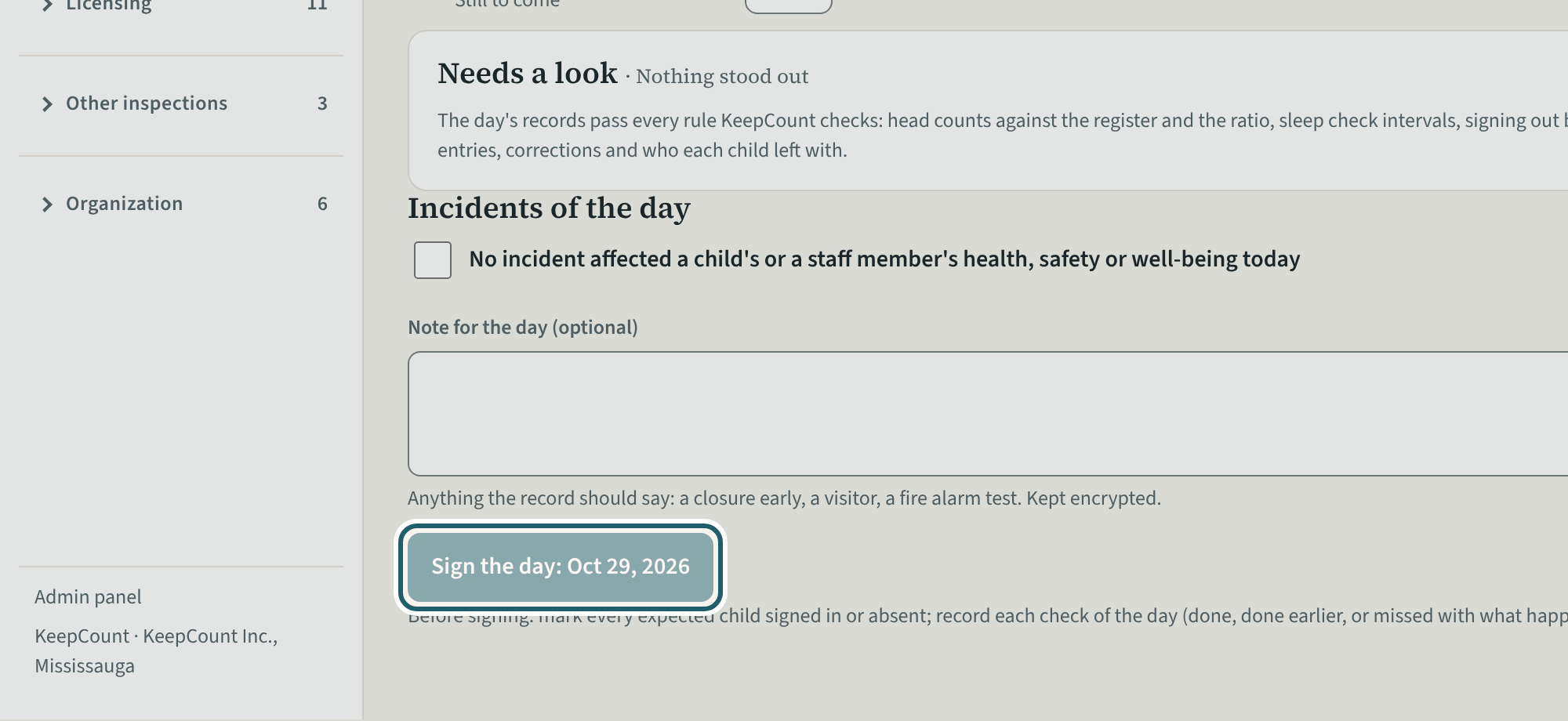
At the end of the day, Close out the day: the checks not done at their time, the incidents of the day, counts below what was allowed, a note, and Sign the day.
Watch out: "Sign the day" is enabled once the blockers are cleared. A record entered more than 30 minutes after its moment is listed as "Entered later": the record never hides a late entry.
More about this
The close-out is the day's written record signed. It lists the checks not done at their time (each with "Open" to record it or explain it), the incidents of the day (or the statement that none affected a child's or a staff member's health, safety or well-being), the counts below what was allowed with what happened and what was done, and a note for the day. "Sign the day" is enabled once the blockers are cleared; "Print the daily record" prints it. Records entered more than 30 minutes after the moment they record (saved offline, done earlier, corrected) are listed as "Entered later", and anything added after the day was signed is shown as such, so the record never hides a late entry.
Your centre's words for people and its policies may differ; the screens are the same. The screen is from KeepCount 0.99.162, captured October 29, 2026 in a demonstration organization: everyone in it is fictional. Section numbers are O. Reg. 137/15 (General) under the Child Care and Early Years Act, 2014, read on e-Laws on October 20, 2026. This explains how KeepCount works; it is not legal advice, and the Ministry's program advisors decide compliance.