Step 2 of 21 · Setting up
Settings
Billing settings: the payee and numbers printed on invoices, the monthly run's days, a monthly fee in a part month, and your CWELCC enrolment.
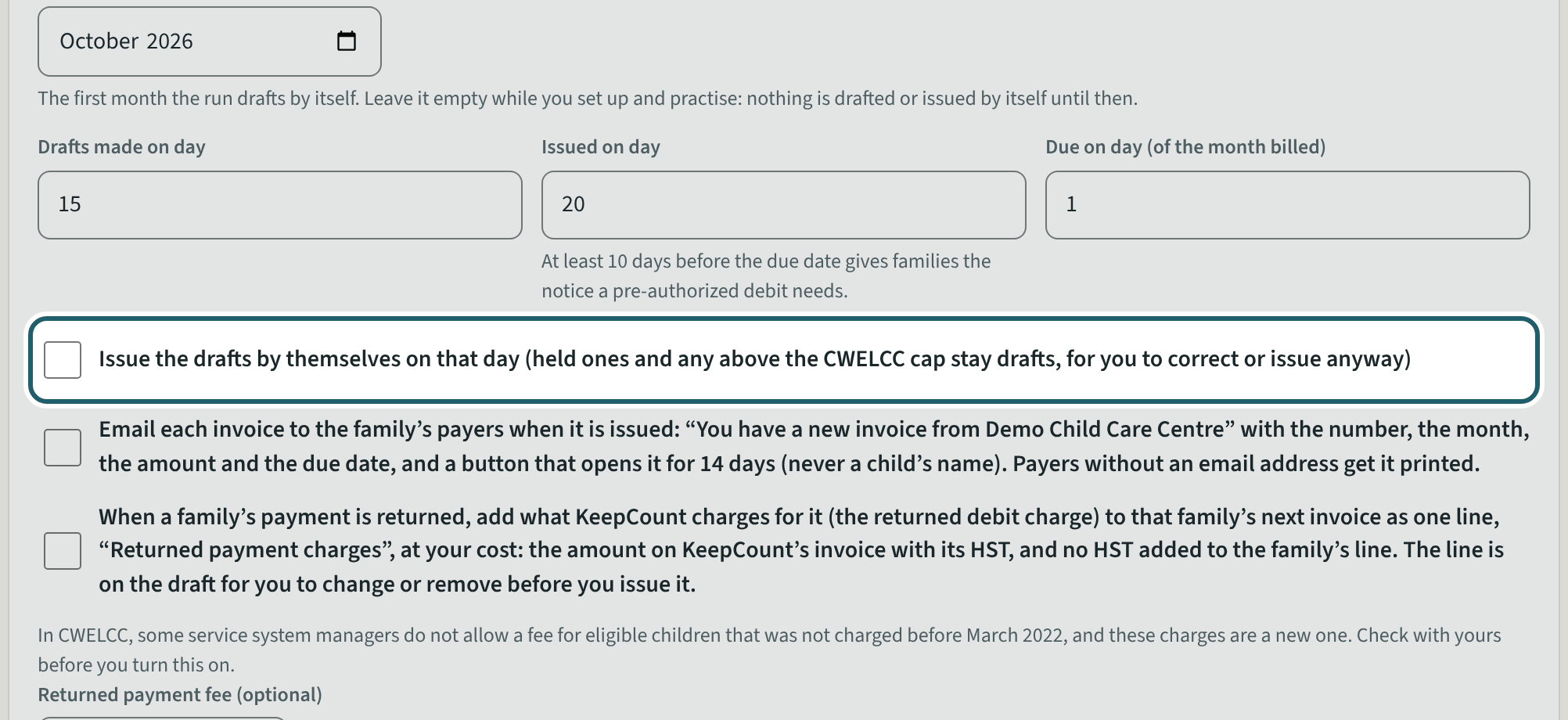
Watch out: The run makes nothing until you choose "The run starts with". Issuing by itself and emailing invoices are both off until you tick them.
More about this
"On invoices": the payee name, your business or HST number, the address, and how invoice and credit note numbers start. Numbers are given when an invoice is issued, never to a draft.
"The monthly run": the month the run starts with, the day the drafts are made (the 15th unless you change it), the day they are issued and the day they are due. Sending by themselves is not a setting to tick: once you have sent two months yourselves, This month offers it, and its line there has "Stop it". The numbering, the part-month rule, the closed days and the returned payments are under "More". "Email each invoice to the family's payers when it is issued" is off until you tick it; the email says "You have a new invoice from" your organization, with the number, the month, the amount and the due date, then one sentence on how the invoice is paid (a pre-authorized debit already scheduled for it, with its amount, its day and the last four digits of the bank account; or that the family pays by pre-authorized debit and gets the amount and the day by email first; or, when neither is known, to pay the way it usually pays your organization), never a child's name, and a button that opens the invoice on keepcount.ca for 14 days. A demonstration never emails.
"Returned payments" has two settings. "When a family's payment is returned, add what KeepCount charges for it" puts one line, "Returned payment charges", on that family's next invoice at your cost: the amount on KeepCount's invoice with its HST, and no HST added to the family's line. "Returned payment fee" is your own fee, up to $200.00, added to the same line for each payment returned from the day you set it; leave it empty for none. When the fee is set here, the returned payment fee in your fees list is not invoiced as well. The line is on the draft, so you can change or remove it before you issue the invoice.
"A monthly fee in a part month" chooses how a child who starts or leaves mid-month is billed: the daily rate times the days of care, or the month's share of the days of care. The closure ticks say which closures a monthly fee does not bill (planned closures, say); the month's line then shows the days billed and the days closed.
"CWELCC": tick it if the centre is enrolled in the Canada-wide early learning and child care system, with the day it enrolled. "Save the billing settings" keeps them.
"Payments from earlier this year" is for a centre that moves to KeepCount during a year, and only an owner sees it. Choose the year and your previous app's list of that year's payments (its invoice transactions, a CSV or Excel file). KeepCount reads every row, leaves out the payments not paid (refunded or returned) and counts them, and records nothing until every row matches a family and a family member who pays, and the file's own total matches the rows to the cent. A receipt is for child care only: type each family member's late pick-up or returned-payment fees in those payments, if any, and "Save the fees"; they stay off the receipt. Then compare each family member's total with your previous app's report, tick that you did, tick that your previous app will not issue receipts for the year, tick that you took out any such fees or there were none, and "Use these payments on 2026's receipts" (the year you chose). Each family member then gets one receipt for the year, with a note of the months paid through the previous app. These payments are never on a statement, a deposit or the books. "Undo this import" asks why, and works until a receipt for the year is printed or a family opens its receipts with them; after that, a correction goes on an amended receipt.
Your centre's words for people and its policies may differ; the screens are the same. The screen is from KeepCount 0.99.141, captured October 27, 2026 in a demonstration organization: everyone in it is fictional. Section numbers are O. Reg. 137/15 (General) under the Child Care and Early Years Act, 2014, read on e-Laws on October 23, 2026. This explains how KeepCount works; it is not legal advice, and the Ministry's program advisors decide compliance.