Step 3 of 29 · Your first day
Rooms
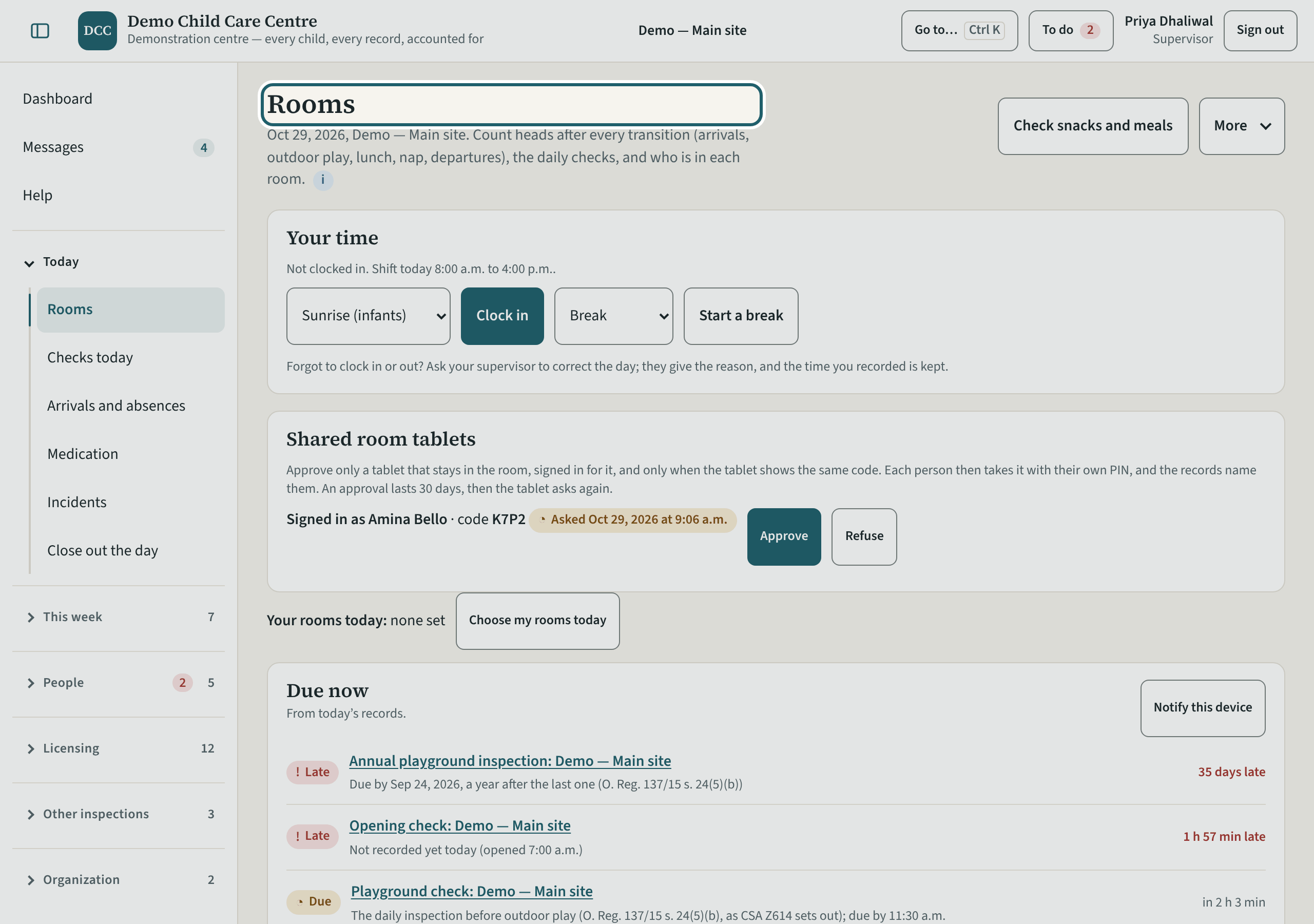
Rooms shows every room at your site: the last count and its verdict, who is in, the daily checks and the sleep checks. You record in any room, without a cover.
Watch out: You record in any room at the site without a cover, and what you record is marked as yours.
More about this
The room tablet: head counts with the Schedule 1 verdict before saving, the daily checks and sleep checks per child. Staff use it on their phones or a tablet in the room; you see today's state per room.
Room staff record in their own rooms and cover another with a reason; a supervisor records in any room at the site, and what you record is marked as yours. A cover shows on the room's card as "Priya Dhaliwal is covering since 8:10 am (Break cover)". "Print sheets" prints the sign-in sheet and the emergency cards for a room without a connection; "Review the day" opens the daily log; "Check snacks and meals" appears when a child here has an allergy.
The ratio of staff to children and the maximum group size for each licensed age group must be kept, on the premises and on outings (O. Reg. 137/15, s. 8(1); a licensed family age group follows s. 8.1); every child must be supervised by an adult at all times (s. 11). The counts are how your site shows it.
Your centre's words for people and its policies may differ; the screens are the same. The screen is from KeepCount 0.99.162, captured October 29, 2026 in a demonstration organization: everyone in it is fictional. Section numbers are O. Reg. 137/15 (General) under the Child Care and Early Years Act, 2014, read on e-Laws on October 20, 2026. This explains how KeepCount works; it is not legal advice, and the Ministry's program advisors decide compliance.