Step 5 of 29 · Your first day
Shared room tablets
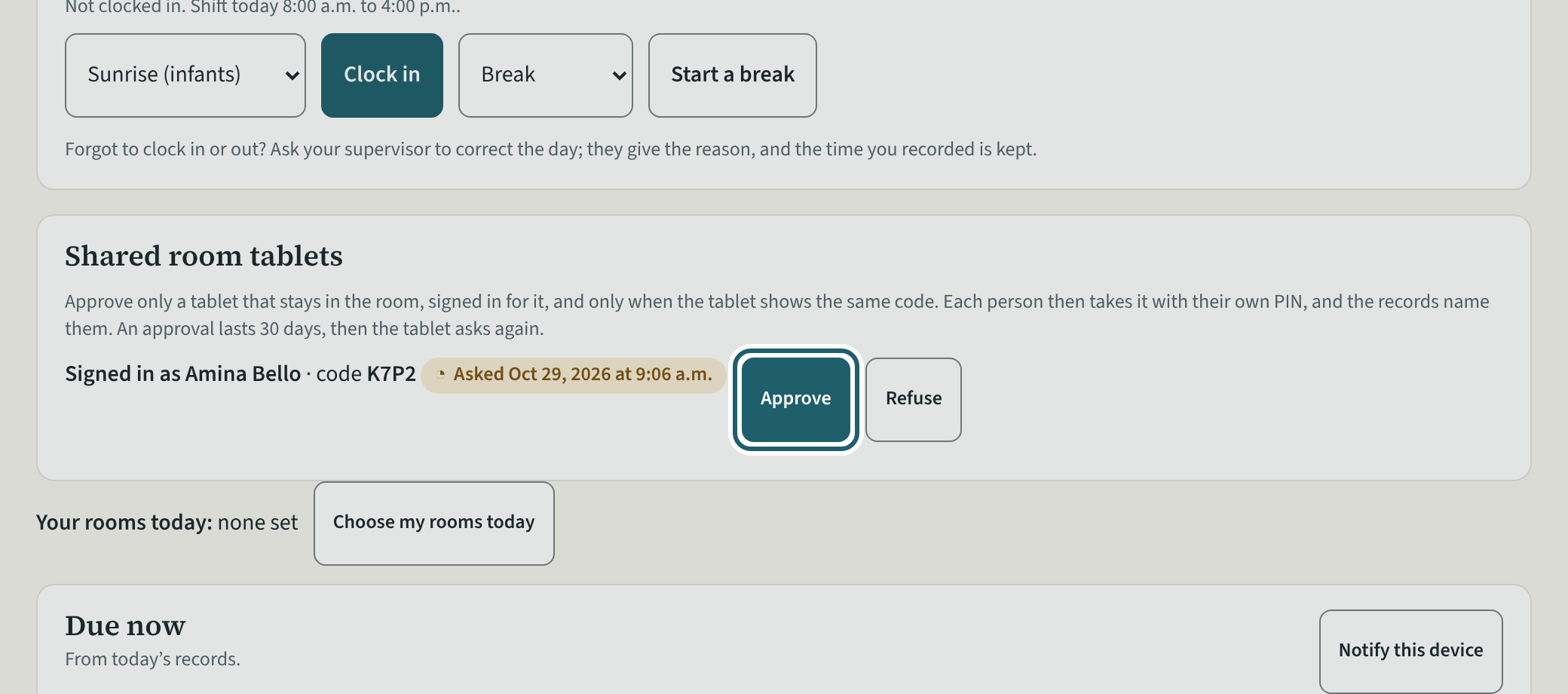
A tablet left in a room is signed in as room staff and asks to be the room's tablet with a code. Approve it when it shows the same code; 30 days at a time.
Watch out: A shared tablet is signed in as room staff, never as a supervisor or an administrator, and shows the room screen and the evacuation list only.
More about this
"This tablet" on Rooms says it for a supervisor: a shared room tablet is signed in as a room staff member, never as a supervisor or an administrator; sign in on the tablet as room staff to ask for it. When a tablet asks, a "Shared room tablets" card appears on your Rooms page with its code and Approve, Refuse and End. On it, "Who is recording?" asks each person to tap their name and enter their four-digit PIN (set under My account, "Shared tablet PIN"); what they record names them, and after two minutes without a tap the tablet comes back to the question. Approve, refuse or end a tablet from this card. The tablet shows the room screen and the evacuation list only.
Your centre's words for people and its policies may differ; the screens are the same. The screen is from KeepCount 0.99.162, captured October 29, 2026 in a demonstration organization: everyone in it is fictional. Section numbers are O. Reg. 137/15 (General) under the Child Care and Early Years Act, 2014, read on e-Laws on October 20, 2026. This explains how KeepCount works; it is not legal advice, and the Ministry's program advisors decide compliance.