Step 19 of 20 · Your first week
My account
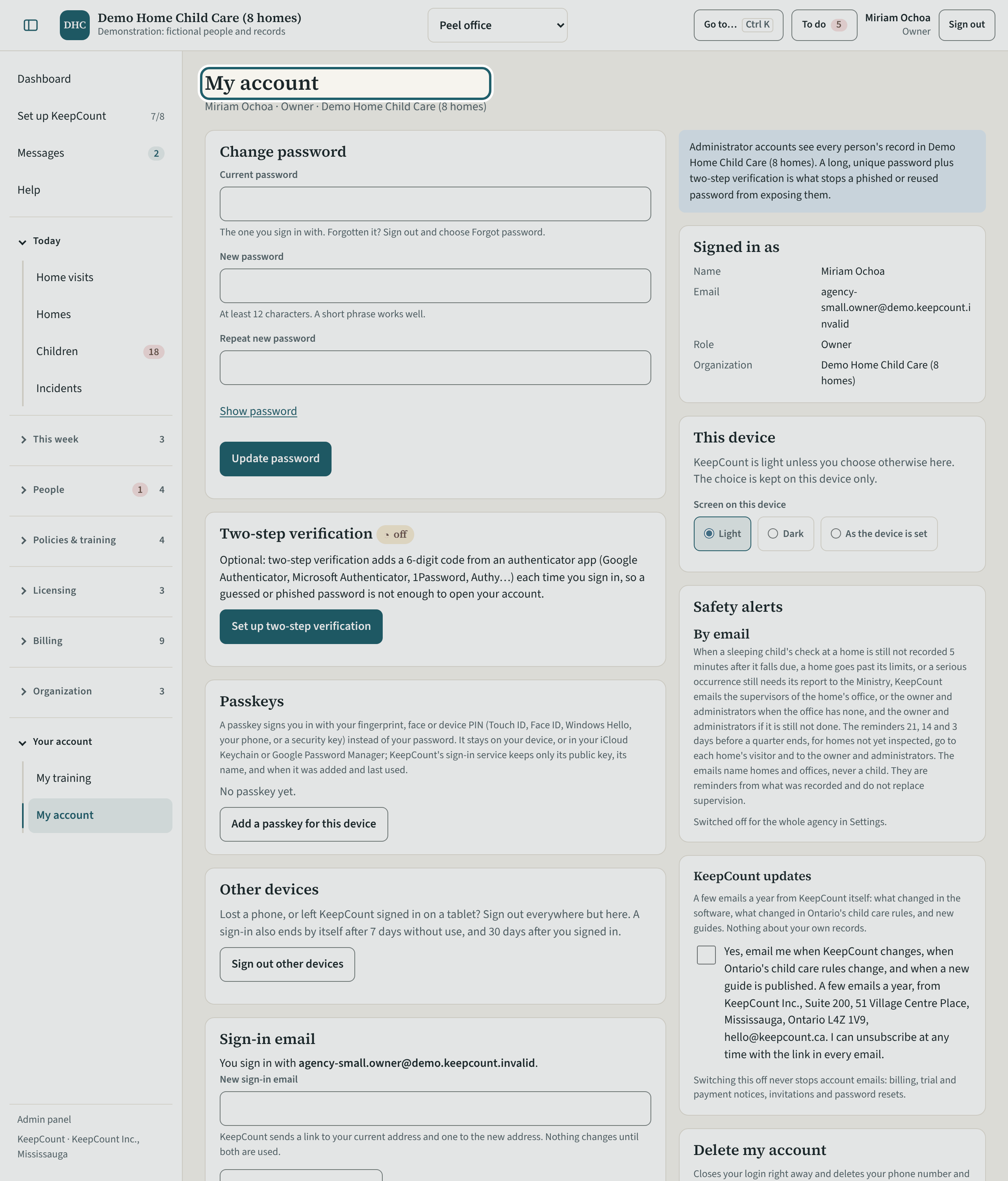
My account: change your password, add two-step verification and a passkey, sign out your other devices, and change your sign-in email.
Watch out: A long, unique password plus two-step verification is what stops a reused password from exposing every office's records. Set it up today.
More about this
"Change password" asks for the current one and a new one of at least twelve characters. "Two-step verification" adds a six-digit code from an authenticator app each time you sign in. "Passkeys" signs you in with your fingerprint, face or device PIN. "Other devices" signs out everywhere but here, and a sign-in also ends by itself after seven days without use and thirty days after you signed in. "KeepCount updates" chooses whether you receive the product's update emails; "Delete my account" closes your login.
Your agency's words for people and its policies may differ; the screens are the same. The screen is from KeepCount 0.99.191, captured November 2, 2026 in a demonstration organization: everyone in it is fictional. Section numbers are O. Reg. 137/15 (General) under the Child Care and Early Years Act, 2014, read on e-Laws on November 2, 2026. This explains how KeepCount works; it is not legal advice, and the Ministry's program advisors decide compliance.