Step 19 of 21 · Payments through Zūm Rails
Approve the debits
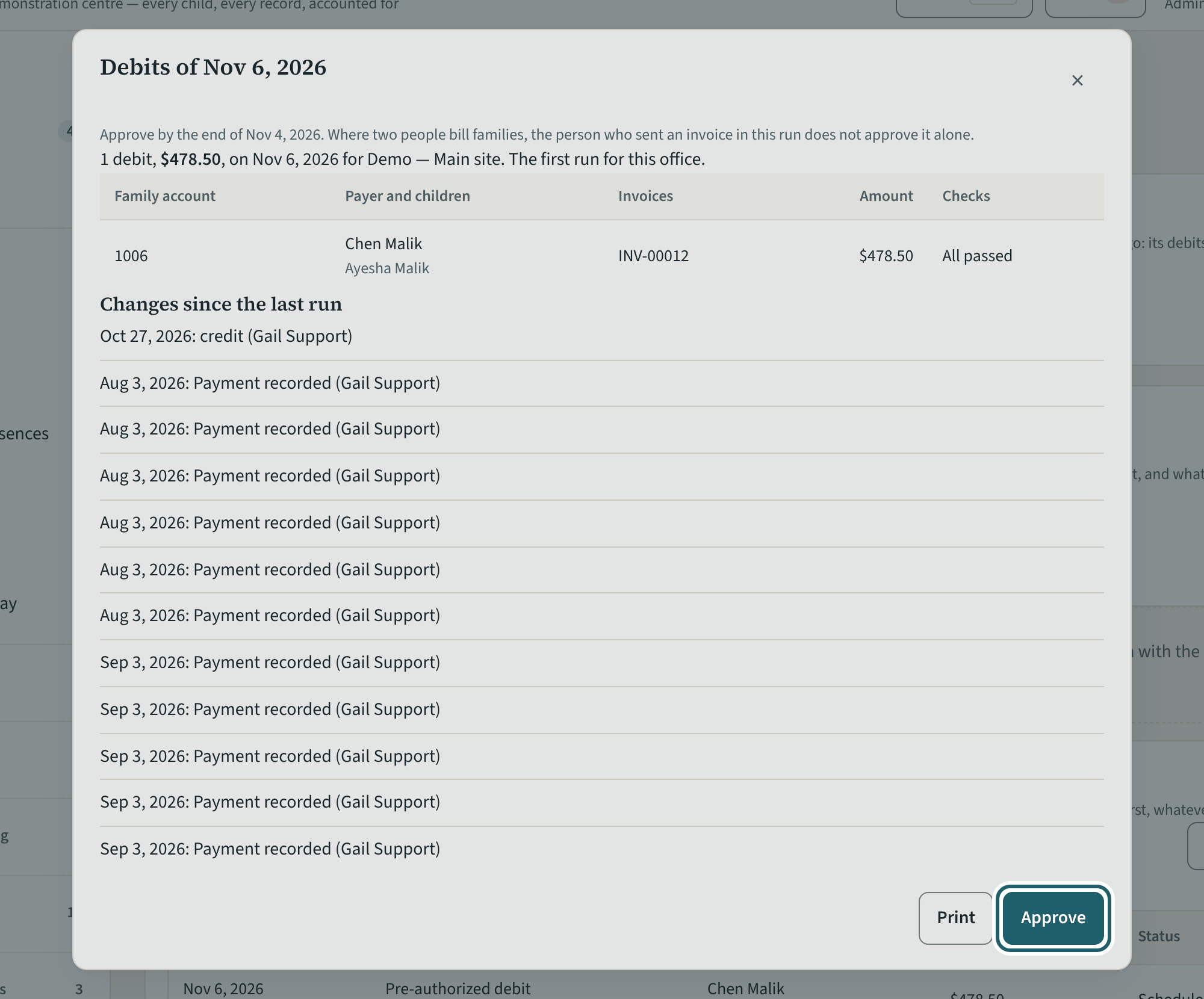
Payments, "Pre-authorized debits": each run of debits waits for "Review and approve", with every family's amount, invoices and checks.
Watch out: A debit goes only for the amount the family was told 10 days before. A run not approved in time does not go: its debits are noticed again for a later day.
More about this
The run lists each family account, the payer and children, the invoices it pays, the amount, and the checks ("All passed", or what held it back). "Families with no debit in this run" and "Changes since the last run" are listed under it. "Print" prints the run; "Approve" lets it go to the bank on its day. Where two people bill families, the person who last issued or changed an invoice in the run cannot approve it alone.
Recording a payment the family made another way cancels the debit for that invoice, unless you keep it. A debit that comes back from the bank shows under "Returned payments" on the family account: why, the returned payment charge and fee added to the family's next invoice when you have set them (Settings), and the Interac request KeepCount sent the payer for what is owed. KeepCount never debits it again by itself. A family whose bank is not in Zūm's list, or whose account has more than one payer, pays by Interac request instead: "Send an Interac request" on the family account.
Your centre's words for people and its policies may differ; the screens are the same. The screen is from KeepCount 0.99.141, captured October 27, 2026 in a demonstration organization: everyone in it is fictional. Section numbers are O. Reg. 137/15 (General) under the Child Care and Early Years Act, 2014, read on e-Laws on October 23, 2026. This explains how KeepCount works; it is not legal advice, and the Ministry's program advisors decide compliance.