Step 18 of 21 · Payments through Zūm Rails
Payments with Zūm
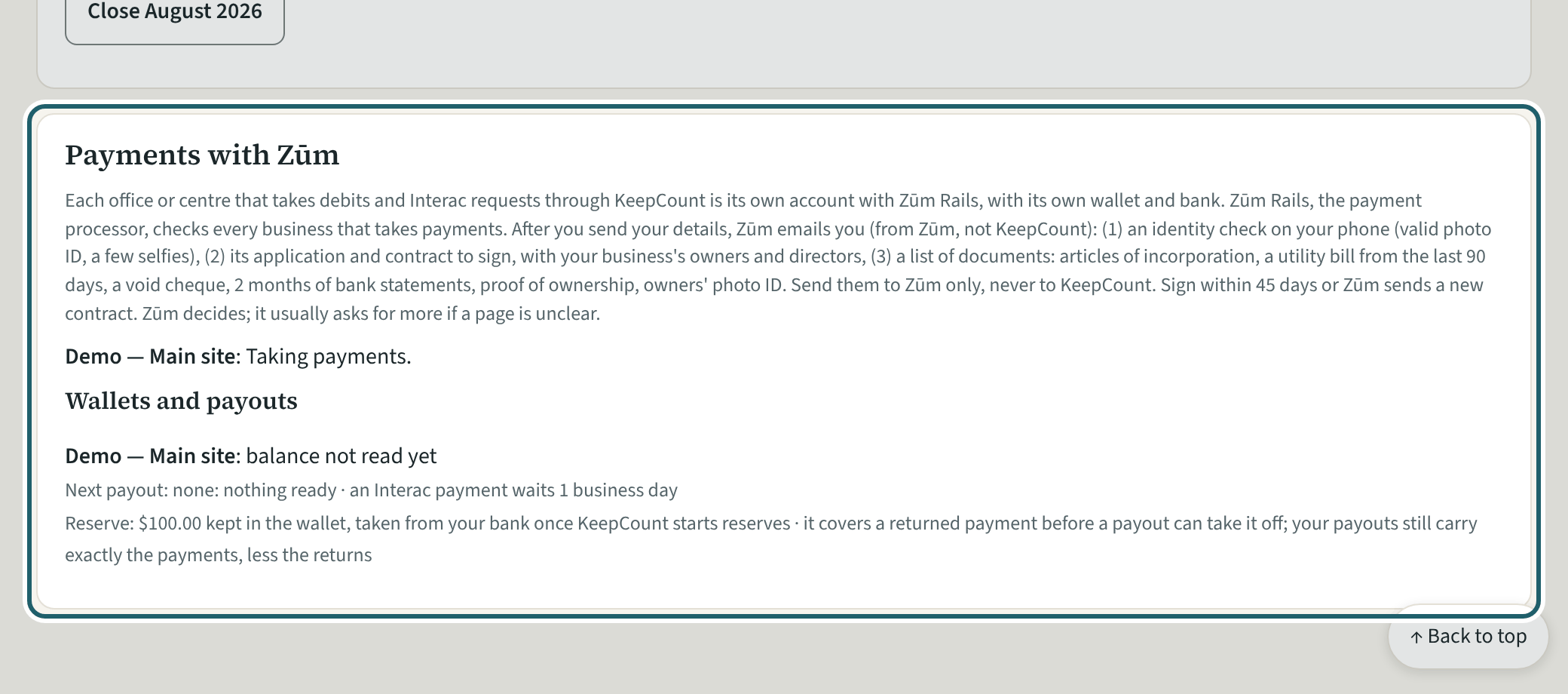
Settings, "Payments with Zūm": each office or centre's state, and the details an owner sends to start Zūm's application.
Watch out: Only an owner sends the details, and only with the tick that lets KeepCount give Zūm the owner's name and email. Everything else Zūm asks for goes to Zūm directly.
More about this
Zūm Rails is the payment processor: it takes the debits from families' banks into the centre's wallet at Zūm and pays the wallet out to the centre's bank. The owner sends the office or centre, its Interac email, its address and the name families see on their bank statements (15 letters, digits or spaces at most). KeepCount support then sends them to Zūm; Zūm asks the owner for the rest directly.
Once the wallet is set up, "Wallets and payouts" shows what is in the wallet, the next payout and the last payouts. A new wallet never applies on one person's word: a second KeepCount support person approves it, or an owner or an administrator taps "Confirm the new wallet" and it applies 48 hours after it was entered. The owners and administrators are emailed when one is entered and when it applies, and payouts to a new wallet wait seven days.
The processing fees are on keepcount.ca/pricing.
Your centre's words for people and its policies may differ; the screens are the same. The screen is from KeepCount 0.99.141, captured October 27, 2026 in a demonstration organization: everyone in it is fictional. Section numbers are O. Reg. 137/15 (General) under the Child Care and Early Years Act, 2014, read on e-Laws on October 23, 2026. This explains how KeepCount works; it is not legal advice, and the Ministry's program advisors decide compliance.