Step 8 of 29 · Your first day
Add your staff
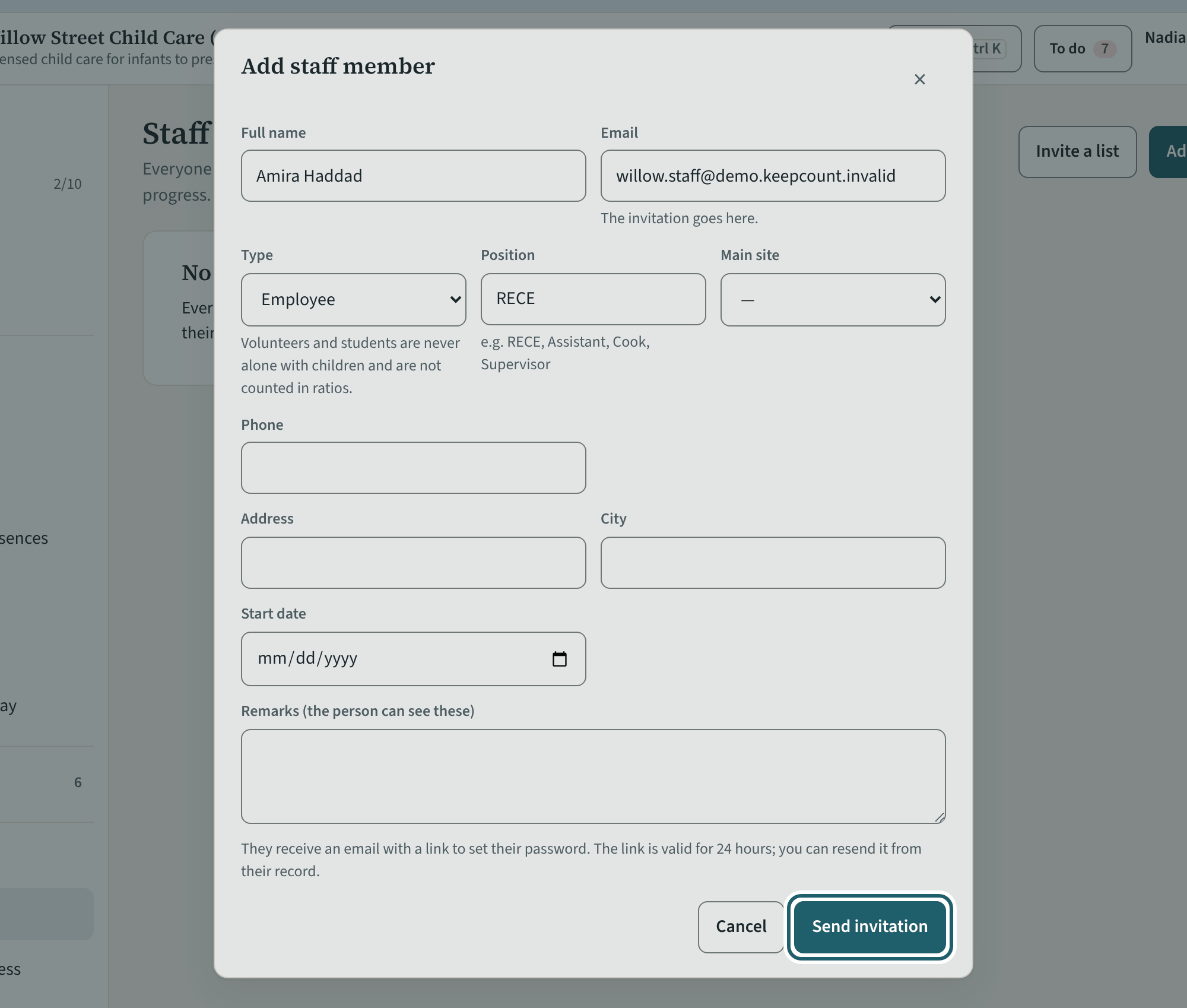
On Staff, "Add staff member": name, email, type, position and site. Saving sends the invitation; the person chooses a password from its link.
Watch out: A volunteer or a student on placement is never alone with a child (s. 11.1(1)); KeepCount's own rule never counts them in the ratio.
More about this
Each person's policies, quizzes, training and screening dates. Enter a vulnerable sector check or first aid date once; KeepCount works out the renewal and reminds the person, and you, before it lapses.
Type decides what the person may do: an employee counts in the ratio once cleared; a volunteer or a student on placement is supervised by an employee at all times and is never alone with a child (s. 11.1(1)); KeepCount's own rule is that they never count in the ratio. Position is free text ("RECE", "Assistant", "Cook") and shows on the person's record and on the tablet. "Invite a list" adds several people at once, one per line.
In a demonstration no email leaves KeepCount: the button reads "Add without an email" and a one-time link opens KeepCount as that person instead.
Your centre's words for people and its policies may differ; the screens are the same. The screen is from KeepCount 0.99.162, captured October 29, 2026 in a demonstration organization: everyone in it is fictional. Section numbers are O. Reg. 137/15 (General) under the Child Care and Early Years Act, 2014, read on e-Laws on October 20, 2026. This explains how KeepCount works; it is not legal advice, and the Ministry's program advisors decide compliance.