Step 27 of 29 · Your first week
Who else administers
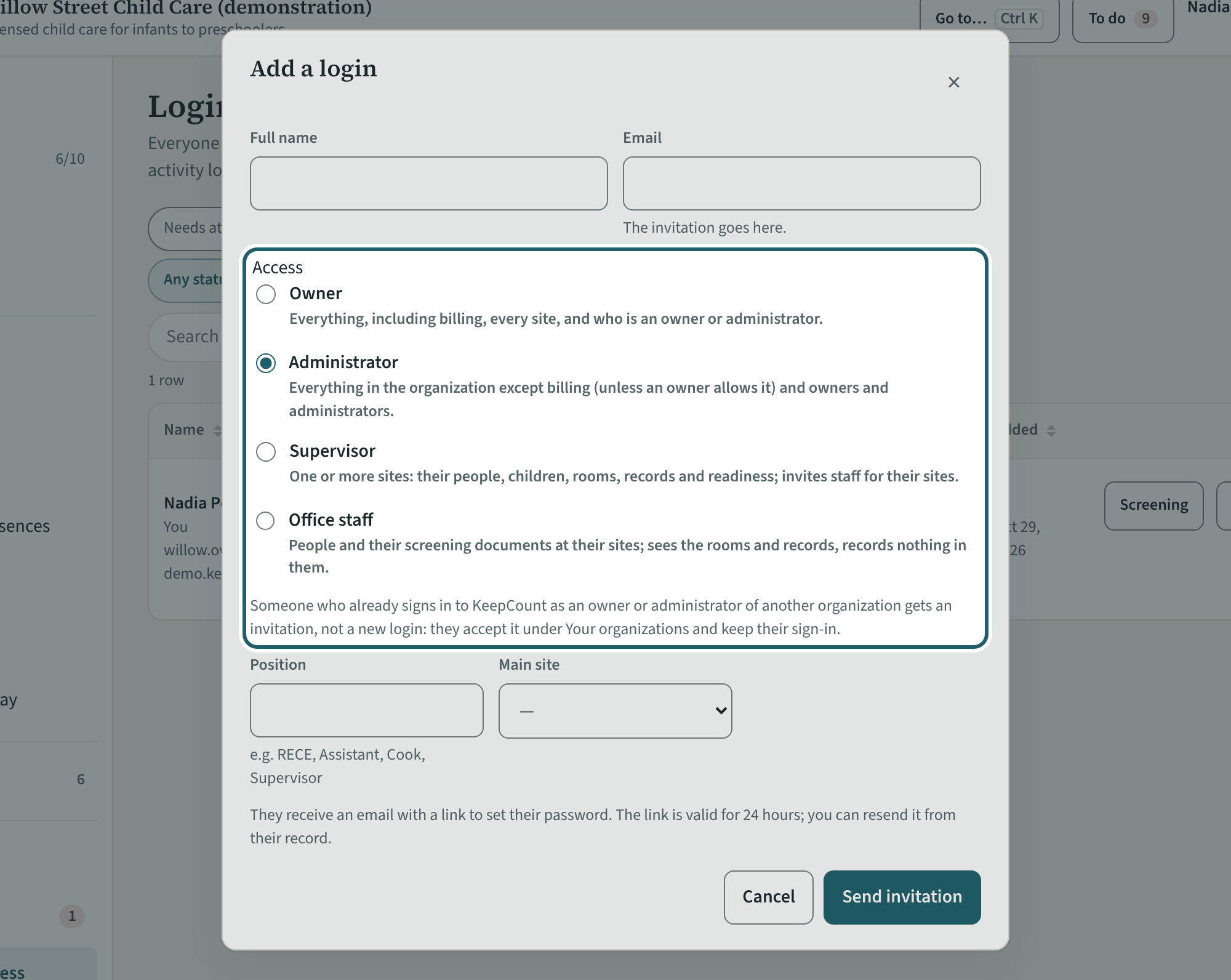
On Logins and access, "Add a login" for the people who run the centre with you: owner, administrator, supervisor of a site, or office staff.
Watch out: Only an owner makes or removes an owner or an administrator, and KeepCount keeps at least one active owner. Room staff and volunteers are added from Staff, not here.
More about this
The access levels: an owner does everything, including billing and deciding who is an owner or an administrator; an administrator runs the organization (billing only when an owner allows it); a supervisor runs one or more sites, their rooms, children, records and readiness; office staff handle people and screening documents at their sites, see rooms and records, and never see children's health information. Room staff and volunteers are added from Staff, not here. "Change access" on a row moves a person between levels; only an owner can make or remove an owner or an administrator, and KeepCount keeps at least one active owner.
A person who already administers another organization with KeepCount can be given this one under the same sign-in; they then switch between organizations in the top bar.
Your centre's words for people and its policies may differ; the screens are the same. The screen is from KeepCount 0.99.162, captured October 29, 2026 in a demonstration organization: everyone in it is fictional. Section numbers are O. Reg. 137/15 (General) under the Child Care and Early Years Act, 2014, read on e-Laws on October 20, 2026. This explains how KeepCount works; it is not legal advice, and the Ministry's program advisors decide compliance.