Step 26 of 29 · Your first week
See what staff see
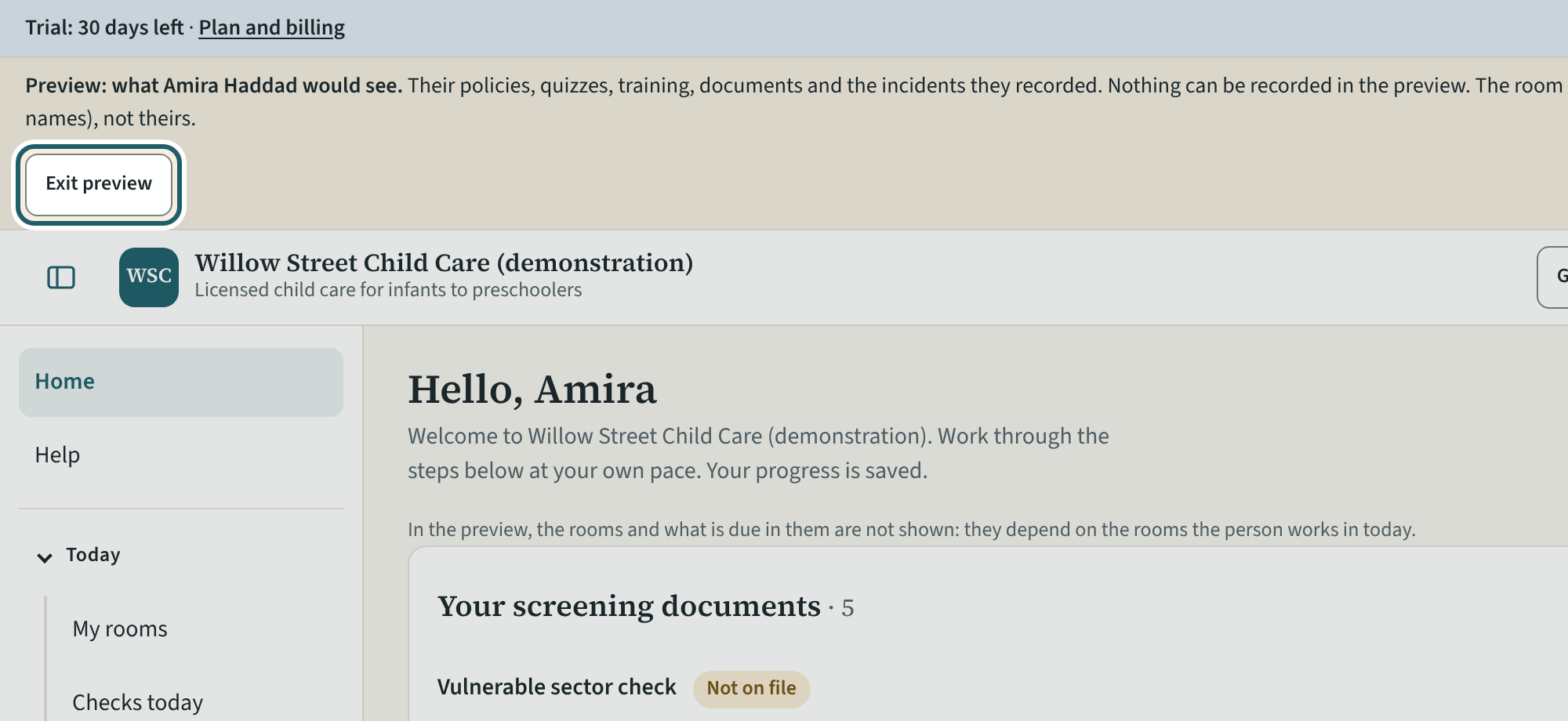
From Help, "Preview the staff member portal": the portal as one person sees it. Nothing can be recorded in the preview.
More about this
The preview opens the staff portal as a chosen person: their home page with "Your checklist", their screening documents, their rooms and their policies, with the menu they get. It is the quickest way to see what a new staff member meets on their first sign-in, and to check a policy reads well on a phone. "Exit preview" returns to the dashboard.
Your centre's words for people and its policies may differ; the screens are the same. The screen is from KeepCount 0.99.162, captured October 29, 2026 in a demonstration organization: everyone in it is fictional. Section numbers are O. Reg. 137/15 (General) under the Child Care and Early Years Act, 2014, read on e-Laws on October 20, 2026. This explains how KeepCount works; it is not legal advice, and the Ministry's program advisors decide compliance.