Step 12 of 29 · Your first day
A draft, part by part
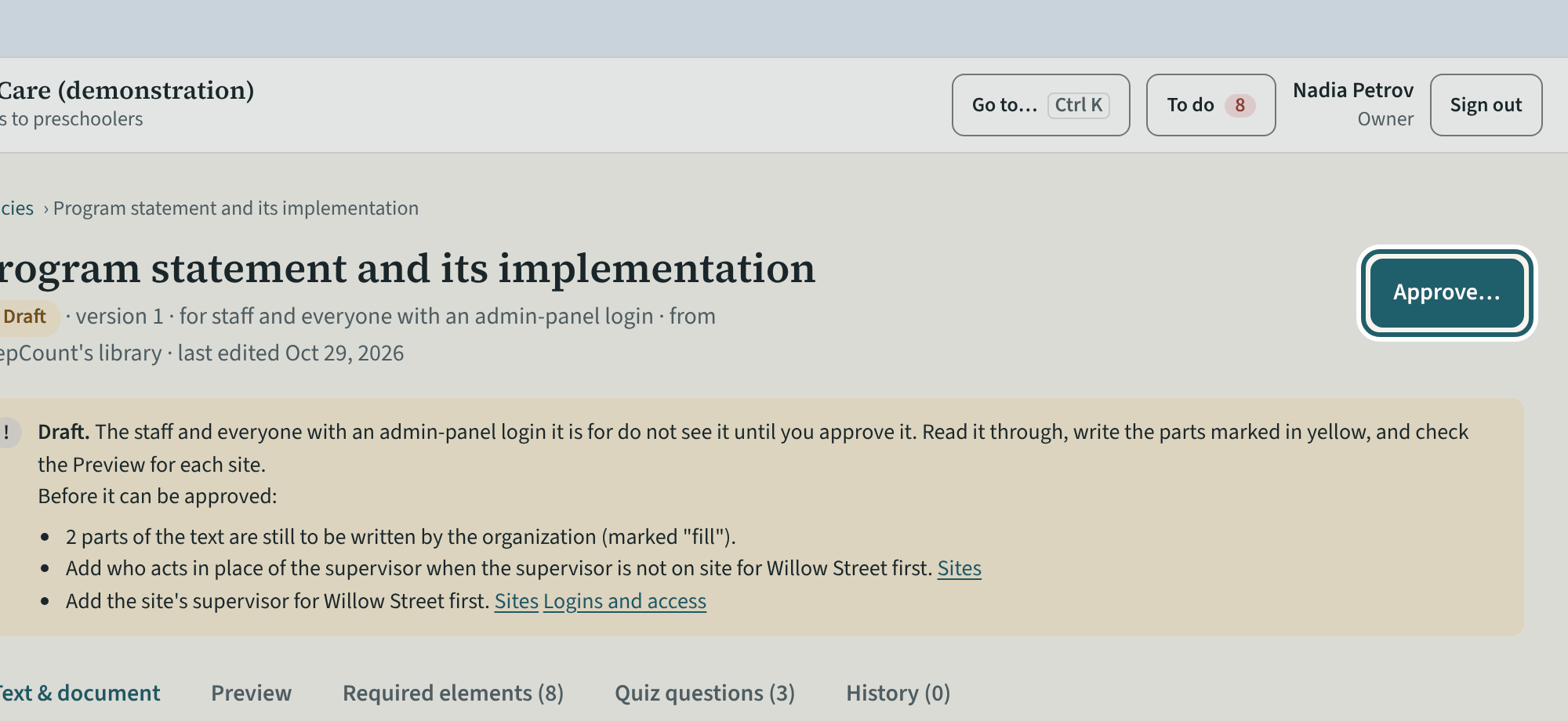
Open a draft: the text with the parts to write marked, the required elements, the quiz and the history. "Approve…" once it describes your centre.
Watch out: A draft with a part still marked "fill" cannot be approved: write the yellow parts first, then check the Preview as staff will read it.
More about this
The draft's callout lists what it still needs before approval: the parts of the text still to be written (marked "fill"), and sometimes a record elsewhere, such as who acts in place of the supervisor or the site's supervisor. "How this required policy is met" offers three ways: KeepCount's text, edited for your centre; your own document, uploaded, with KeepCount's text cleared; or both, your document attached to the text. The Preview shows the policy as staff will read it, with the parts to write in yellow. "Required elements" lists what the section asks the policy to cover and where each is met; "Quiz questions" are the policy's own, which you may edit.
Your centre's words for people and its policies may differ; the screens are the same. The screen is from KeepCount 0.99.162, captured October 29, 2026 in a demonstration organization: everyone in it is fictional. Section numbers are O. Reg. 137/15 (General) under the Child Care and Early Years Act, 2014, read on e-Laws on October 20, 2026. This explains how KeepCount works; it is not legal advice, and the Ministry's program advisors decide compliance.