Step 7 of 21 · Setting up
A family account
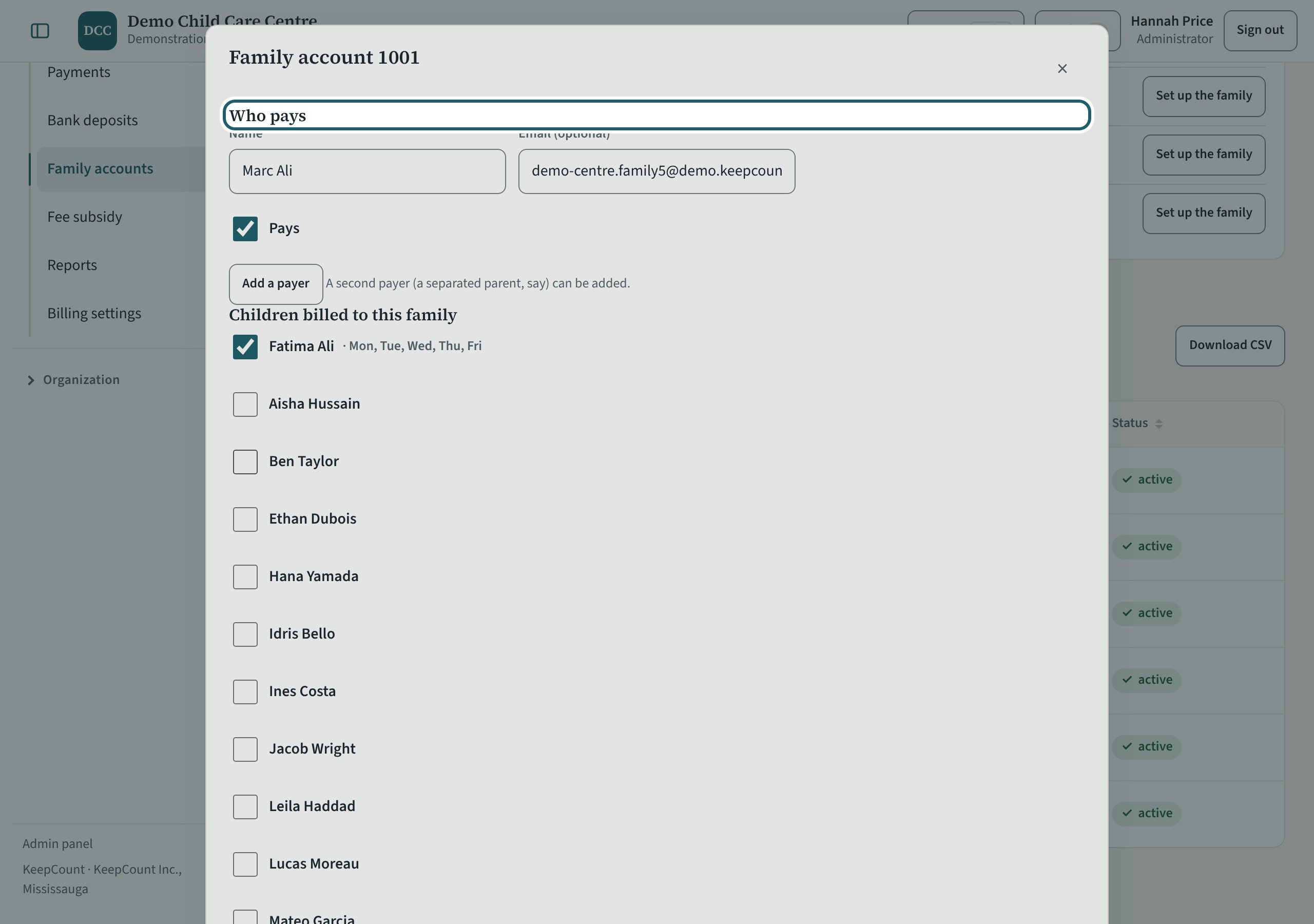
A family account: who pays, the children billed to the family, the site and a note for the office, then the recurring fees and the statement.
Watch out: The note for the office is encrypted and never printed. A payer who signs in to KeepCount sees the family's invoices; one who does not gets them printed or by email.
More about this
"Who pays": each payer's name and email, and "Pays". "Add a payer" adds a second one (a separated parent, say); with two, a share for each splits every invoice, and each invoice shows each payer's part. A payer who is also the child's family member in KeepCount sees the invoices under Billing on their family page. Where a payer's link to the child is set not to show the other guardians, that payer reads only their own name on the invoice, in the app and in the emailed link; the other payers' parts show their percentage and amount as "A payer". A payer you type in without a sign-in has no link, so nothing hides the others from them.
"Recurring fees": each child's fees with the day they start. The month's draft is made from them and from each child's schedule, first day and last day. "End it" stops a fee from a day; "Remove" takes off one added by mistake.
"Statement": what the family owes or its credit, line by line, with "Print the statement", "Record a payment" and "Pay the credit back".
Your centre's words for people and its policies may differ; the screens are the same. The screen is from KeepCount 0.99.141, captured October 27, 2026 in a demonstration organization: everyone in it is fictional. Section numbers are O. Reg. 137/15 (General) under the Child Care and Early Years Act, 2014, read on e-Laws on October 23, 2026. This explains how KeepCount works; it is not legal advice, and the Ministry's program advisors decide compliance.