Step 8 of 21 · Each month
The month's drafts
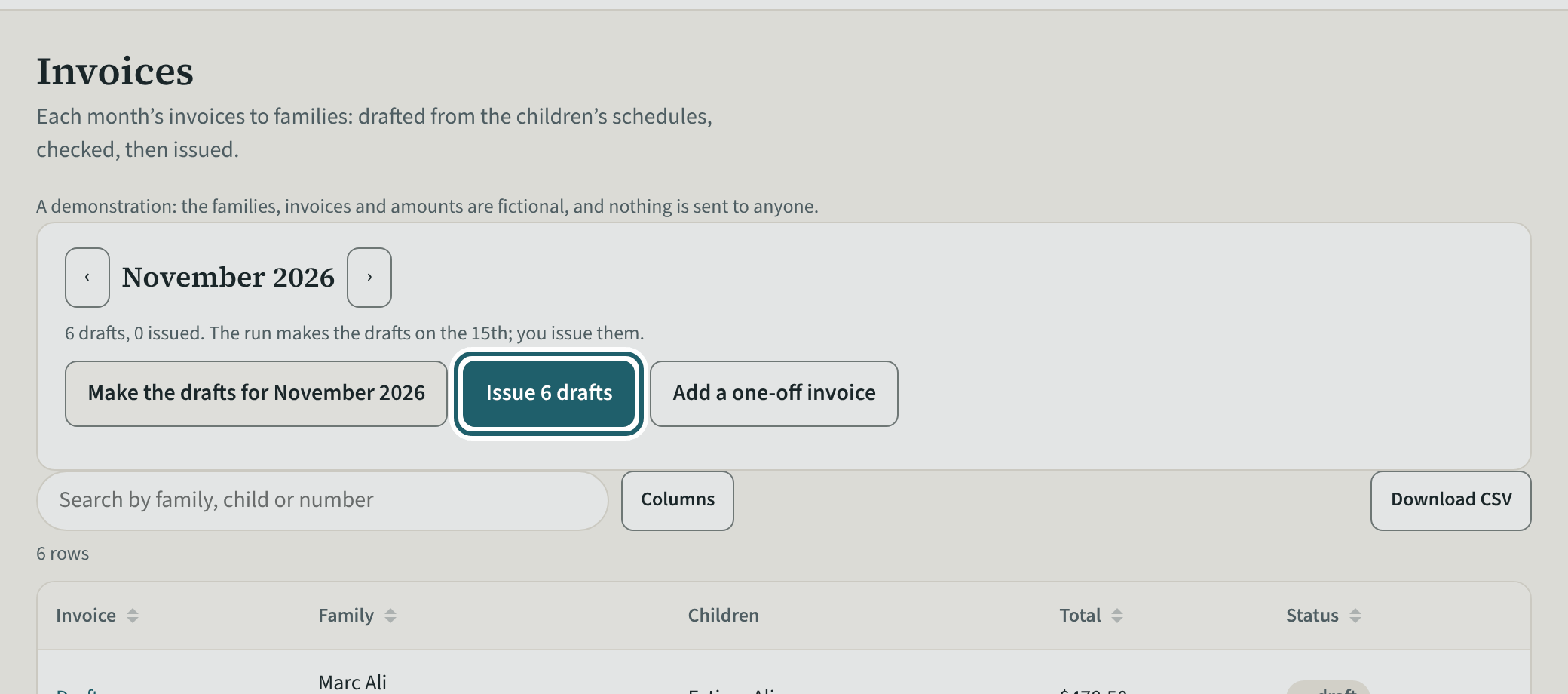
Invoices: the month's drafts, one for each family, with the summary line, "Make the drafts" and "Issue n drafts".
Watch out: Issuing is final: each invoice gets its number and goes into the books, and a mistake is corrected with a credit note. Held drafts stay drafts.
More about this
The month's arrows show the months before and after. On or after the run day, the page opens on next month.
The run makes the drafts on the run day; "Make the drafts for" a month makes them now. Each draft comes from the family's recurring fees and each child's schedule, first day and last day. "Add a one-off invoice" is for anything else: choose the family and the period, then add its lines from the fees.
"Issue n drafts" issues every draft that is not held, not marked "fees changed", and passes the CWELCC check. Nothing is sent to families yet: print an invoice to give it, or tick the email under Settings. Search by family, child or number; "Download CSV" exports the month.
"<Month> is different" changes a month for one family or for many, with a reason, before you change each draft by hand. It is on This month and on Look over and send (every family at a site, or at every site), and on a family's account (this family). For every family: bill fewer days (the centre is open; the fee comes off at the daily rate), the centre is closed on some days (only with the box ticked: the days go in the site's calendar as closures and are not billed), or a discount. For one family: bill only the days picked, a discount, or another amount for one child's care (less than the fee). A discount is an amount for each child or a percentage of the care fee, for the month only or from it on until you end it. The reason is chosen from a list; "Something else" takes a few words the family does not see. "See what it changes" shows, before anything is kept, what happens in numbers and each family before and after; for every family "Change <Month>" asks once more. The drafts change and keep it when they are made again; an invoice already sent gets a credit note instead, which is not emailed. This month lists the month's changes, each with "Undo the <Month> change" while none of its invoices is sent, and a discount that runs on has "End the discount". At a CWELCC centre, a discount or another amount lowers the base fee revenue you report to your service system manager (the Ontario CWELCC funding guideline, Part 2 (c)); it does not raise your CWELCC funding, and the dialog says so under its sentence.
Your centre's words for people and its policies may differ; the screens are the same. The screen is from KeepCount 0.99.141, captured October 27, 2026 in a demonstration organization: everyone in it is fictional. Section numbers are O. Reg. 137/15 (General) under the Child Care and Early Years Act, 2014, read on e-Laws on October 23, 2026. This explains how KeepCount works; it is not legal advice, and the Ministry's program advisors decide compliance.