Step 17 of 21 · Each month
Close the month
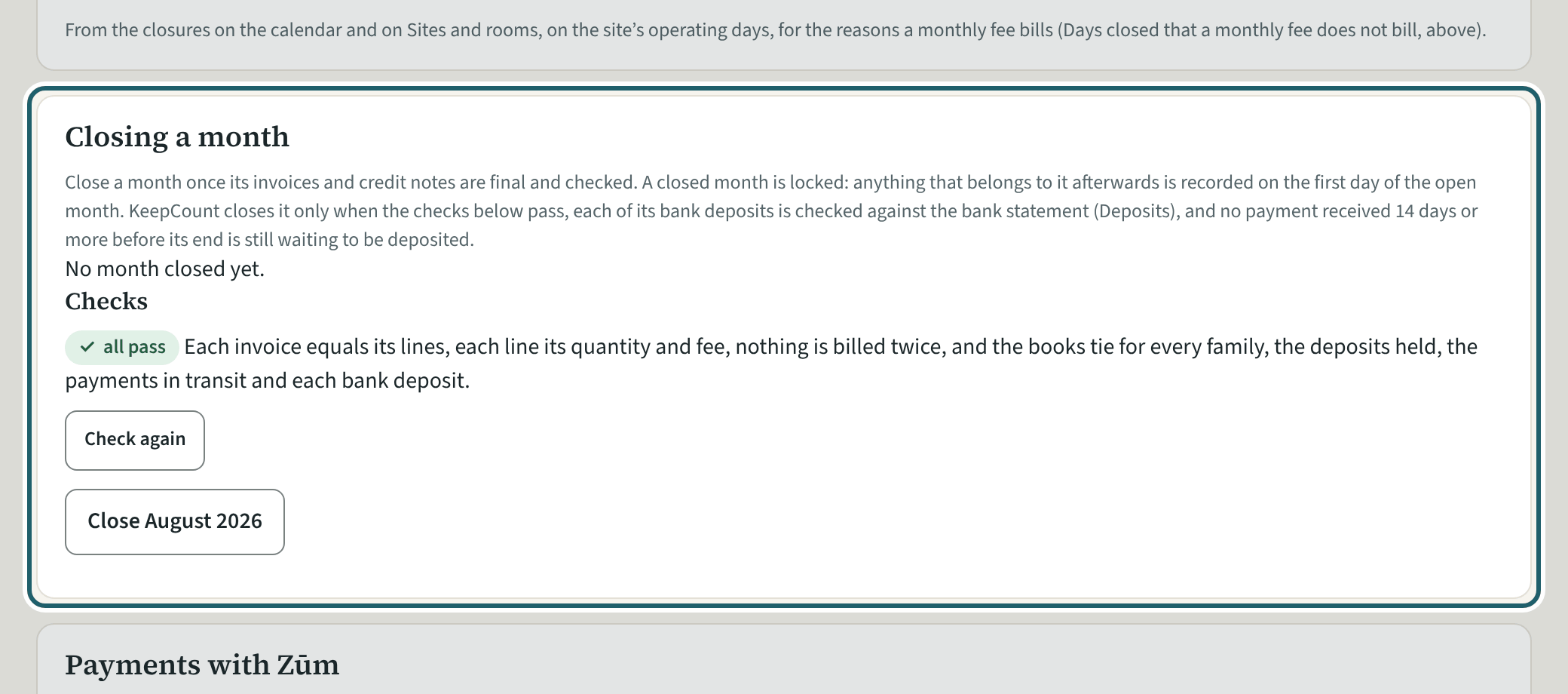
Settings, then "Closing a month": the checks, then "Close" the month once it has ended. Its entries in the books are then locked.
Watch out: A month closes once every check passes, no draft dated in it is left, each bank deposit and money paid back is checked against the bank, and no payment from 14 days before its end waits.
More about this
The checks: each invoice equals its lines, nothing is billed twice, and the books tie for each family, the deposits held and each bank deposit. A failing check shows under Needs you and here; "Check again" runs them again after a fix.
Months close in order. Anything recorded later for a closed month goes into the first open month. Only an owner can reopen the last closed month.
Needs you also lists a CWELCC credit still owed 45 days after a child left, a family's credit unused for 30 days, and money waiting to be matched for 10 days.
Your centre's words for people and its policies may differ; the screens are the same. The screen is from KeepCount 0.99.141, captured October 27, 2026 in a demonstration organization: everyone in it is fictional. Section numbers are O. Reg. 137/15 (General) under the Child Care and Early Years Act, 2014, read on e-Laws on October 23, 2026. This explains how KeepCount works; it is not legal advice, and the Ministry's program advisors decide compliance.