Step 5 of 21 · Setting up
A new fee
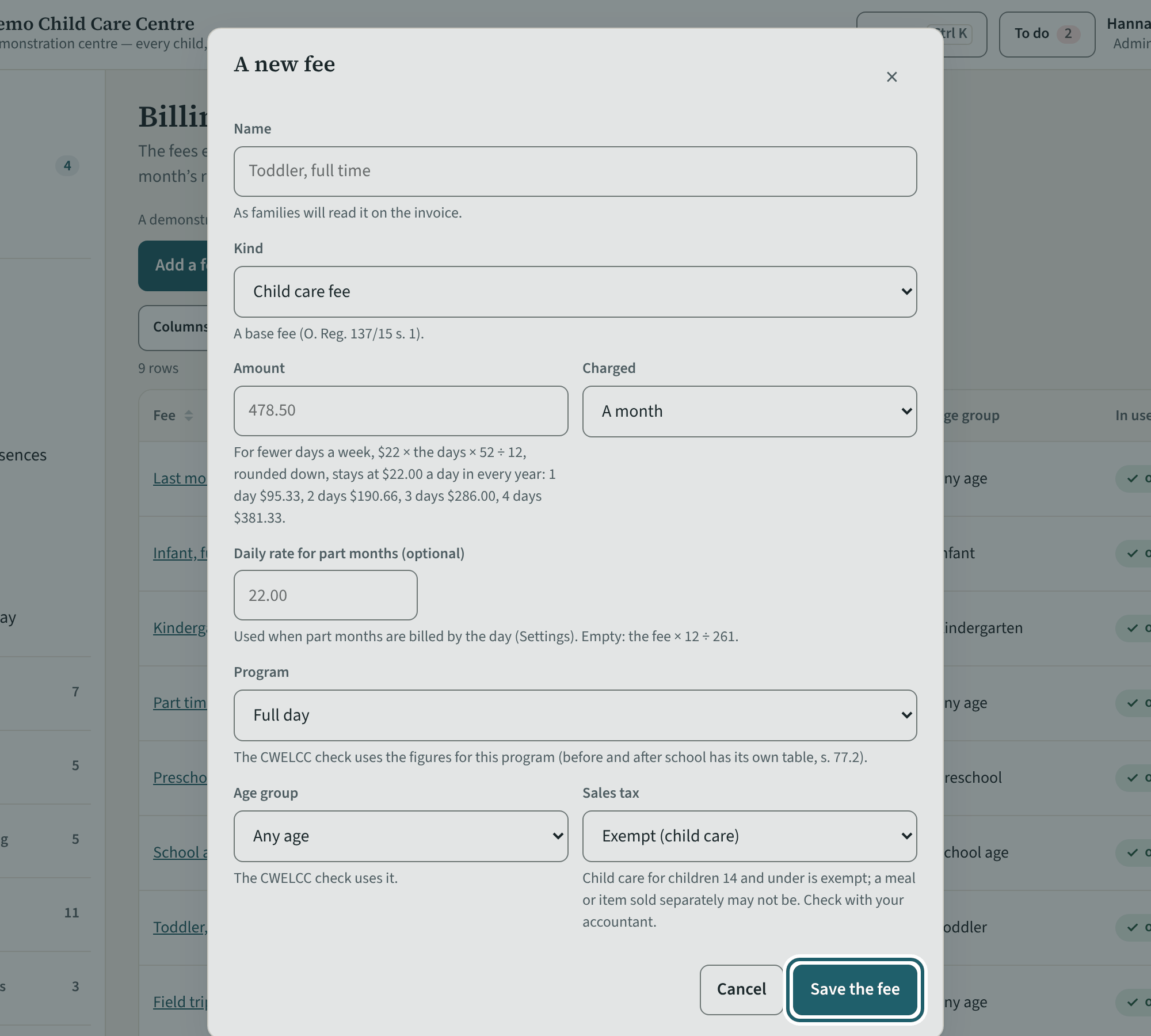
"Add a fee": the name families read on the invoice, the kind, the amount and how it is charged, the program, the age group and the sales tax.
Watch out: The sales tax is yours to choose for each fee. Ask your accountant about any fee that is not for child care.
More about this
The fields: Name (as families read it on the invoice), Kind (child care fee, registration fee, last month's deposit, late pick-up, late payment, returned payment, an optional item or service, another charge), Amount, Charged (a month, a week, a day, a half day, an hour, once), a daily rate for part months, the Program (full day, or before and after school), the Age group, the Sales tax, the Site and whether it is offered. "The new price applies from" sets the month a new price starts; tick "A correction" to fix a price typed wrong instead.
The CWELCC check spreads a registration fee over the child's days of care in a year ($500.00 over 250 days is $2.00 a day) and checks a last month's deposit at its price a day.
Your centre's words for people and its policies may differ; the screens are the same. The screen is from KeepCount 0.99.141, captured October 27, 2026 in a demonstration organization: everyone in it is fictional. Section numbers are O. Reg. 137/15 (General) under the Child Care and Early Years Act, 2014, read on e-Laws on October 23, 2026. This explains how KeepCount works; it is not legal advice, and the Ministry's program advisors decide compliance.