Step 12 of 21 · Each month
Record a payment
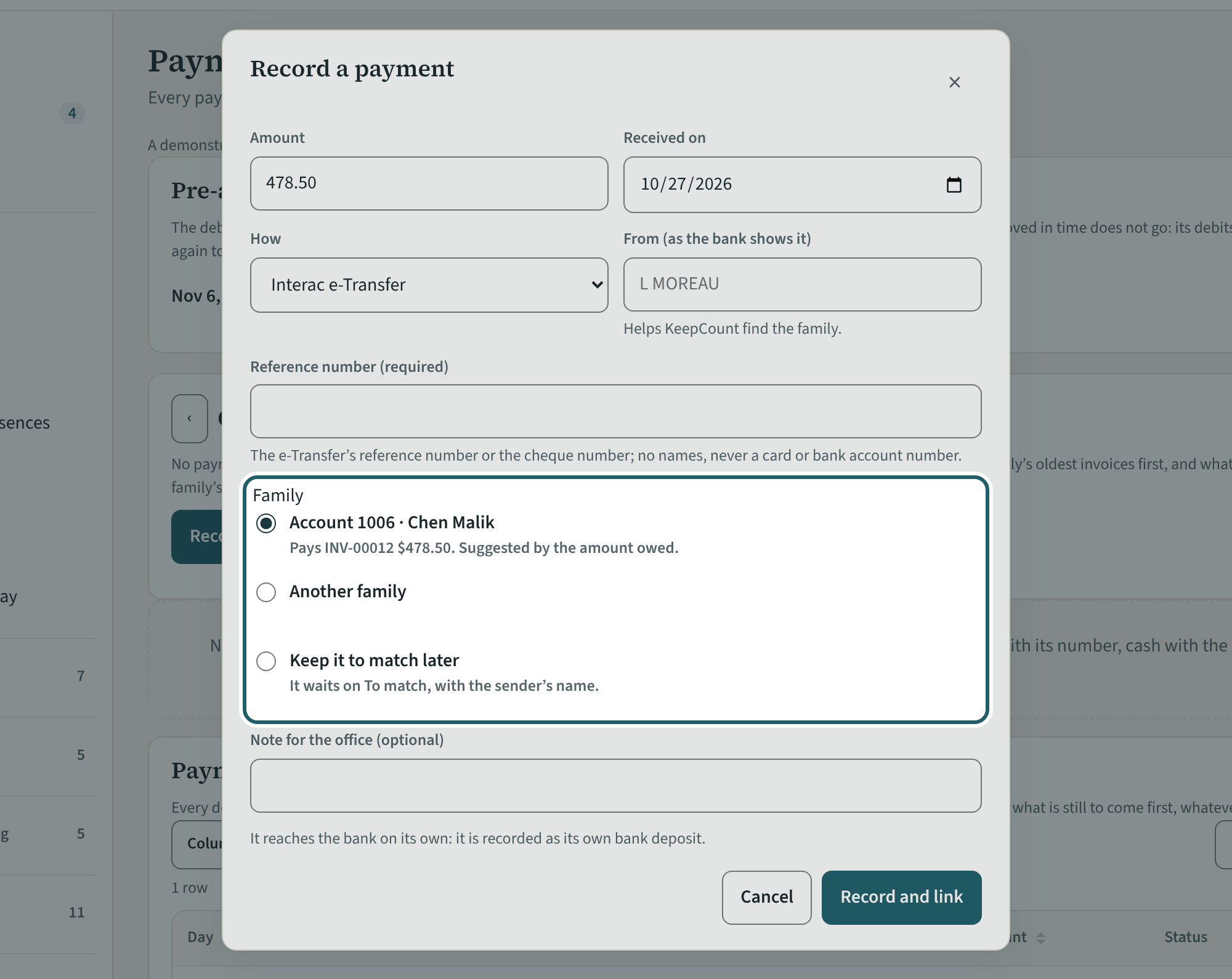
"Record a payment": the amount, the day, how it came, who sent it and the reference. KeepCount suggests the family and says which invoices it pays.
Watch out: It warns of a payment recorded already, a sender who is not a payer, and a debit scheduled for the same invoice. Read the warning before "Save it anyway".
More about this
Payments shows the month's payments: who paid, how, the amount, what it paid for and its status (not matched, to deposit, at the bank, reversed). Each payment pays the family's oldest invoices first; what is left is the family's credit for the next invoice. "Pay a different invoice first" changes the order for one payment.
In the dialog: the amount, the day it was received, how (Interac e-Transfer, cash, cheque, bank transfer, debit card, credit card, other), the sender as the bank shows it, and the reference (an e-Transfer's reference or a cheque's number is required). KeepCount suggests the family from the sender's name and the amount owed ("Pays INV-00412 $200.00 of $476.67 (part)"). "Keep it to match later" puts it on To match with the sender's name.
To match lists money received with no family yet, oldest first; after 10 days each one shows under Needs you. "Link to account" or "Choose the family" matches it. A payment opened from the list has "Print a receipt"; an owner or an administrator who bills families can also undo a match or reverse a payment, with the reason.
Your centre's words for people and its policies may differ; the screens are the same. The screen is from KeepCount 0.99.141, captured October 27, 2026 in a demonstration organization: everyone in it is fictional. Section numbers are O. Reg. 137/15 (General) under the Child Care and Early Years Act, 2014, read on e-Laws on October 23, 2026. This explains how KeepCount works; it is not legal advice, and the Ministry's program advisors decide compliance.