Step 4 of 29 · Your first day
The ten steps
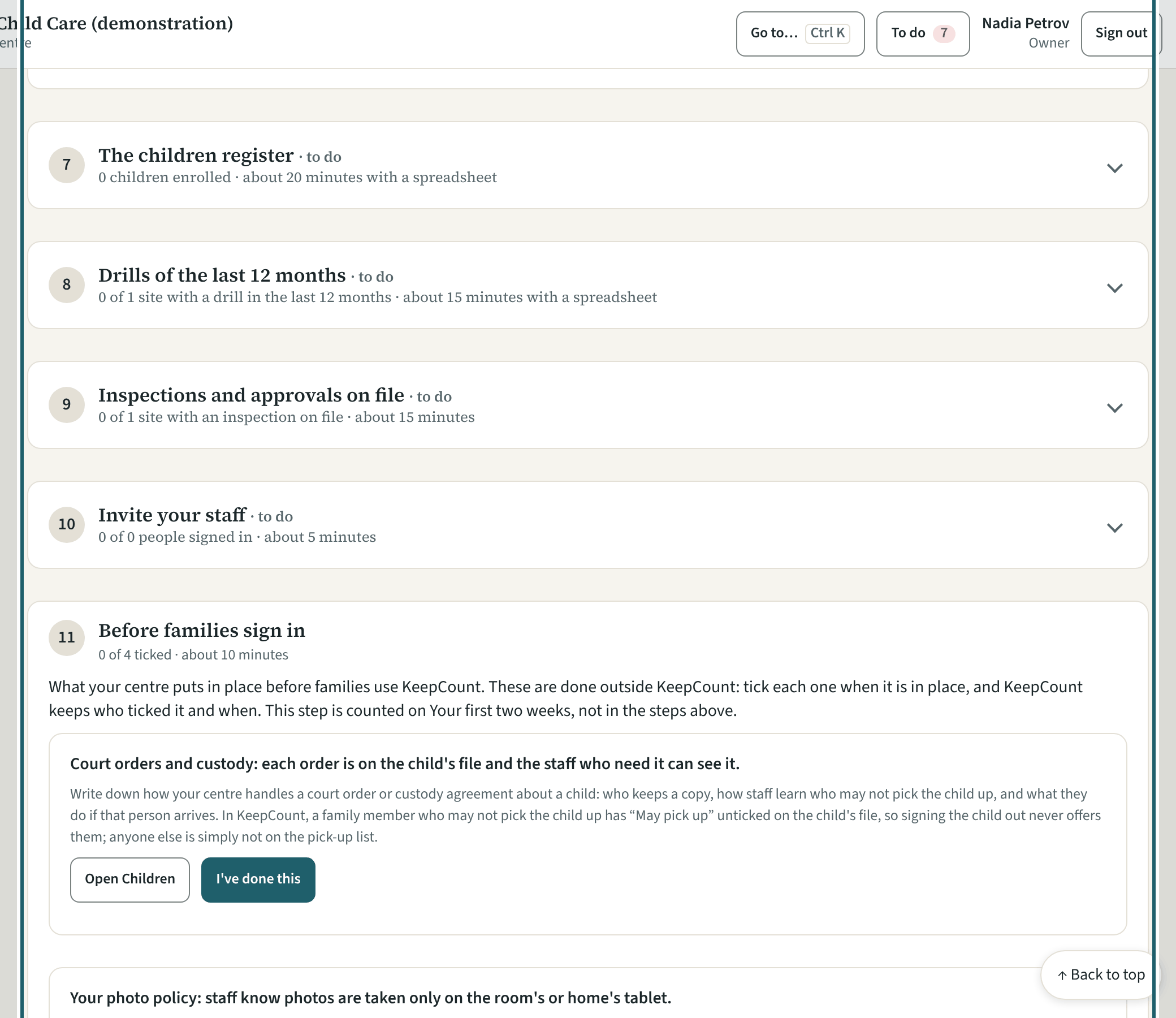
Below the questions, the ten steps in order, each with what it needs, about how long it takes, and a button to the screen. Done means the records exist.
More about this
The steps: your organization's details and logo; sites (name, licence, capacity and operating days); rooms and their age groups; your staff; screening dates; review your policies; the children register; drills of the last 12 months; inspections and approvals on file; invite your staff. Each shows "n of n complete" from the records themselves. "Use a spreadsheet" on rooms, staff, screening, children and drills imports a list from the template; "Move from another app" brings children, contacts and attendance from your current app's exports; "Bring in your own policies" takes a centre's existing policy documents.
The guide stays in the menu with its count until you take it out ("Take the guide out of the menu"); it comes back with "Put it back in the menu" on the same page, and the dashboard's set-up card points at the next step meanwhile.
Your centre's words for people and its policies may differ; the screens are the same. The screen is from KeepCount 0.99.162, captured October 29, 2026 in a demonstration organization: everyone in it is fictional. Section numbers are O. Reg. 137/15 (General) under the Child Care and Early Years Act, 2014, read on e-Laws on October 20, 2026. This explains how KeepCount works; it is not legal advice, and the Ministry's program advisors decide compliance.