Step 1 of 17 · Your first day
Sign in for the first time
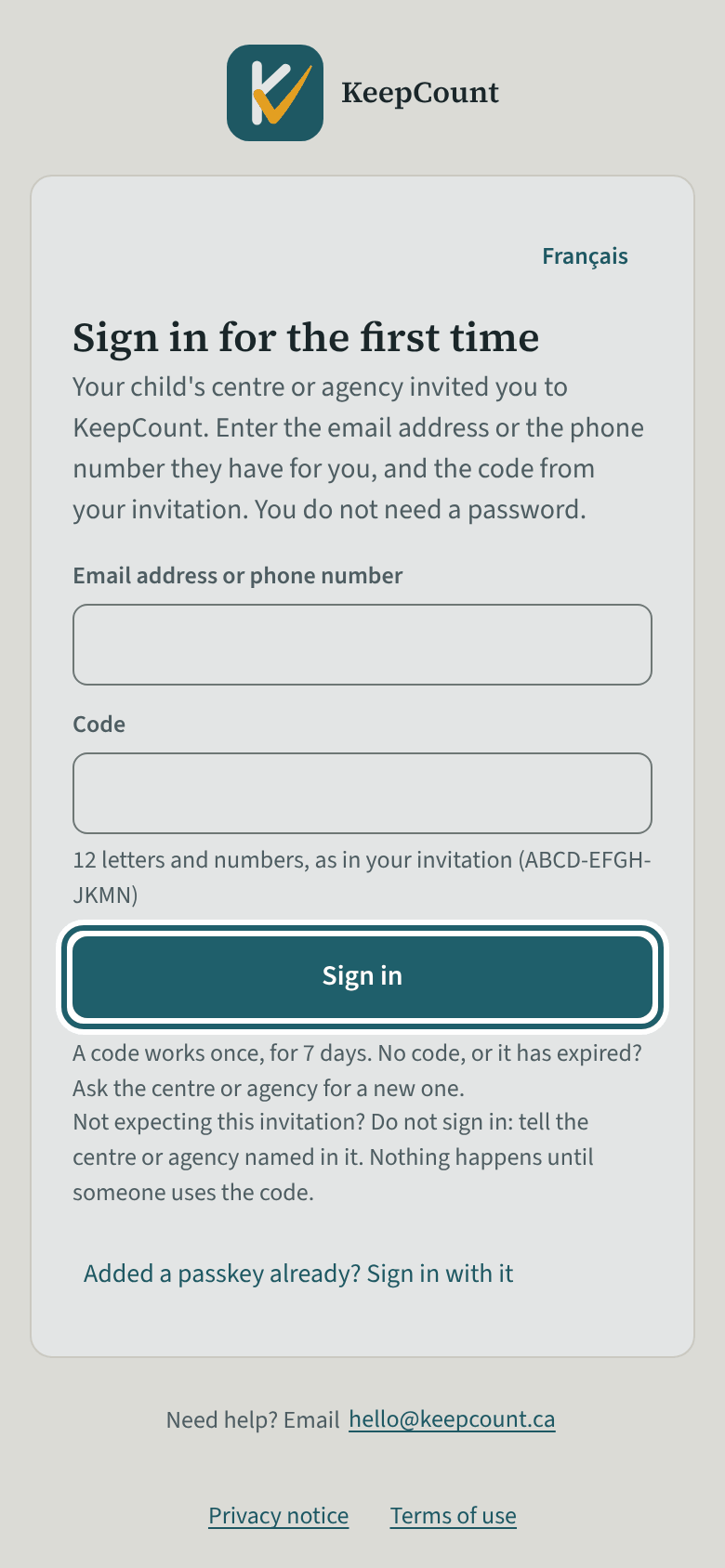
Open the link in the invitation email, type the email address or phone number the centre has for you and the code from the invitation, then tap Sign in.
Watch out: Type the email address or phone number exactly as the centre has it: KeepCount says only that the two did not match, and a code stops working after five wrong tries.
More about this
The centre adds you to your child's file and sends you an invitation: an email with a link and a 12-letter code (ABCD-EFGH-JKMN), or, if the centre has only your phone number, the code given to you by the centre. The invitation names the centre, never your child. Families have no password: the code and the email address or phone number together sign you in, once, within 7 days. Type the address or number exactly as the centre has it; KeepCount says only that the two did not match, not which one, and a code stops working after five wrong tries. No code, or it has expired? Ask the centre for a new one; "New sign-in code" on your child's file makes one.
After the first sign-in, KeepCount offers a passkey: your fingerprint, your face or your phone's PIN, kept on this phone or computer. Add it, and you sign in with it next time instead of asking for a new code. Without one, a sign-in lasts at most 30 days, and then you need a new code from the centre. "Continue to my child's page" opens Today.
Your child's centre or agency may use other words for people and its own policies; the screens are the same. The screen is from KeepCount 0.99.171, captured October 30, 2026 in a demonstration organization: everyone in it is fictional. Section numbers are O. Reg. 137/15 (General) under the Child Care and Early Years Act, 2014, read on e-Laws on October 20, 2026. This explains how KeepCount works; it is not legal advice, and the Ministry's program advisors decide compliance.