Step 23 of 31 · Your first week
The calendar
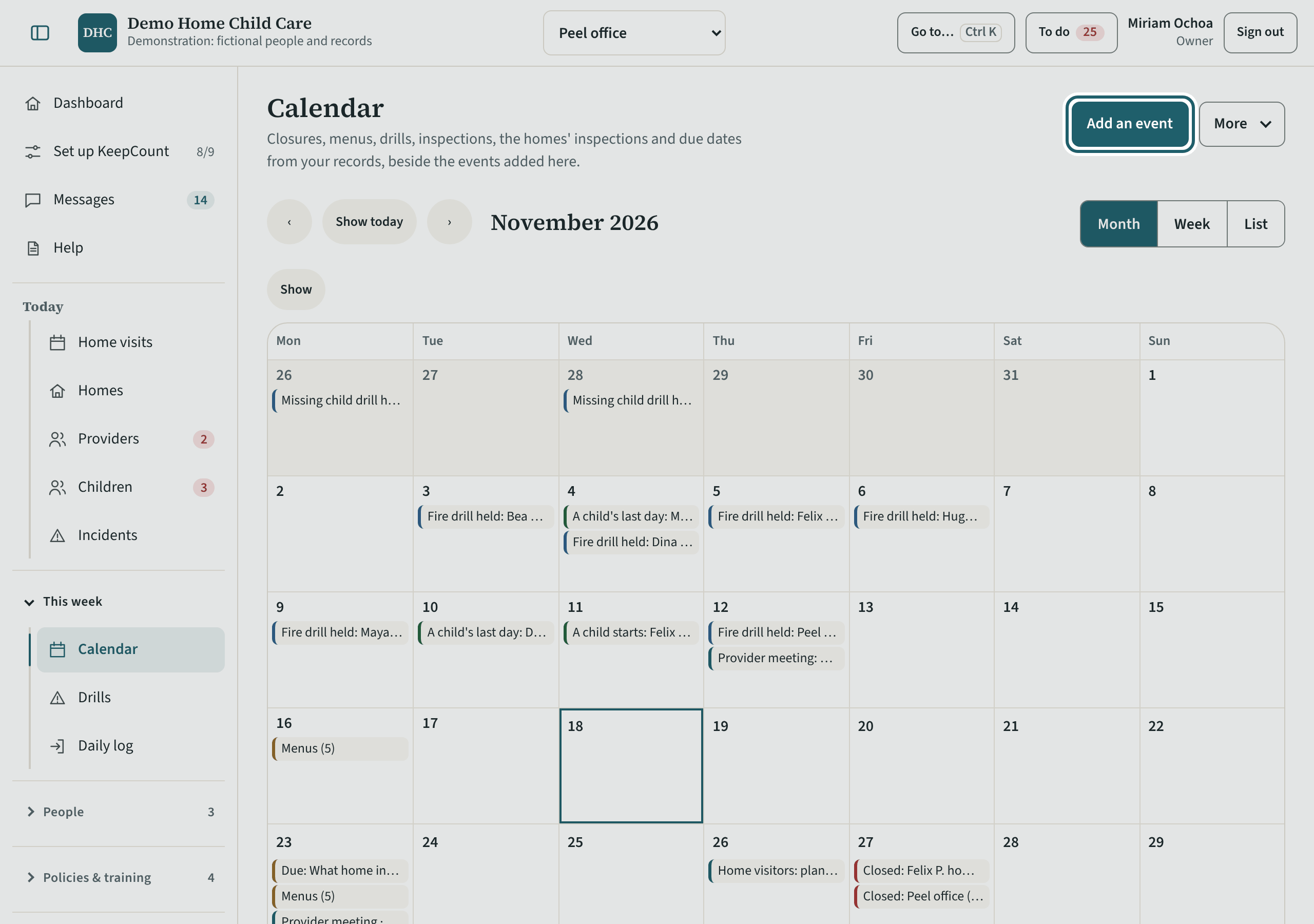
The calendar: closures, drills, inspections and due dates from your records beside the events added here, by month, week or list, with "Add an event".
Watch out: Inspections of a home without notice never show to a provider or to families (s. 26(1)).
More about this
The calendar draws the dates KeepCount already knows (closures, drills, inspections, the homes' inspections, documents and licences expiring, due dates) beside the events added here. Choose "Kinds of entries" to tick or untick Closed and holidays, Program and families, Staff, Due dates, Drills and safety, Licensing and Homes; choose Month, Week or List, and "Show today". "Add a closure", under More, closes an office with its homes, or one home; where families are on, it then offers to tell their families in Messages. "Add Ontario's public holidays", under More, adds a closure for each public holiday still ahead. "What families see", under Kinds of entries, greys what families do not see, with the reason. "Print this month", under More, prints it; an item opens with "Open the record" where it comes from one.
Your agency's words for people and its policies may differ; the screens are the same. The screen is from KeepCount 0.99.311, captured November 20, 2026 in a demonstration organization: everyone in it is fictional. Section numbers are O. Reg. 137/15 (General) under the Child Care and Early Years Act, 2014, read on e-Laws on November 12, 2026. This explains how KeepCount works; it is not legal advice, and the Ministry's program advisors decide compliance.