Step 26 of 27 · Your first week
Weekly plan
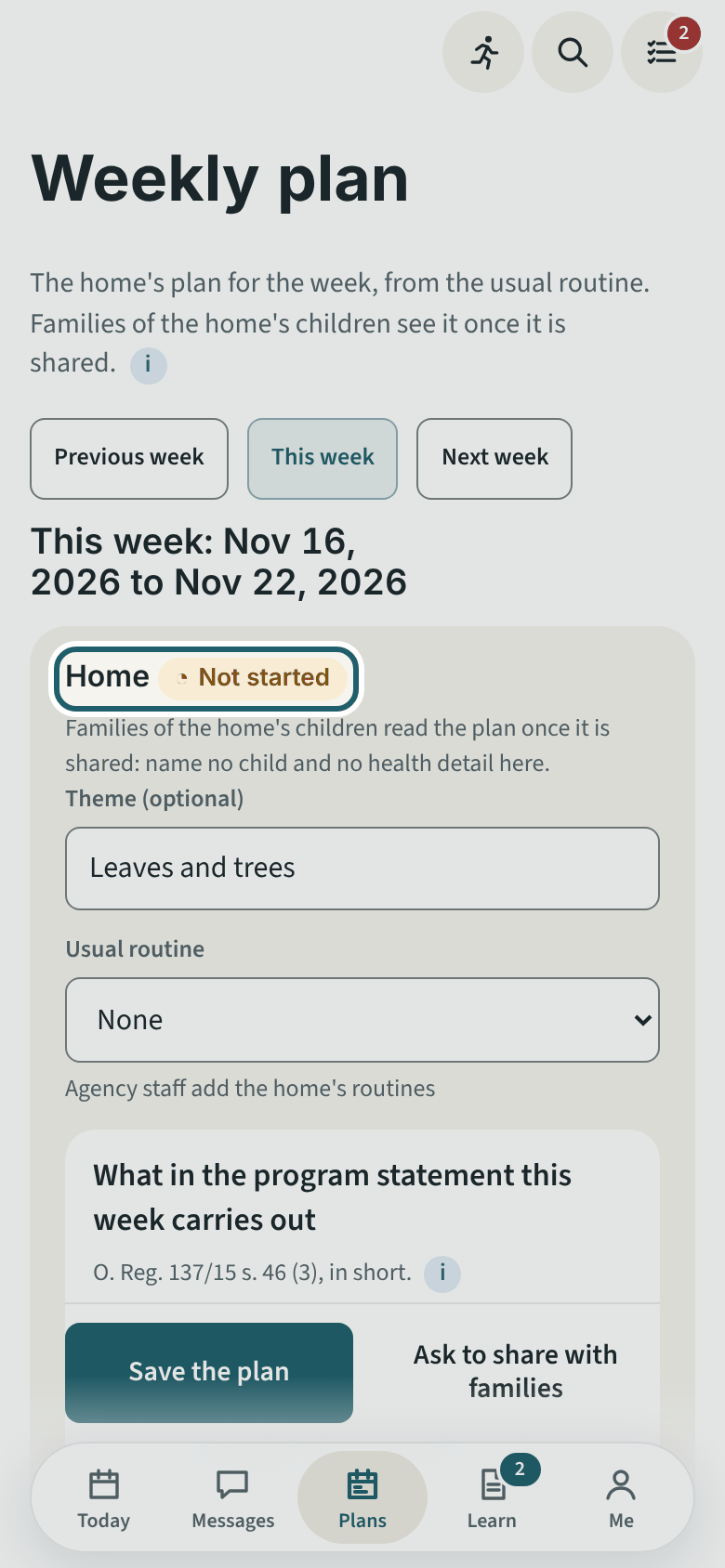
The weekly plan is the home's plan for the week: a theme, what in the program statement it carries out, and each day's activities.
Watch out: Families of the home's children read it once it is shared: name no child and no health detail in it.
More about this
"Previous week", "This week" and "Next week" choose the week. "Start from last week's" puts last week's plan in the form to change. Tick what in the program statement the week carries out. For each day the home runs, "Add an activity" takes the activity, the foundation of How Does Learning Happen? it supports, a detail and the supplies it needs; the supplies make "Supplies for the week", which families do not see.
"Save the plan" keeps it as a draft. "Ask to share with families" saves it for the agency to approve: it reads "Waiting for approval" until it is shared, then "Shared with families". A shared plan can still be changed, and families see the change; "Take back from families" asks why and stops them seeing it at once. Once its week has ended, a plan is kept as it was.
Your agency's words for people and its policies may differ; the screens are the same. The screen is from KeepCount 0.99.312, captured November 20, 2026 in a demonstration organization: everyone in it is fictional. Section numbers are O. Reg. 137/15 (General) under the Child Care and Early Years Act, 2014, read on e-Laws on October 20, 2026. This explains how KeepCount works; it is not legal advice, and the Ministry's program advisors decide compliance.