Step 17 of 41 · Your first day
The registration page
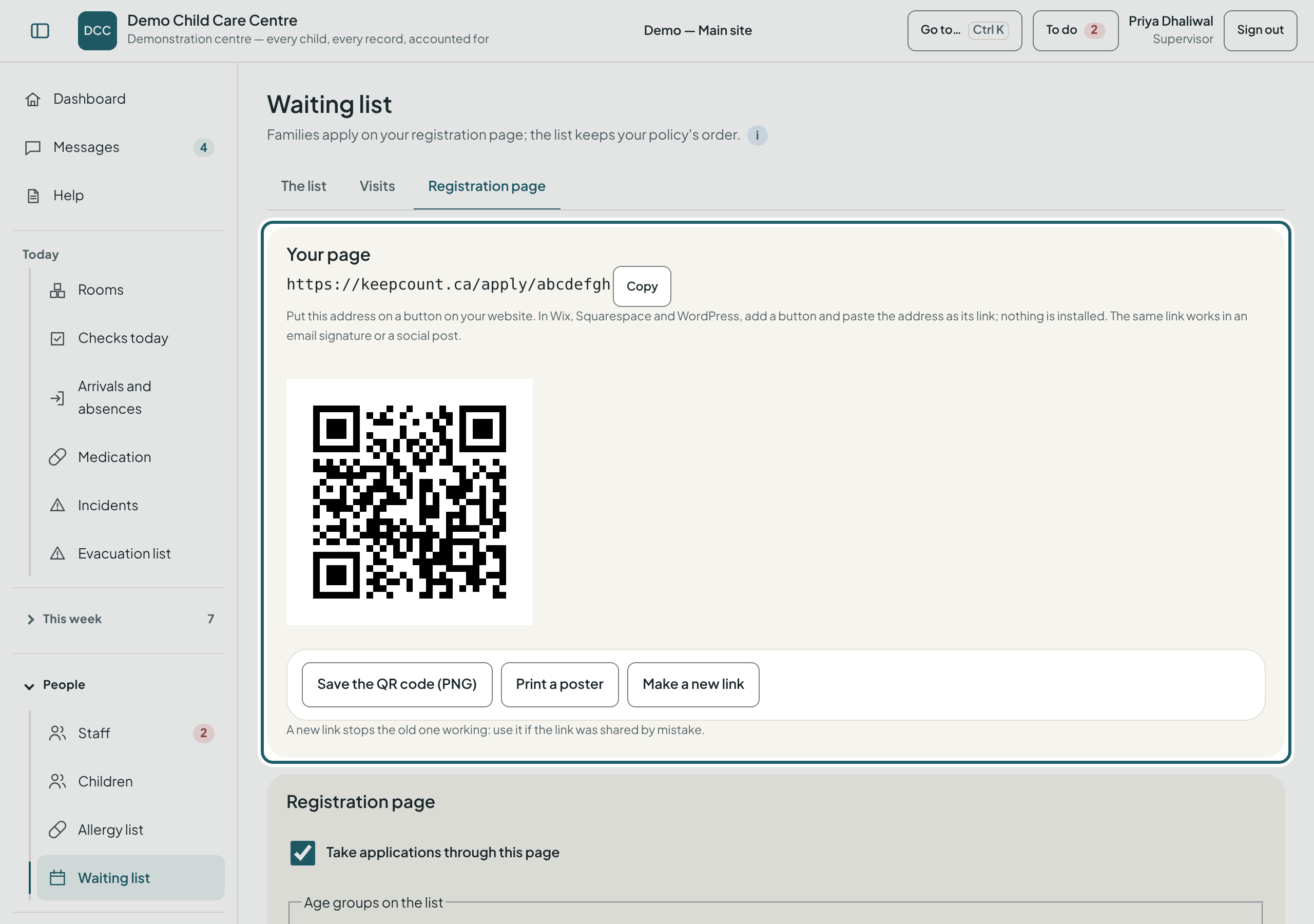
Waiting list, Registration page: your link and QR code, then the settings: age groups, the order of offers, your questions.
Watch out: Write the same order of offers and the same answer to a declined offer in your waiting-list policy: the page gives you the words to copy, but you publish the policy.
More about this
"Take applications through this page" turns the page on; while it is off, its link answers that it is not taking applications. Choose the age groups on the list and the priorities the order of offers uses (a brother or sister enrolled, a parent who works here, a fee subsidy, extra support, a child who came before, the centre's area), and put them in your order with Up and Down. Families confirm they are still interested every 6 to 12 months; an application not confirmed in time closes by itself. Families have 1 to 10 business days to answer an offer (weekends and Ontario's public holidays are not counted, and the time starts when the email goes), and you choose what a declined or unanswered offer does: the child keeps its place, goes after the others with the same priority, or leaves the list.
"In your waiting-list policy" gives the words that say the same as these settings, as you change them: "Copy the words", then paste them into the part of the policy that says how the order of offers is decided (O. Reg. 137/15, s. 75.1(2)(a)) and publish the policy as usual. You may add up to five questions of your own (not about health, allergies or support needs: those come at enrolment, in the child's file), a short welcome in English and in French, and the address of your parent handbook. "Your page" shows the link with "Copy", the QR code with "Save the QR code (PNG)", "Print a poster", and "Make a new link" (the old one stops working: use it if the link was shared by mistake). To use the link, add a button on your website and paste the address as its link. Where your service system manager keeps one list for its area (Ottawa's and Niagara's registries, for example) and your agreement asks you to use it, "Your list, or the region's registry" sends families there instead and the page takes no application; applications already on your list stay as they are.
Your centre's words for people and its policies may differ; the screens are the same. The screen is from KeepCount 0.99.317, captured November 23, 2026 in a demonstration organization: everyone in it is fictional. Section numbers are O. Reg. 137/15 (General) under the Child Care and Early Years Act, 2014, read on e-Laws on October 20, 2026. This explains how KeepCount works; it is not legal advice, and the Ministry's program advisors decide compliance.