Step 19 of 31 · Your first week
Training
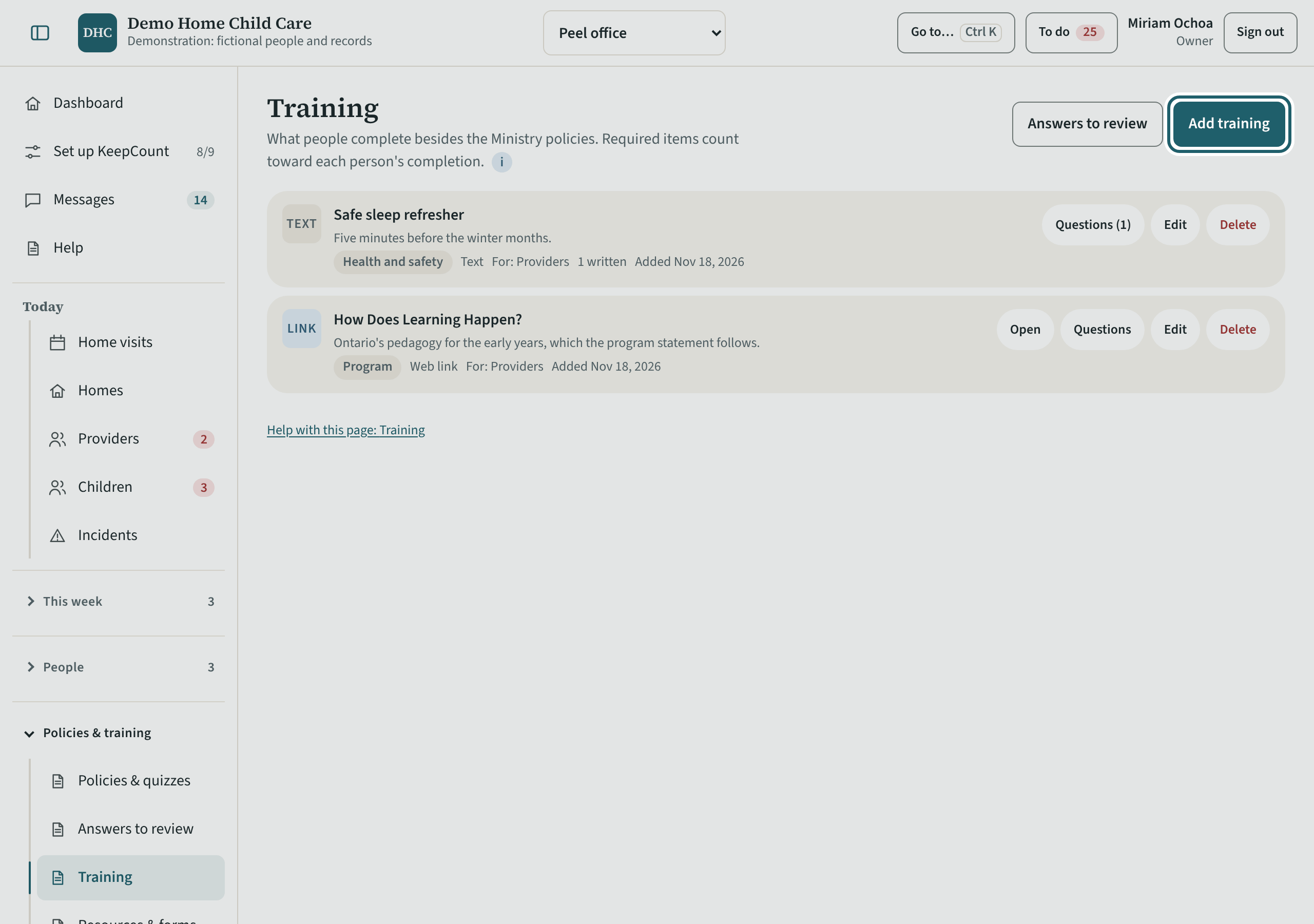
Training: what providers and staff complete besides the policies, each marked Required or not. "Add training" adds a video, a file, a link, text or questions.
Watch out: A YouTube video goes in as an unlisted link. "Required" counts toward completion on the person's record and their To do, with its days to complete.
More about this
A training item is a YouTube video (an unlisted link), a file, a web link, text written here, or questions only. "Who it is for" chooses the audience (everyone, the agency's staff only, or providers only) and, within it, all of them, the people at chosen offices or homes, chosen access levels or chosen people. "Days to complete", "Ministry training this item answers" and "Shown to the people it is for" are on the same form. Passing the multiple-choice questions (the pass mark is in Settings) records the item as complete; written answers go to Answers to review.
Your agency's words for people and its policies may differ; the screens are the same. The screen is from KeepCount 0.99.311, captured November 20, 2026 in a demonstration organization: everyone in it is fictional. Section numbers are O. Reg. 137/15 (General) under the Child Care and Early Years Act, 2014, read on e-Laws on November 12, 2026. This explains how KeepCount works; it is not legal advice, and the Ministry's program advisors decide compliance.