Step 26 of 34 · Your first week
The capacity forecast
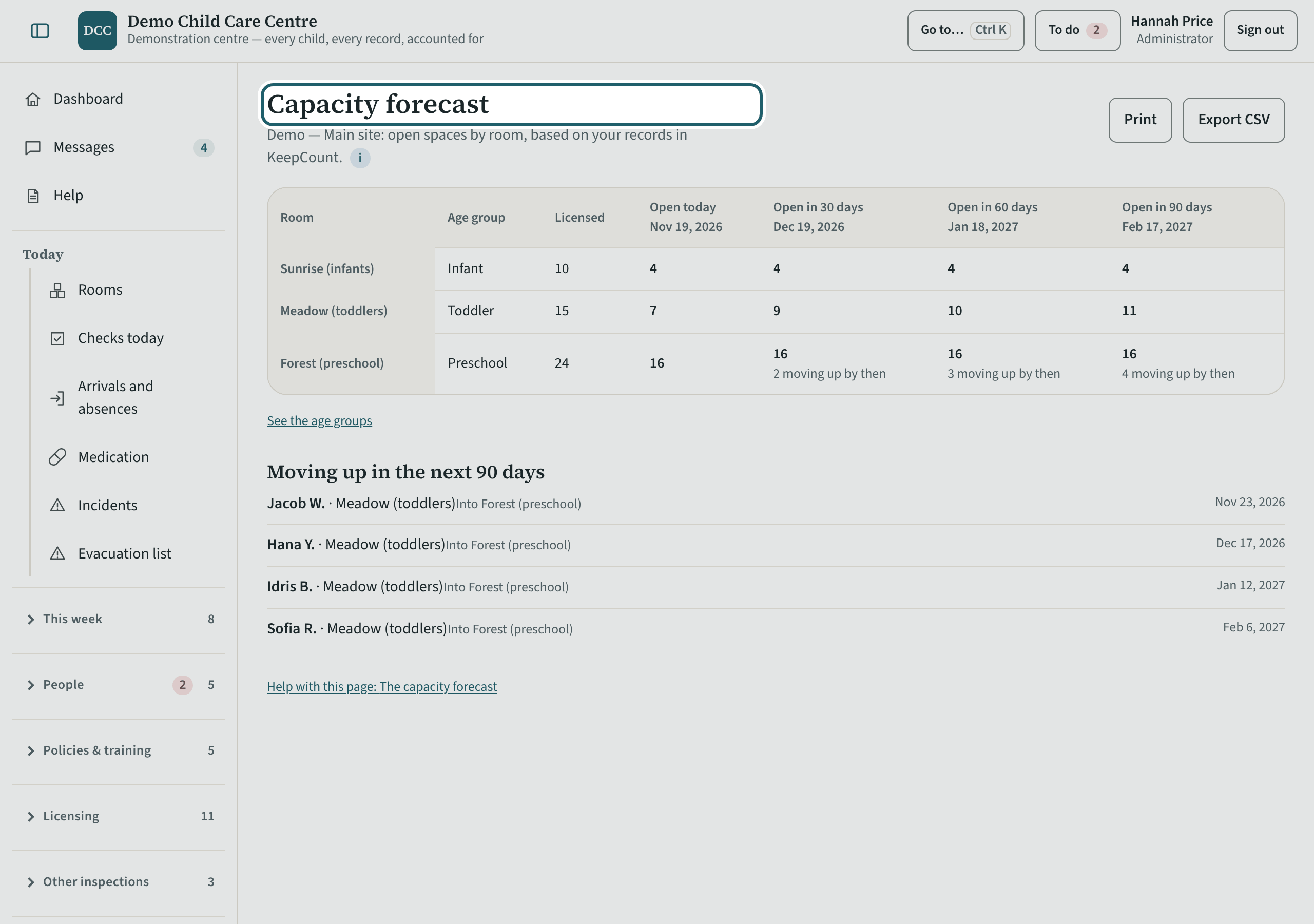
The capacity forecast: for each room of a site, the spaces open today and in 30, 60 and 90 days, the children moving up, and Print or Export CSV.
Watch out: It counts only what your records say: dates of birth, first and last days, days of the week and each room's licensed capacity. Nobody is moved for you.
More about this
Each room counts its children on each day the site operates: those enrolled by that day, not past their last day, coming that day of the week and still inside the room's age group. A child leaves a room's count on the day they reach the top of its age group (O. Reg. 137/15, s. 8(1)(b) and Schedule 1) and is listed under "Moving up in the next 90 days" with the age group that takes them, or with "No room at this site takes the next age group". A child enrolled but in no room is listed apart: "choose their room on the Children page". A room over its licensed capacity shows in red. Pick a site, then "Print" or "Export CSV". The page opens from Children: "See the full register", then More, "Capacity forecast" (or type it in "Go to…").
Your centre's words for people and its policies may differ; the screens are the same. The screen is from KeepCount 0.99.309, captured November 19, 2026 in a demonstration organization: everyone in it is fictional. Section numbers are O. Reg. 137/15 (General) under the Child Care and Early Years Act, 2014, read on e-Laws on October 20, 2026. This explains how KeepCount works; it is not legal advice, and the Ministry's program advisors decide compliance.